Introduction
Apache Kafka is an open-source, distributed event streaming platform used for high-performance data pipelines, streaming analytics, and mission-critical applications.
MoEngage and Kafka
This integration enables you to stream events from Kafka topics directly to MoEngage via Connected Sources. This allows raw event data to flow from Kafka to MoEngage in near real time.
With this integration, you can:
- Stream real-time events: Send events from Kafka topics to MoEngage with sub-second latency for immediate campaign triggering and user profile updates.
- Scale across environments: Deploy across multiple environments, including Systemd, Docker, Docker Compose, and Kubernetes, for production-grade reliability.
Use cases
Integrating Kafka with MoEngage supports the following use cases:
- Real-time purchase triggers: When a customer completes a purchase captured in Kafka, instantly stream the order event to MoEngage to trigger personalized thank-you emails, product review requests, and cross-sell campaigns based on items purchased and order value.
- Abandoned cart recovery: Stream cart abandonment events from your e-commerce platform through Kafka to MoEngage to automatically trigger reminder emails with personalized recommendations and time-sensitive discount codes.
- User activity tracking: Capture high-volume user interactions like page views, feature usage, and content engagement in Kafka topics. Stream them to MoEngage to build behavior profiles and trigger contextual in-app messages or push notifications.
Integration
The integration follows an architecture in which your Kafka events are sent directly to MoEngage in JSON format.
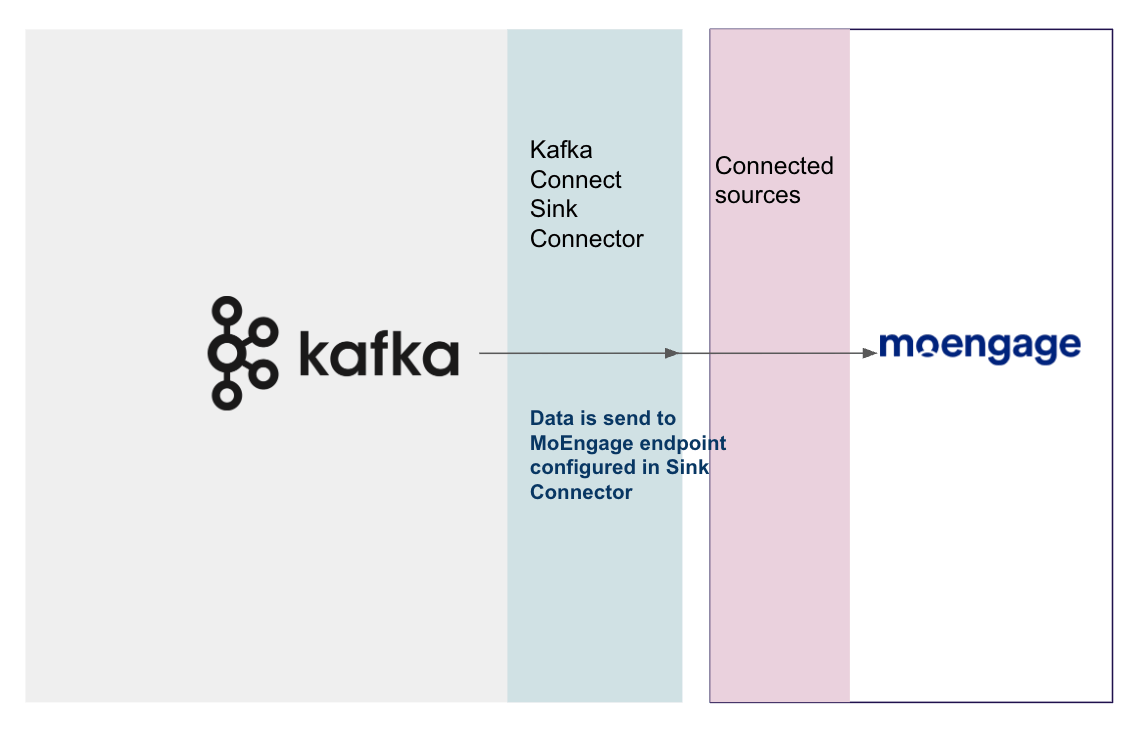 You can push events from your Kafka topics to the MoEngage API endpoint by using a Kafka Consumer (a sample Python script is provided below). MoEngage processes these events and displays the data in the user profile.
Prerequisites
- An active Kafka cluster with bootstrap servers accessible from your deployment environment.
- Python 3.7 or higher is installed in your deployment environment.
- Kafka events are formatted according to the standard JSON schema.
- An understanding of your Kafka message structure and authentication requirements.
Step 1: Get the MoEngage endpoint
Contact the MoEngage Support team to obtain a dedicated Kafka integration endpoint. Note the values for the following fields for the next steps:
| Field | Description | Sample value |
|---|
MOENGAGE_PARTNER_NAME | Enter your MoEngage partner identifier. | — |
MOENGAGE_DATA_CENTER | Enter your MoEngage Data Center number (for example, 01, 02, or 03). For more information, see Data Centers in MoEngage. | 02 |
MOENGAGE_CONFIG_NAME | Enter the unique MOENGAGE_CONFIG_NAME provided by the MoEngage team. | 15fc62d8-efbd-42c7-aad5-... |
MOENGAGE_APP_ID | Your MoEngage workspace ID. To find your credentials: - In the MoEngage UI, navigate to Settings > Account > APIs.
- Copy the ID under Workspace ID (earlier app id).
| 7IYSTOK1CLO9A1XDO... |
MOENGAGE_API_SECRET | The MoEngage Data API secret key. To find your credentials: - In the MoEngage UI, navigate to Settings > Account > APIs.
- Copy the value under Data under API keys.
| pIfghD6guNHTvwgZz... |
Step 2: Set up the Kafka connector
The following sections provide a sample script to push data from your Kafka topic to your dedicated MoEngage endpoint. You can modify the script based on your data structure and attribute mapping.
MoEngage provides a standard JSON format for Kafka events. Ensure your Kafka messages follow this structure:
{
  "first_name": "Peace Smith",
  "customer_id": "6808568926651744",
  "email": "[email protected]",
  "phone": "+1234567890",
  "last_name": "Moe",
  "updated_at": "1759752209000",
  "user_attributes": {
    "city": "San Francisco",
    "subscription_tier": "Premium",
    "total_orders": 5
  },
  "event_attributes": {
    "event_name": "Purchase Completed",
    "product_id": "PROD-12345",
    "amount": 99.99,
    "currency": "USD"
  }
}
| Field | Type | Required | Description |
|---|
customer_id | String | Yes | The unique identifier for the user (used as the primary key in MoEngage). |
email | String | No | The user’s email address. |
phone | String | No | The user’s phone number, including the country code (for example, +1234567890). |
first_name | String | No | The user’s first name. |
last_name | String | No | The user’s last name. |
updated_at | String | Yes | The timestamp in epoch milliseconds (for example, "1759752209000"). |
user_attributes | Object | No | Additional user profile attributes (for example, city, subscription_tier, and custom fields). |
event_attributes | Object | Yes | Event-specific data. The event_name field is mandatory. |
event_attributes.event_name | String | Yes | The name of the event (for example, Purchase Completed, Page Viewed). |
Flexible schemaYou can add custom fields to the user_attributes and event_attributes objects. MoEngage automatically captures and stores these fields. Only customer_id, updated_at, and event_attributes.event_name are mandatory.
Step 2.2: Basic setup
Python dependencies
Install the required Python packages for Kafka consumption and HTTPS communication:
pip install confluent-kafka requests python-dotenv
python --version
| Package | Version | Purpose |
|---|
confluent-kafka | 2.3.0+ | The Kafka consumer client. |
requests | 2.31.0+ | The HTTP client for the MoEngage API. |
python-dotenv | 1.0.0+ | An environment variable management. |
.env file to securely store your configuration.
Do not commit this file to version control.
Environment Configuration
# MoEngage Configuration (from Step 1 above)
MOENGAGE_PARTNER_NAME=your_partner_name
MOENGAGE_DATA_CENTER=02
MOENGAGE_CONFIG_NAME=15fc62d8-efbd-42c7-aad5-ad723a83ae80
MOENGAGE_APP_ID=7IYSTOK1CLO9A1XDO...
MOENGAGE_API_SECRET=pIfghD6guNHTvwgZz...

# Kafka Configuration (your Kafka cluster details)
KAFKA_BOOTSTRAP_SERVERS=broker1:9092,broker2:9092
KAFKA_TOPICS=user-events,transactions
KAFKA_GROUP_ID=moengage-consumer-group
KAFKA_SECURITY_PROTOCOL=PLAINTEXT

# For authenticated Kafka (if using SASL)
KAFKA_SECURITY_PROTOCOL=SASL_SSL
KAFKA_SASL_MECHANISM=PLAIN
KAFKA_API_KEY=your_kafka_api_key
KAFKA_API_SECRET=your_kafka_api_secret

# Application Configuration
LOG_LEVEL=INFO
| Variable | Required | Description |
|---|
KAFKA_BOOTSTRAP_SERVERS | Yes | A comma-separated list of Kafka broker addresses. |
KAFKA_TOPICS | Yes | A comma-separated list of topics to consume. |
KAFKA_GROUP_ID | Yes | The consumer group ID for offset management. |
KAFKA_SECURITY_PROTOCOL | No | PLAINTEXT, SASL_SSL, or SSL (default: PLAINTEXT). |
LOG_LEVEL | No | INFO, DEBUG, WARNING, or ERROR (default: INFO). |
Step 2.3: Create the consumer script
Create a file named kafka_consumer.py. This script consumes messages from Kafka and posts them to the MoEngage API.
#!/usr/bin/env python3
"""
Kafka to MoEngage Consumer
Reads events from Kafka and sends to MoEngage using standard JSON format
"""
import os
import json
import requests
import time
import base64
from dotenv import load_dotenv
from confluent_kafka import Consumer, KafkaError

load_dotenv()

# Configuration
MOENGAGE_PARTNER_NAME = os.getenv('MOENGAGE_PARTNER_NAME')
MOENGAGE_DATA_CENTER = os.getenv('MOENGAGE_DATA_CENTER')
MOENGAGE_CONFIG_NAME = os.getenv('MOENGAGE_CONFIG_NAME')
MOENGAGE_APP_ID = os.getenv('MOENGAGE_APP_ID')
MOENGAGE_API_SECRET = os.getenv('MOENGAGE_API_SECRET')

KAFKA_BOOTSTRAP_SERVERS = os.getenv('KAFKA_BOOTSTRAP_SERVERS')
KAFKA_TOPICS = os.getenv('KAFKA_TOPICS', 'events').split(',')
KAFKA_GROUP_ID = os.getenv('KAFKA_GROUP_ID')
KAFKA_SECURITY_PROTOCOL = os.getenv('KAFKA_SECURITY_PROTOCOL', 'PLAINTEXT')
KAFKA_SASL_MECHANISM = os.getenv('KAFKA_SASL_MECHANISM', 'PLAIN')
KAFKA_API_KEY = os.getenv('KAFKA_API_KEY')
KAFKA_API_SECRET = os.getenv('KAFKA_API_SECRET')

LOG_LEVEL = os.getenv('LOG_LEVEL', 'INFO')

# MoEngage endpoint with configName
MOENGAGE_ENDPOINT = (
    f'https://api-{MOENGAGE_DATA_CENTER}.moengage.com/v1/partner/'
    f'{MOENGAGE_PARTNER_NAME}/events/?configName={MOENGAGE_CONFIG_NAME}'
)

def log(level, msg):
    """Simple logging"""
    if level in ['ERROR', 'WARNING', 'INFO', 'DEBUG']:
        print(f"[{level}] {msg}")

def create_basic_auth():
    """Create Basic Auth header"""
    credentials = f"{MOENGAGE_APP_ID}:{MOENGAGE_API_SECRET}"
    encoded = base64.b64encode(credentials.encode()).decode()
    return f"Basic {encoded}"

def send_to_moengage(kafka_message):
    """Send Kafka message to MoEngage with retries"""
    headers = {
        'Content-Type': 'application/json',
        'Authorization': create_basic_auth()
    }

    for attempt in range(3):
        try:
            response = requests.post(
                MOENGAGE_ENDPOINT,
                json=kafka_message,
                headers=headers,
                timeout=10
            )

            if response.status_code in [200, 201, 202, 204, 207]:
                log('INFO', f"Event sent successfully (status {response.status_code})")
                return True
            elif response.status_code >= 500:
                log('WARNING', f"Server error {response.status_code}, retrying...")
                time.sleep(2 ** attempt)
                continue
            else:
                log('ERROR', f"API error {response.status_code}: {response.text}")
                return False

        except Exception as e:
            log('ERROR', f"Send failed (attempt {attempt+1}): {e}")
            if attempt < 2:
                continue
            return False
    return False

# ... main consumer loop continues here (see source for full script) ...
Step 3: Test script
Before you deploy to production, verify that the integration works correctly.
Testing prerequisitesEnsure your Kafka topics contain test events in the standard JSON format before you run the consumer script.
3.1. Run the consumer script locally
python3 kafka_consumer.py
[INFO] Consumer started. Topics: ['user-events']
[INFO] MoEngage endpoint: https://api-02.moengage.com/v1/partner/your-company/events/?configName=15fc62d8...
[INFO] Event sent successfully (status 200)
[DEBUG] Offset committed: 12345
3.2. Verify data in the MoEngage UI
- In the MoEngage UI, navigate to Settings > Data Management > Events.
- Search for your event names (from
event_attributes.event_name).
- Check the Users section to confirm profiles are created/updated.
- Navigate to Segment > Search Users.
- Search for the customer using Customer ID, Email address, or Phone number.
- Verify that events appear with correct attributes and timestamps in the User Profile.
Data processing delayEvents may take 1 to 2 minutes to appear in the MoEngage dashboard due to processing queues. If events don’t appear after 10 minutes, check the console logs for API errors and verify your credentials.
Step 4: Deploy to production
Choose a deployment method based on your infrastructure. MoEngage supports the following deployment options.
Systemd Service
Docker
Docker Compose
Kubernetes
Systemd Service (Linux)
To run the consumer as a persistent background process on a Linux server, follow the steps below to configure:1. Create service fileCreate the service file using nano:sudo nano /etc/systemd/system/kafka-moengage.service
[Unit]
Description=Kafka to MoEngage Consumer
After=network.target

[Service]
Type=simple
User=kafka_user
WorkingDirectory=/opt/kafka-moengage
EnvironmentFile=/opt/kafka-moengage/.env
ExecStart=/usr/bin/python3 /opt/kafka-moengage/kafka_consumer.py
Restart=always
RestartSec=10
StandardOutput=journal
StandardError=journal

[Install]
WantedBy=multi-user.target
sudo systemctl daemon-reload
sudo systemctl enable kafka-moengage.service
sudo systemctl start kafka-moengage.service
# Check status
sudo systemctl status kafka-moengage.service

# View logs
sudo journalctl -u kafka-moengage.service -f

# Restart service
sudo systemctl restart kafka-moengage.service
Docker container
To package the application for consistent behavior across environments, follow these steps to build and run a Docker container.1. Create DockerfileUse the following configuration to define the environment and dependencies by creating a Dockerfile:FROM python:3.10-slim
WORKDIR /app
COPY requirements.txt .
RUN pip install --no-cache-dir -r requirements.txt
COPY kafka_consumer.py .
CMD ["python3", "kafka_consumer.py"]
requirements.txt to ensure they are installed during the build process.confluent-kafka==2.3.0
requests==2.31.0
python-dotenv==1.0.0
# Build image
docker build -t kafka-moengage:latest .

Run container

docker run -d

--name kafka-moengage

--env-file .env

--restart unless-stopped

kafka-moengage:latest

View logs

docker logs -f kafka-moengage

Stop container

docker stop kafka-moengage
Docker Compose
Manage the consumer with a declarative configuration file.1. Create docker-compose.ymlConfigure with the following service parameters, including environment variables and logging limits, in a docker-compose.yml file:version: '3.8'
services:
kafka-moengage:
build: .
container_name: kafka-moengage-consumer
env_file: .env
restart: always
logging:
driver: "json-file"
options:
max-size: "10m"
max-file: "3"
# Start service
docker-compose up -d

# View logs
docker-compose logs -f

# Stop service
docker-compose down

# Restart service
docker-compose restart
docker-compose up --scale kafka-moengage=3Kubernetes deployment
Deploy for production-grade high availability with automatic scaling.1. Create secretsSecurely store your sensitive MoEngage and Kafka credentials by creating a Kubernetes Secret object with the following:kubectl create secret generic kafka-moengage
--from-literal=MOENGAGE_APP_ID=your_app_id
--from-literal=MOENGAGE_API_SECRET=your_secret
--from-literal=KAFKA_API_KEY=your_kafka_key
--from-literal=KAFKA_API_SECRET=your_kafka_secret
deployment.yaml manifest with the following:apiVersion: apps/v1
kind: Deployment
metadata:
name: kafka-moengage-consumer
spec:
replicas: 2
selector:
matchLabels:
app: kafka-moengage
template:
metadata:
labels:
app: kafka-moengage
spec:
containers:
- name: consumer
image: kafka-moengage:latest
env:
- name: MOENGAGE_PARTNER_NAME
value: "your-partner-name"
- name: MOENGAGE_DATA_CENTER
value: "02"
- name: MOENGAGE_CONFIG_NAME
value: "your-config-uuid"
- name: KAFKA_BOOTSTRAP_SERVERS
value: "broker1:9092,broker2:9092"
- name: KAFKA_TOPICS
value: "user-events"
- name: KAFKA_GROUP_ID
value: "moengage-consumer-group"
- name: MOENGAGE_APP_ID
valueFrom:
secretKeyRef:
name: kafka-moengage
key: MOENGAGE_APP_ID
- name: MOENGAGE_API_SECRET
valueFrom:
secretKeyRef:
name: kafka-moengage
key: MOENGAGE_API_SECRET
resources:
requests:
memory: "256Mi"
cpu: "250m"
limits:
memory: "512Mi"
cpu: "500m"
# Deploy
kubectl apply -f deployment.yaml

# View pods
kubectl get pods

# View logs
kubectl logs -f deployment/kafka-moengage-consumer

# Scale replicas
kubectl scale deployment kafka-moengage-consumer --replicas=4
Troubleshooting
Common issues and solutions
| Issue | Possible cause | Solution |
|---|
| 401 Unauthorized Error | The MoEngage credentials are incorrect. | Verify MOENGAGE_APP_ID and MOENGAGE_API_SECRET. Check for extra spaces in the .env file. |
| 400 Bad Request Error | The data does not match standard JSON format. | Verify Kafka events match the required schema. Ensure customer_id, updated_at, and event_attributes.event_name are present. |
| Consumer not connecting to Kafka | These are incorrect bootstrap servers or authentication. | Verify KAFKA_BOOTSTRAP_SERVERS and test connectivity with telnet broker1 9092. Check SASL credentials if using authentication. |
| Events not appearing in MoEngage | These are missing required fields or wrong configName. | Check console logs for API response. Ensure all required fields are present. Verify MOENGAGE_CONFIG_NAME matches the credentials provided by MoEngage. |
| Consumer lag increasing | These processes are slower than the ingestion rate. | Scale horizontally by adding more consumer instances. Each instance will process different partitions. |
| JSON Decode Error | This is non-JSON data in the Kafka topic. | Verify Kafka topic contains valid JSON messages. Check for binary data or malformed JSON. |
| Module Not Found Error | This is a Python dependency that is not installed. | Run pip install -r requirements.txt. Verify Python version is 3.7+. |
Additional resources

