

API Categories
Data
Create and update users, track events, manage devices, and import data in bulk.
Business Events
Create and trigger business events to power automated campaigns.
Content
Manage templates, content blocks, recommendations, coupons, and catalogs.
Campaigns
Create and manage Push and Email campaigns programmatically.
Segments
Create and manage file-based, filter-based, and cohort-synced user segments.
Subscriptions
Manage email subscriptions and subscription category preferences.
Analytics
Access custom dashboards and fetch the analytics data behind their charts.
Push
Send transactional and targeted push notifications to Android, iOS, and Web.
Cards
Fetch and manage App Inbox cards for users.
Inform
Send transactional alerts across SMS, Email, and Push channels.
Live Activities
Start, update, and end iOS Live Activities via broadcast.
Personalize
Fetch and manage personalized experiences for users.
Message Archival
View and retrieve archived messages.
Data Centers
MoEngage maintains multiple data centers. You are assigned to a specific data center when you sign up. You can identify your data center from your dashboard URL.Choosing a Data Center
If you have data privacy requirements to store user data in a specific geographical region:- US region: Sign up with DC-01 or DC-04
- EU region: Sign up with DC-02
- India region: Sign up with DC-03
- Indonesia region: Sign up with DC-06
DC-05 (Singapore) is not available for new sign-ups. Existing DC-05 workspaces remain operational and continue to use
https://api-05.moengage.com for API requests. For data residency requirements in Singapore, contact your Customer Success Manager.Base URL
All API requests are made to:{dc} with your data center number (e.g., 01, 02, 03). You can identify your data center from your Dashboard URL.
Each API may have additional path segments (e.g.,
/v1, /core-services/v1). Refer to the specific API documentation for the complete endpoint path.Authentication
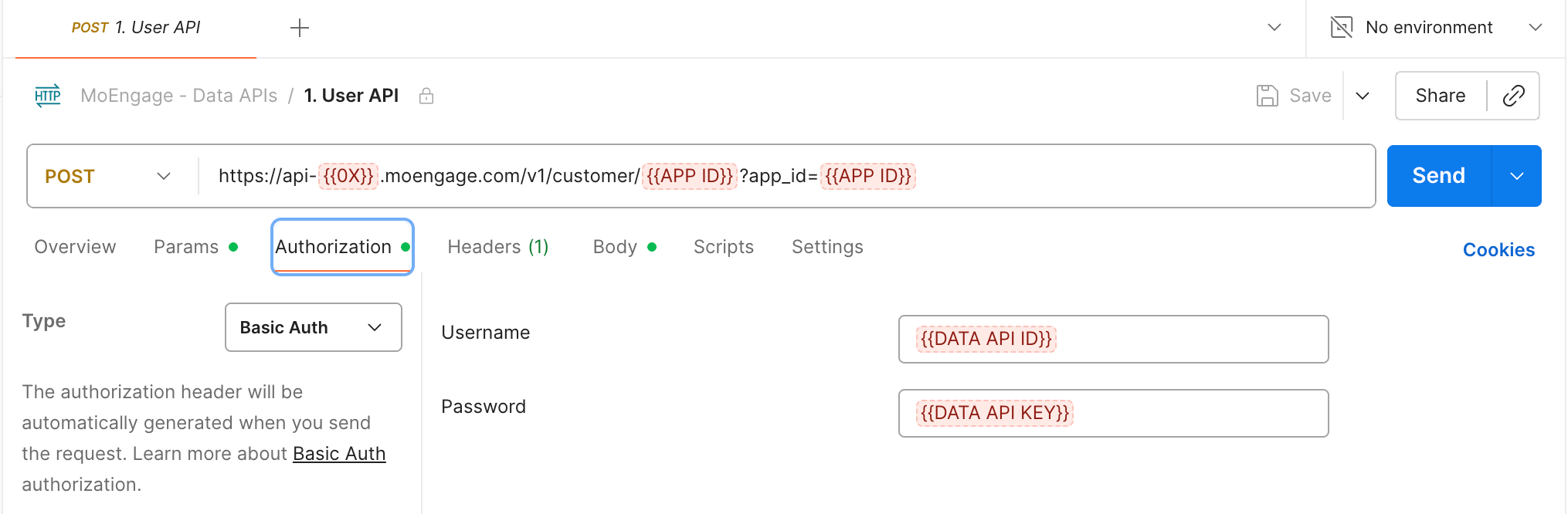
MoEngage API requests use Basic Authentication by default. Depending on the API group, a key can instead use OAuth 2.0 or AWS STS Auth:- OAuth 2.0: Issues short-lived access tokens that you pass in the
Authorizationheader of each request. For the token endpoints, the request format, and the token lifecycle, refer to OAuth 2.0 Overview. - AWS STS Auth: Authorizes callers by the AWS assumed-role ARN that signs each request. For the signing sequence, the regional AWS STS hosts, and the request headers, refer to AWS STS Auth. For the accepted ARN format and how to allowlist role ARNs on a key, refer to API Key Dashboard.
{"Authorization: Basic Base64_ENCODED_WORKSPACEID_APIKEY=="}
Required Headers
The
MOE-APPKEY header (set to your Workspace ID) is required only for File Import APIs and the Test Connection API. It is not required for core Data APIs such as Track User, Get User, Track Event, Merge User, Delete User, and Track Device.Generating Credentials
TheAuthorization header value is a Base64 encoding of workspace_id:api_key.
Getting Your Credentials
- Log in to the MoEngage dashboard.
- Navigate to Settings > Account > APIs.
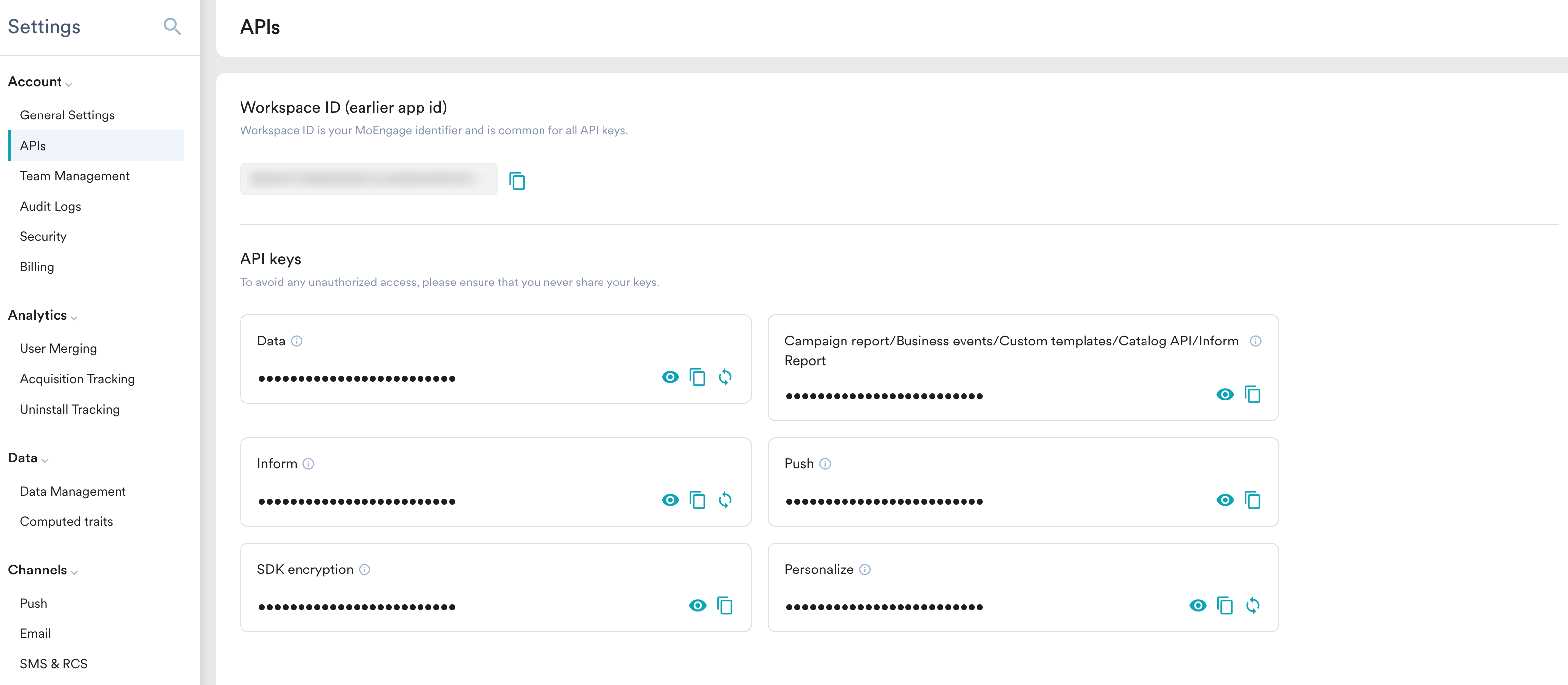
- Copy your Workspace ID and the relevant API Key.
API Keys by Feature
Different APIs require different API keys from your dashboard:Rate Limits
MoEngage enforces per-workspace rate limits and payload caps on its REST APIs. Requests that exceed a rate limit receive anHTTP 429 response; oversized payloads receive HTTP 413 (or 400). Rate-limited responses include x-ratelimit-limit, x-ratelimit-remaining, and x-ratelimit-reset headers so you can track remaining capacity in real time.
For the full per-endpoint breakdown, covering rate limits, payload size caps, monitoring headers, and how to request an increase, see Rate Limits.
Error Handling
Most MoEngage APIs return errors in the standard format below.Standard Error Format
Newer v5 APIs, such as Flows, use a different error envelope:
{ response_id, error: { code, message, target, details } }. Refer to the specific API’s reference for its exact error shape.HTTP Status Codes
Key Endpoints Reference
Data
Business Events
Content
Templates
Content Blocks
Recommendations
Coupons
Catalog
Campaigns
Segments
Subscriptions
Push
Cards
Inform
Live Activities
Personalize
Message Archival
Support
Need help with the API?- Support: Contact your Customer Success Manager or raise a support ticket.