

Introduction
PostHog offers a suite of product analysis tools, including funnels, heat maps, session recording, and more, all in a single platform.MoEngage × PostHog
With the MoEngage and PostHog integration, you can forward events being tracked in MoEngage to your PostHog dashboard to perform holistic analytics on your users’ behaviors. You can also forward users to PostHog using MoEngage’s Connector Campaigns.Integration
Prerequisites
- You would need to know your PostHog project API key.
Forward events on MoEngage to PostHog
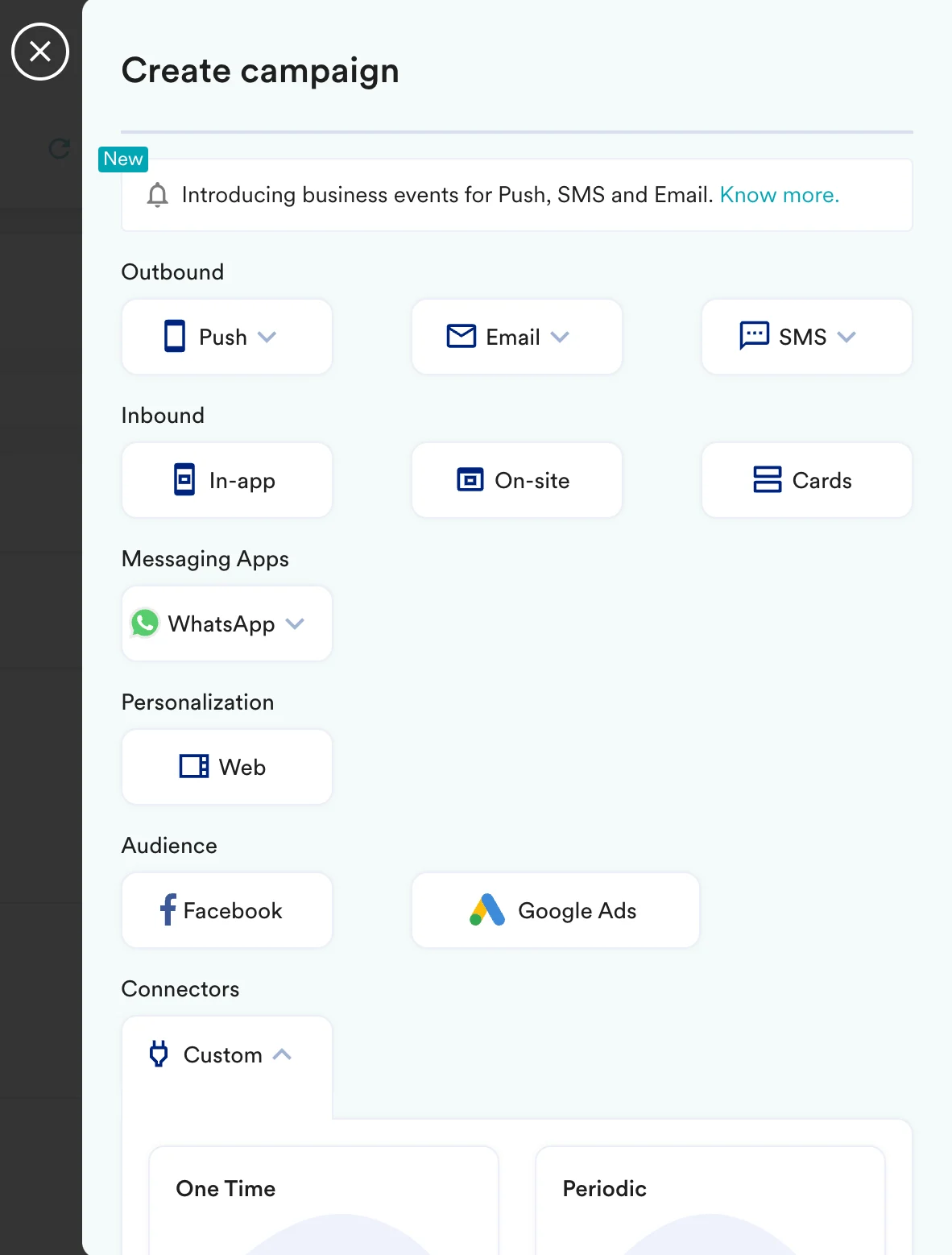
With MoEngage’s Connector Campaigns, you can forward your events to PostHog when they perform any action on your app or website. To create a connector campaign on MoEngage:- Navigate to Create Campaign > Connectors > Custom and choose the delivery type most suitable to your needs. For this example, we will select Event Triggered and select the event as Purchased.
- On step 2 of the campaign:
Call the PostHog API
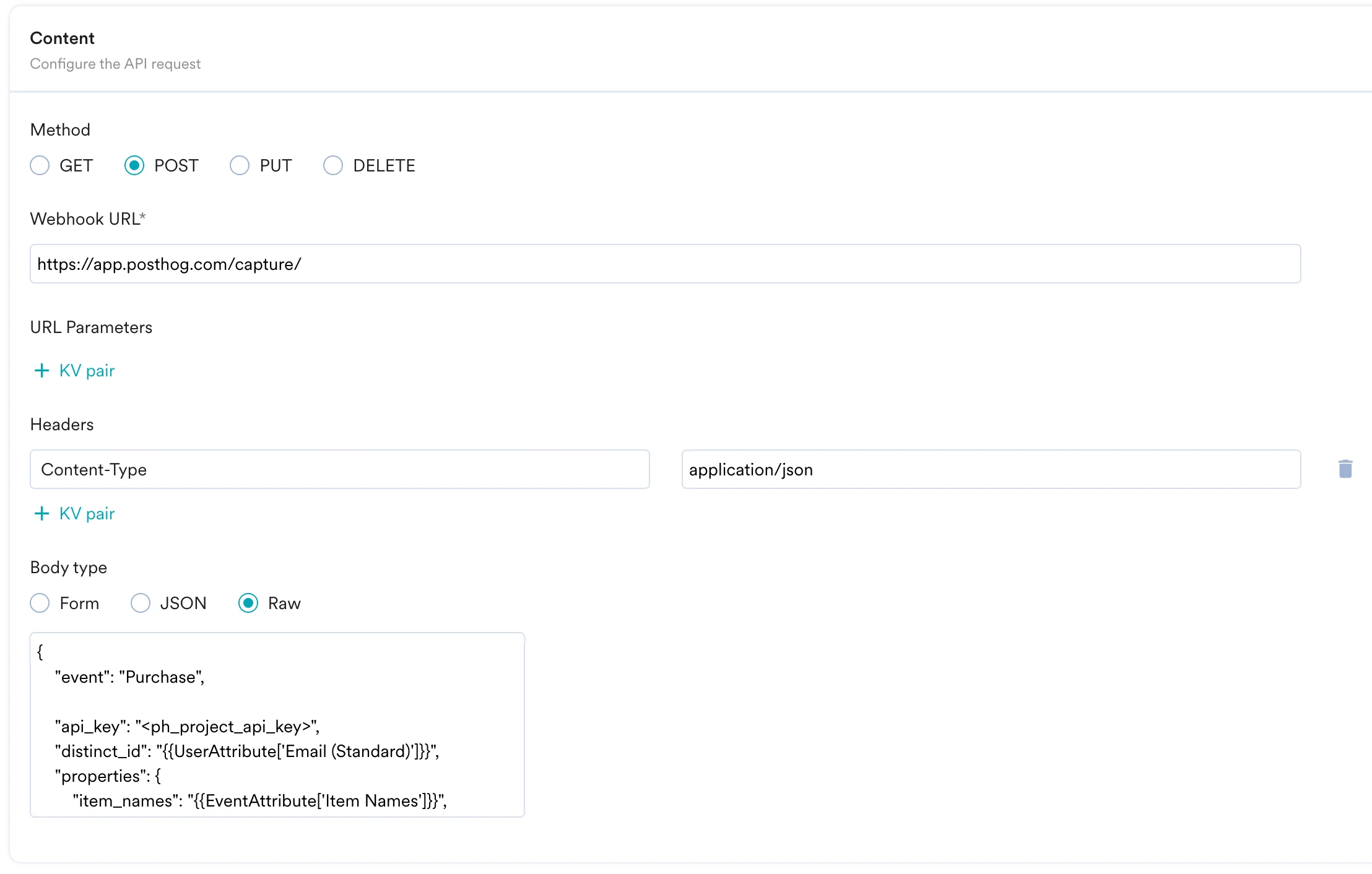
To send your event to Heap, use thePOST method and configure the payload.
- Select the method as POST.
- Headers:
Content-Type:application/json
- Add the endpoint as Webhook URL:
https://app.posthog.com/capture/(for US Cloud) orhttps://eu.posthog.com/capture/(for EU Cloud). - Body: Type @ to personalize your payload.
- Refer to the PostHog API documentation for more information.
Preview your request
At this point, your campaign should be ready to test and send. You can also test your connector configuration using the Test functionality available in Step 2 of Create Connector Campaign.