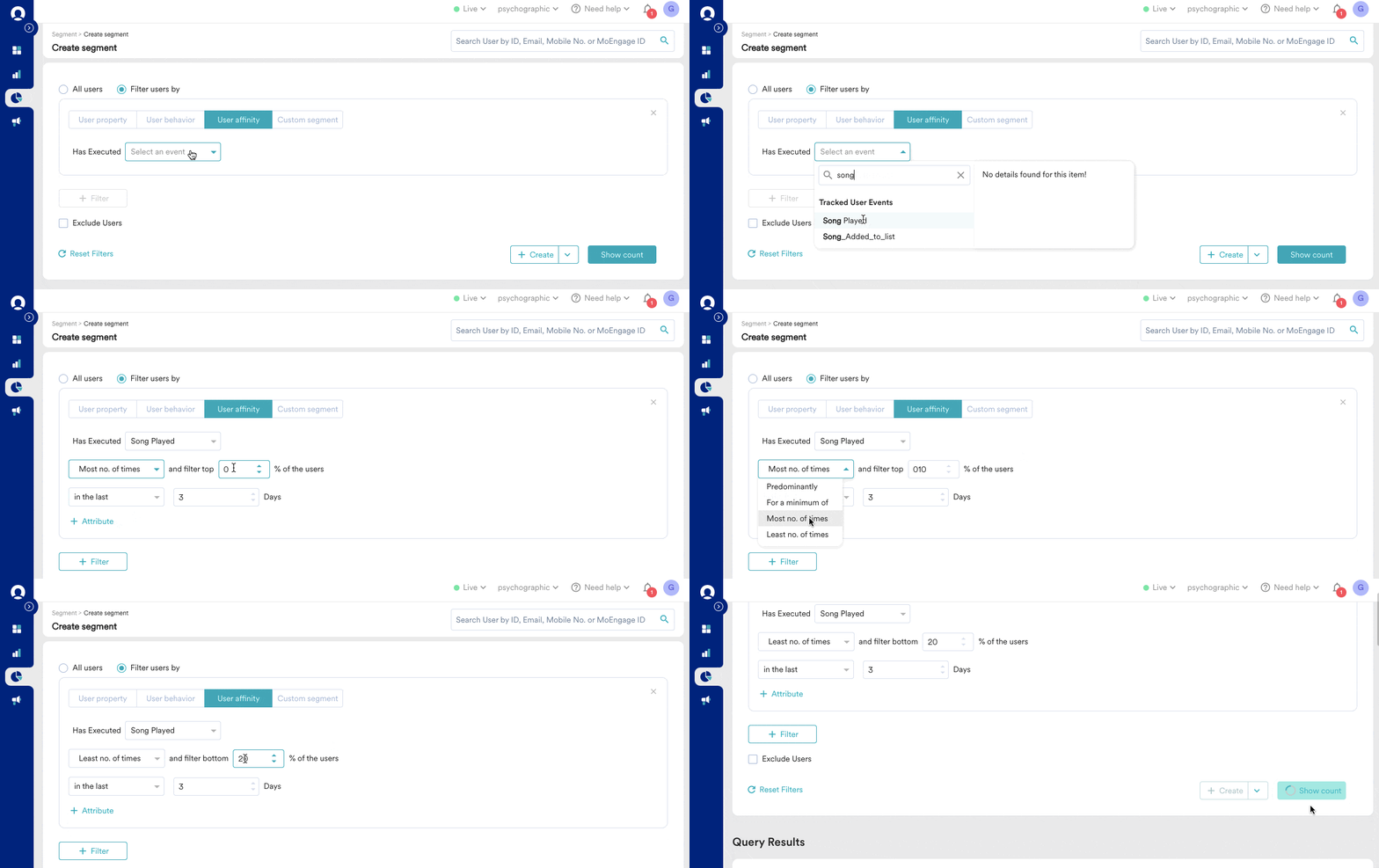
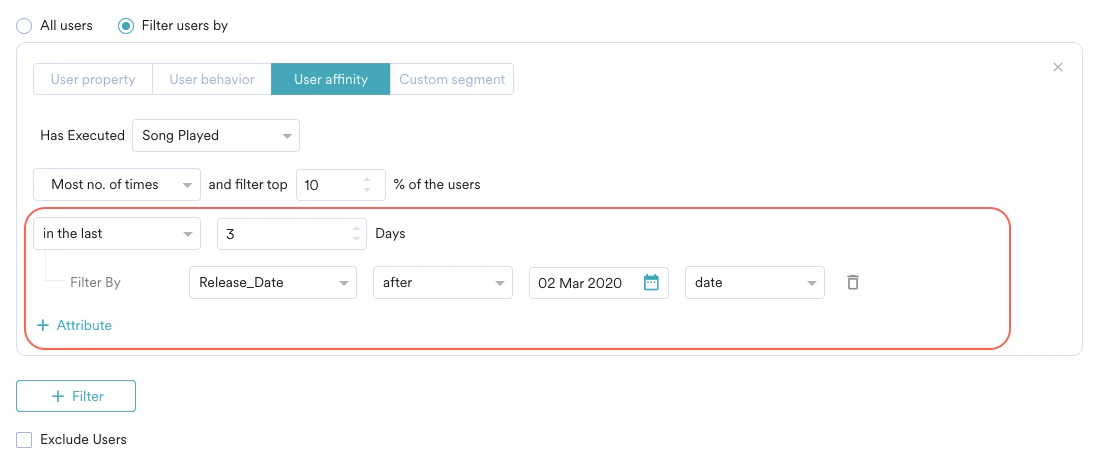
- View users who listen to Madonna’s albums more often than any others, so you can recommend a similar album
- Filter users who book cab rides from your app between 10 AM to 12 PM at least 40% of the time, so you can send more coupons to them around that time period
- Find the bottom 20% of users who book hotels on a weekday, and send them discounts to incentivize weekend bookings
- View the top 10% of users who read political news to recommend better articles for them on your app
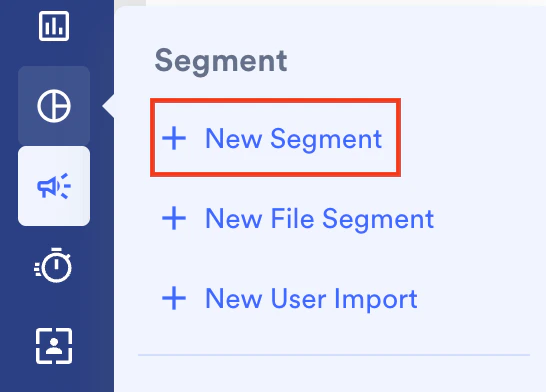
- On the sidebar menu in MoEngage, hover over the Segment menu item

- Click + New Segment.
- Click the User affinity tab.
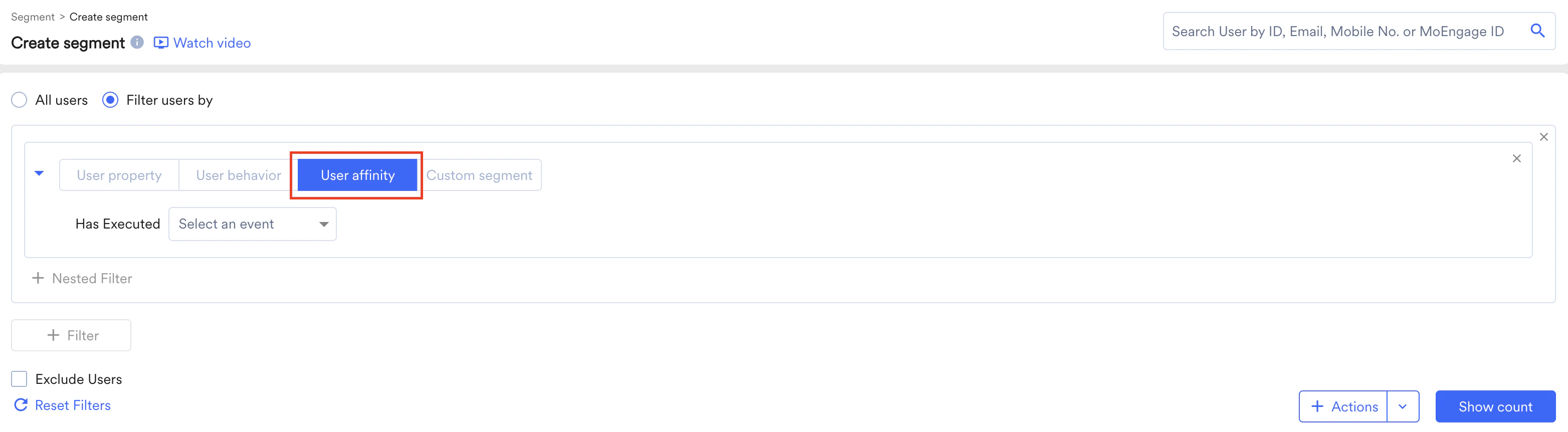
- Select the event from the Has Executed list.
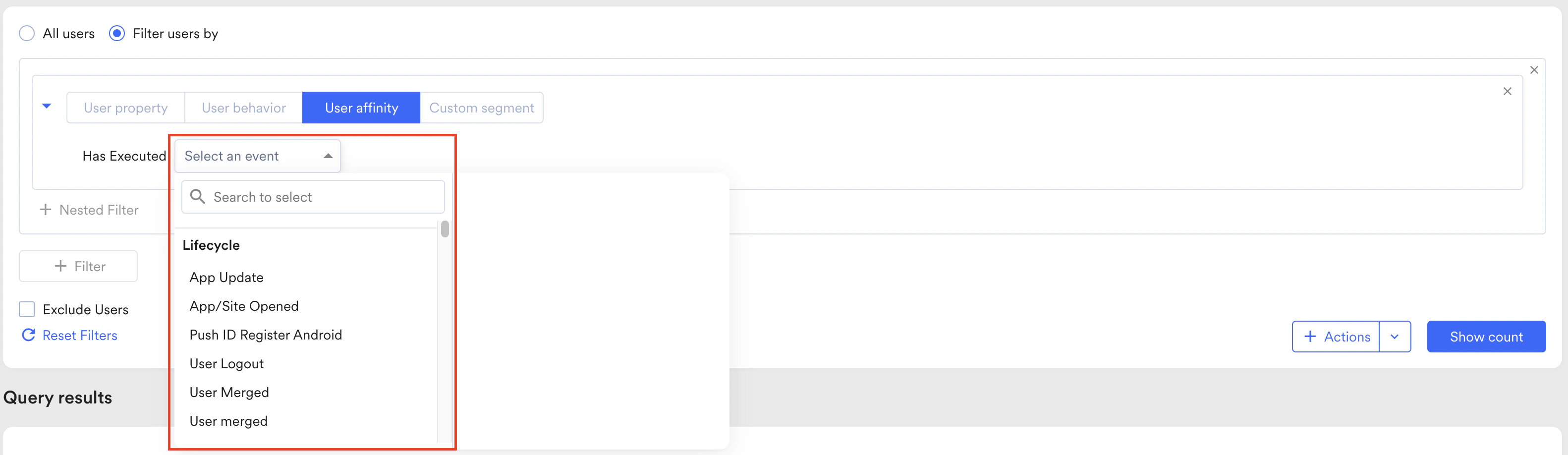
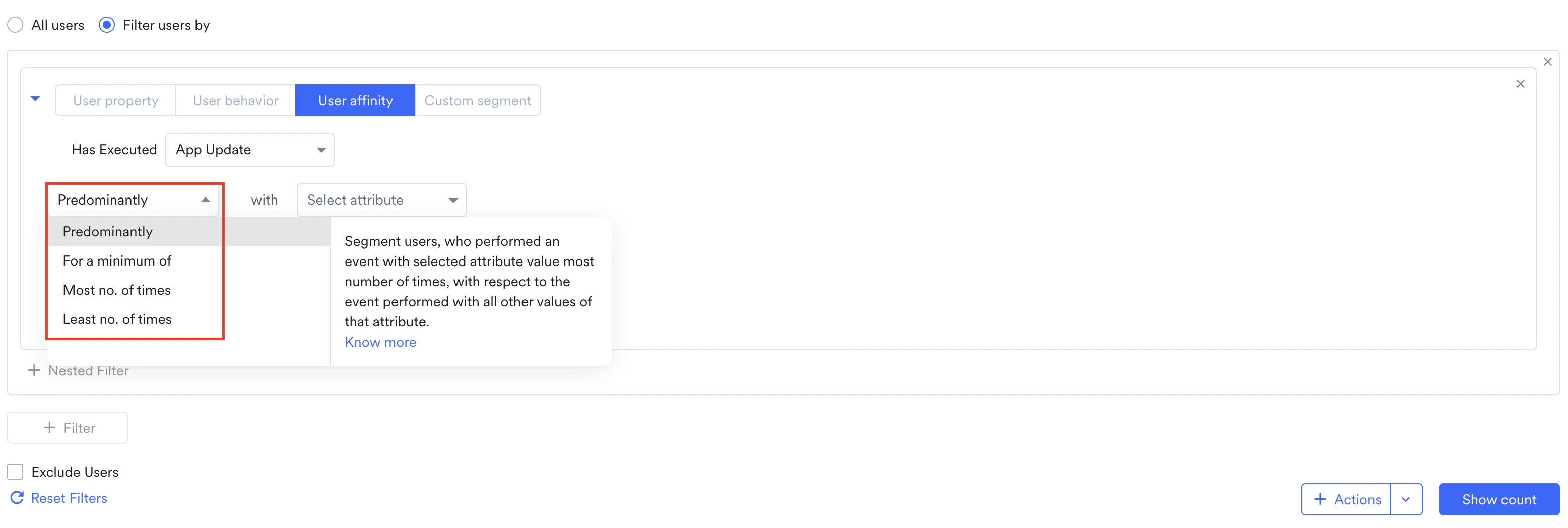
- From the drop-down list, select one of the following affinity filters:
-
- Predominantly
For more information, refer to Predominantly. - For a minimum of
For more information, refer to Minimum of. - Most no. of times
For more information, refer to Top users or Bottom users. - Least no. of times
For more information, refer to Top users or Bottom users.
- Predominantly
-
- Select the attributes used with the affinity filter.
- Click Show Count to show the count of users in the affinity segment.
Affinity Filters
Predominantly
Any user that performs a certain action (from the selected attribute values) more times than all other attribute values is said to perform the action predominantly. For instance, a user has bought 10 books through your e-commerce app, out of which 5 are thrillers, 3 are biographies, and 2 are self-help. In this case, the predominant genre is thrillers. Another user, who has purchased 25 books, could have 15 books in the thriller genre, 4 biographies, and 6 self-help. In this case, too, the predominant genre is thrillers, even though the minimum number of books purchased varies. The ‘Predominantly’ filter helps you segment your users based on fluid filters that realistically reflect your users’ actions. To set up the ‘predominantly’ filter:- In the User affinity tab select event
- Select predominantly, then select attribute and filter condition
- Select the value that should be predominant.
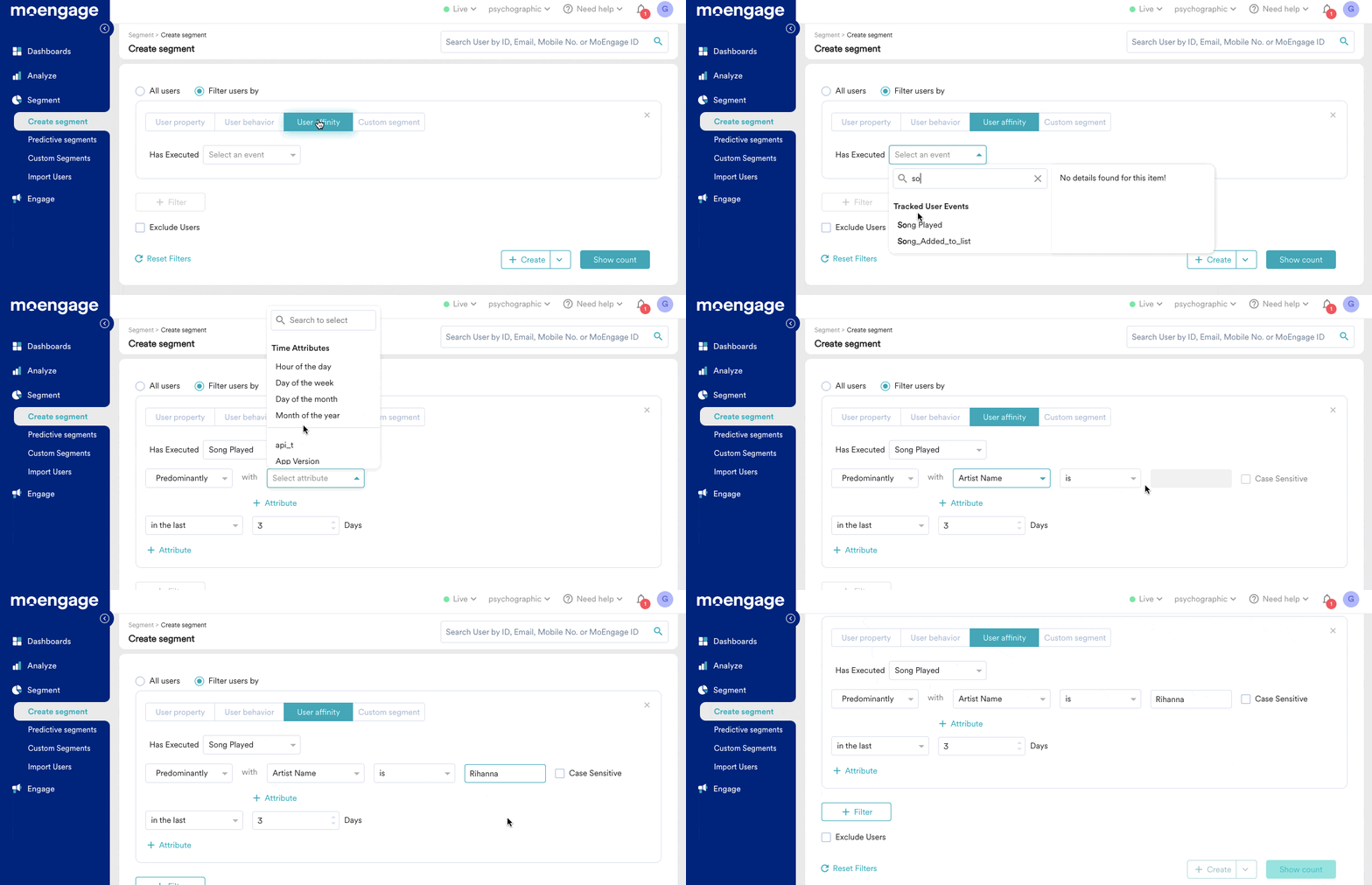
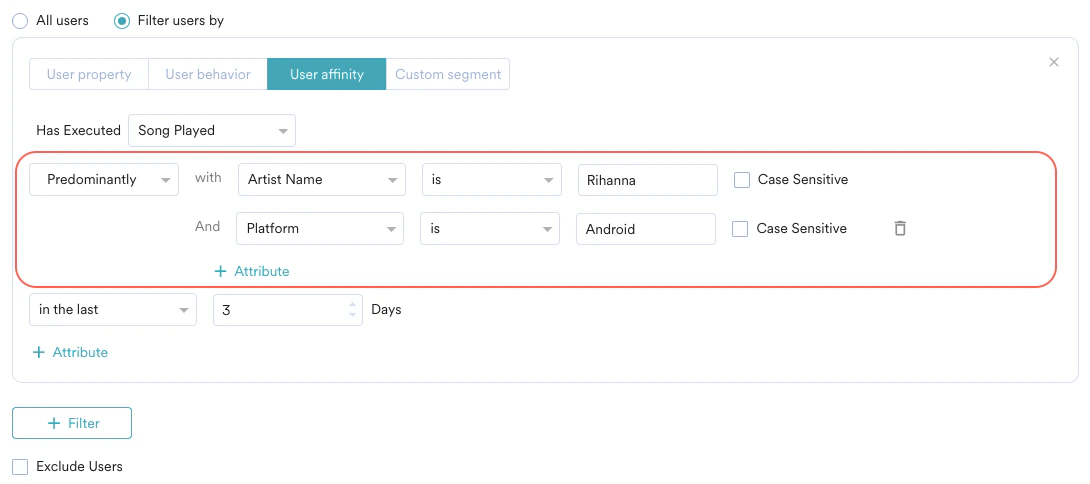
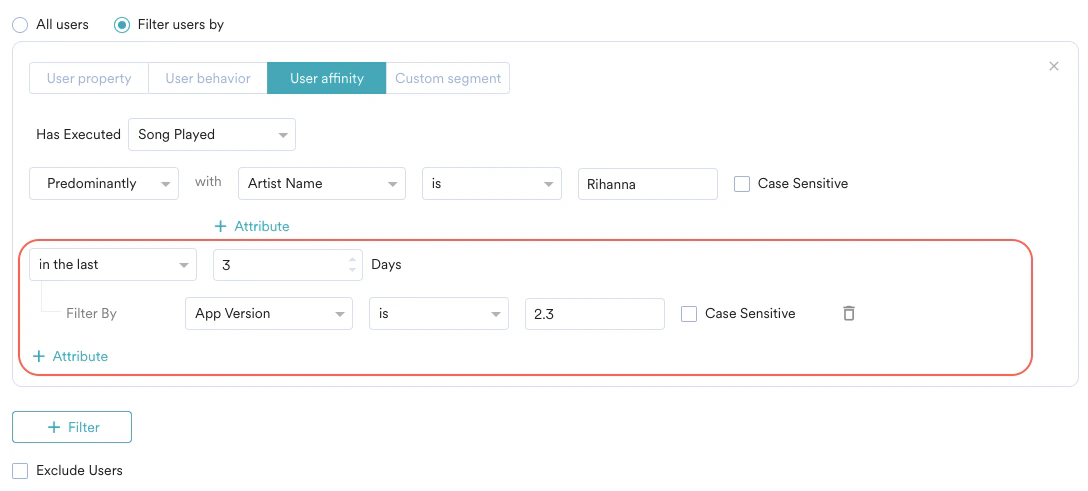
- Filter out users that purchase more T-Shirts compared to other apparel.
- Find users who predominantly transact more than a threshold amount on your payment platform every week compared to other transaction values.
- View users who predominantly purchase groceries between the 1st to 5th of the month, compared to all other grocery orders during the month.
- View the users who predominantly order desserts on Saturday evenings compared to other days of the week.
Minimum of
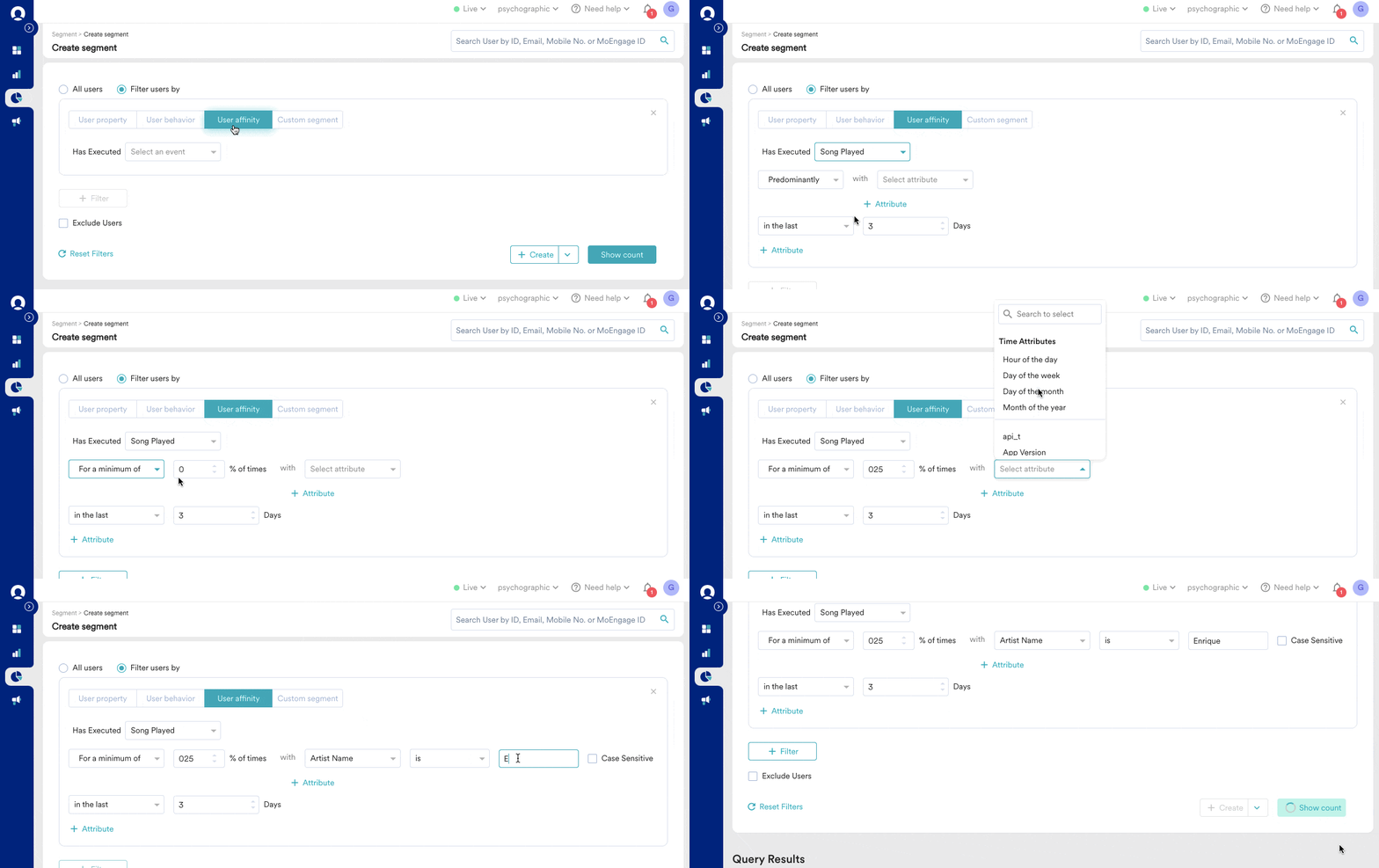
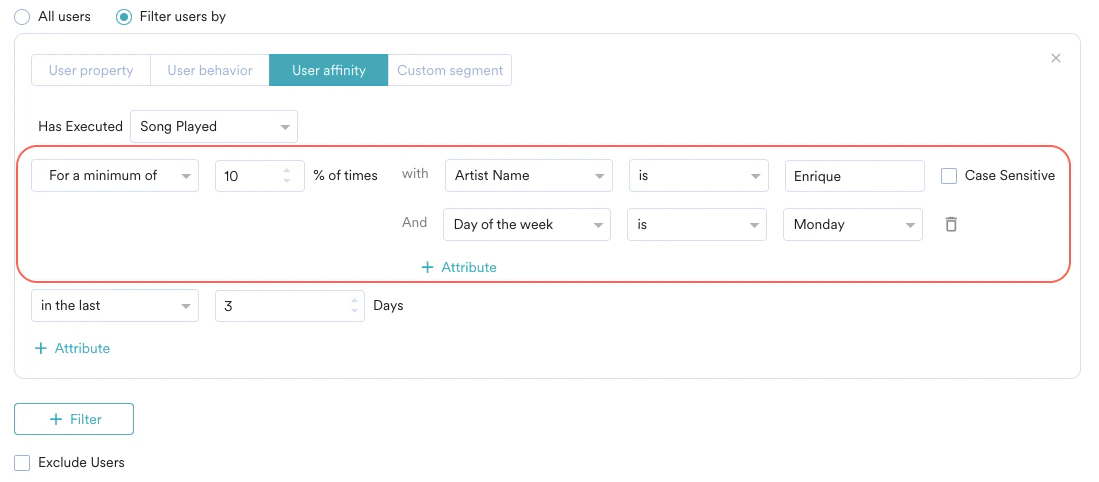
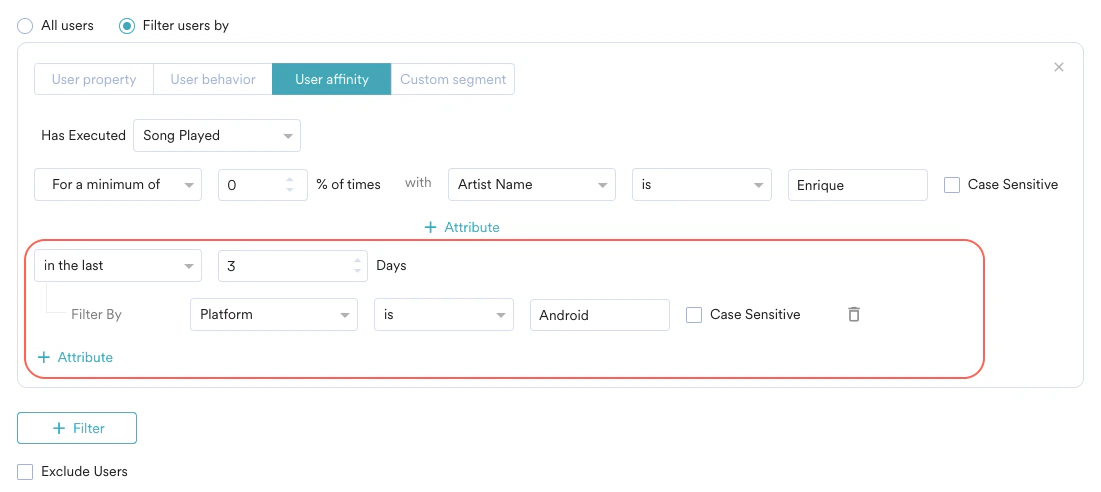
Segment users based on them performing an action at least x% of times compared to all other actions— this is called the “Minimum of” filter. For example, if you want to send coupons to users who watch movies on your streaming platform—but only to users who watch RomComs at least 25% of the time. The number of movies played is different for different users, but with the ‘Minimum of’ filter, you can select users who have played RomComs for at least a select percentage of the time. To segment users who have executed an action (event) at least for a set percentage of times with an attribute value:- In the User affinity tab, select event, then select For a minimum of & percentage
- Select attribute and filter condition
- Select the value that should be a minimum of the attribute
- Users who book cab rides from 10 AM to 12 PM at least 60% of the time compared to other hours of the day.
- Users who make at least 20% of transactions worth more than a threshold amount in a week compared to other transactions.
- Users whose grocery purchases occur between the 1st and 5th of a month at least 70% of the time compared to other days.
- Users who buy dessert on a Saturday at least 50% of the time compared to other days of the week.
Affinity Attributes (predominantly & Minimum of attributes) only support string and double data types. Affinity Attributes do not support array data types.
Top Users and Bottom Users
Filter the users who are performing an action most no. of times or least number of times. The top or bottom users are determined by the number of times they perform that action when compared to other users. For example, you can segment the top 10% of users who book cabs through your app or choose the least 20% who book cabs and send targeted campaigns accordingly. To segment users who are in the top or bottom percentages of the users and execute an action or event:- In the User affinity tab, select event, then select Most no. of times or Least no. of times.
- Type the percentage value.