


Embed Frameworks in the App Target
The Linking column in the tables below applies to SDK 11.2.0 and later. In earlier versions, every framework is dynamic and requires Embed & Sign. For the effect of static linking on cold launch time, see Framework Impact.
- Dynamic frameworks: set Embed to Embed & Sign.
- Static frameworks: follow Additional Steps for Static Frameworks.
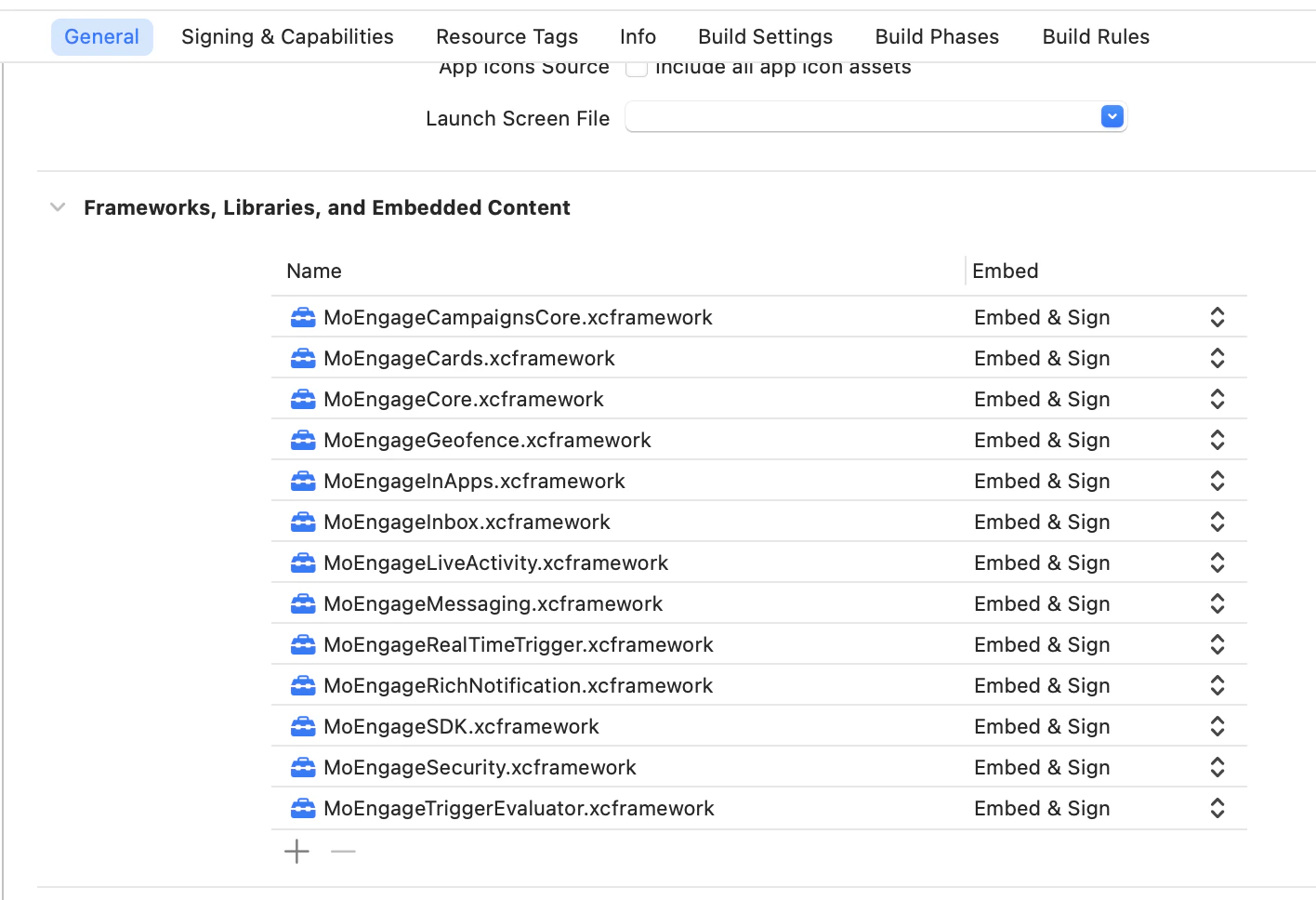
Add-on Frameworks:
Additional Steps for Static Frameworks
1
Set Embed to Do Not Embed
For each static framework you integrate, set the Embed option to Do Not Embed in your app target.
2
Copy the Resource Bundle
Do Not Embed copies nothing out of the framework, so the module’s resource bundle does not reach your app. Each static framework that ships resources includes its
.bundle alongside the .xcframework in the release zip. For every one you integrate, add that .bundle to your app target’s Copy Bundle Resources build phase:Without the bundle, In-App, Cards, and Inbox screens render blank, with no crash and no build error. Your app also ships without the module’s privacy manifest.
3
Add the -ObjC Linker Flag
In your app target’s build settings, add
-ObjC to Other Linker Flags. The flag makes the linker include every Objective-C class and category from the static frameworks, including the ones your app does not reference directly. Add it once for the app target, regardless of how many static frameworks you integrate.Link MoEngageRichNotification in App Extensions
Complete this step if you use theMoEngageRichNotification framework. Link the framework in your extension targets as shown below and set the Embed option to Do Not Embed, because the framework is already embedded in your app target:
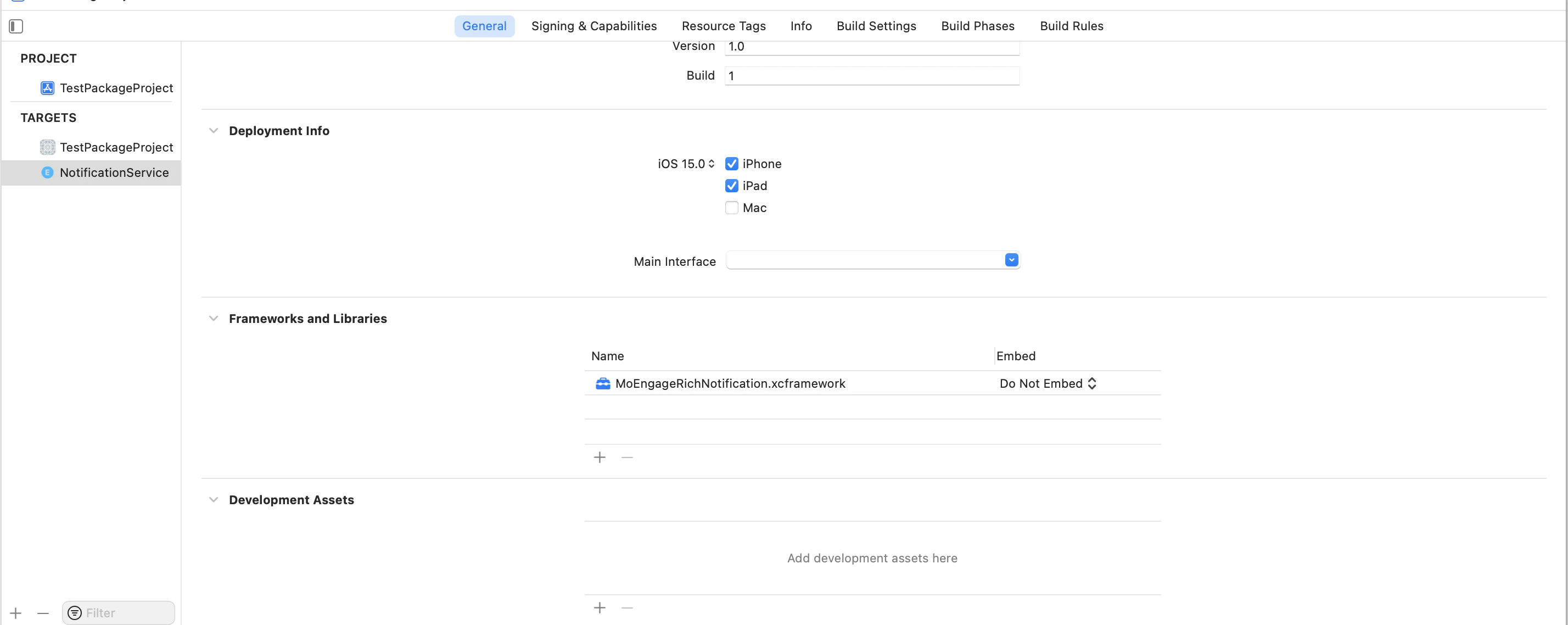
@executable_path/../../Frameworks to LD_RUNPATH_SEARCH_PATHS.