

You can now receive a notification whenever MoEngage releases a new version of native and hybrid SDKs, by subscribing to the Github release.Documentation Index
Fetch the complete documentation index at: https://moengage.com/docs/llms.txt
Use this file to discover all available pages before exploring further.
You must be logged in to Github.
- Go to the required GitHub repository.
We will add support for other SDKs soon.
- Android: https://github.com/moengage/android-dependency-catalog
- iOS: https://github.com/moengage/apple-sdk
- React Native: https://github.com/moengage/React-Native
- Flutter: https://github.com/moengage/Flutter-SDK/
- Unity: https://github.com/moengage/MoEngage-Unity-SDK
-
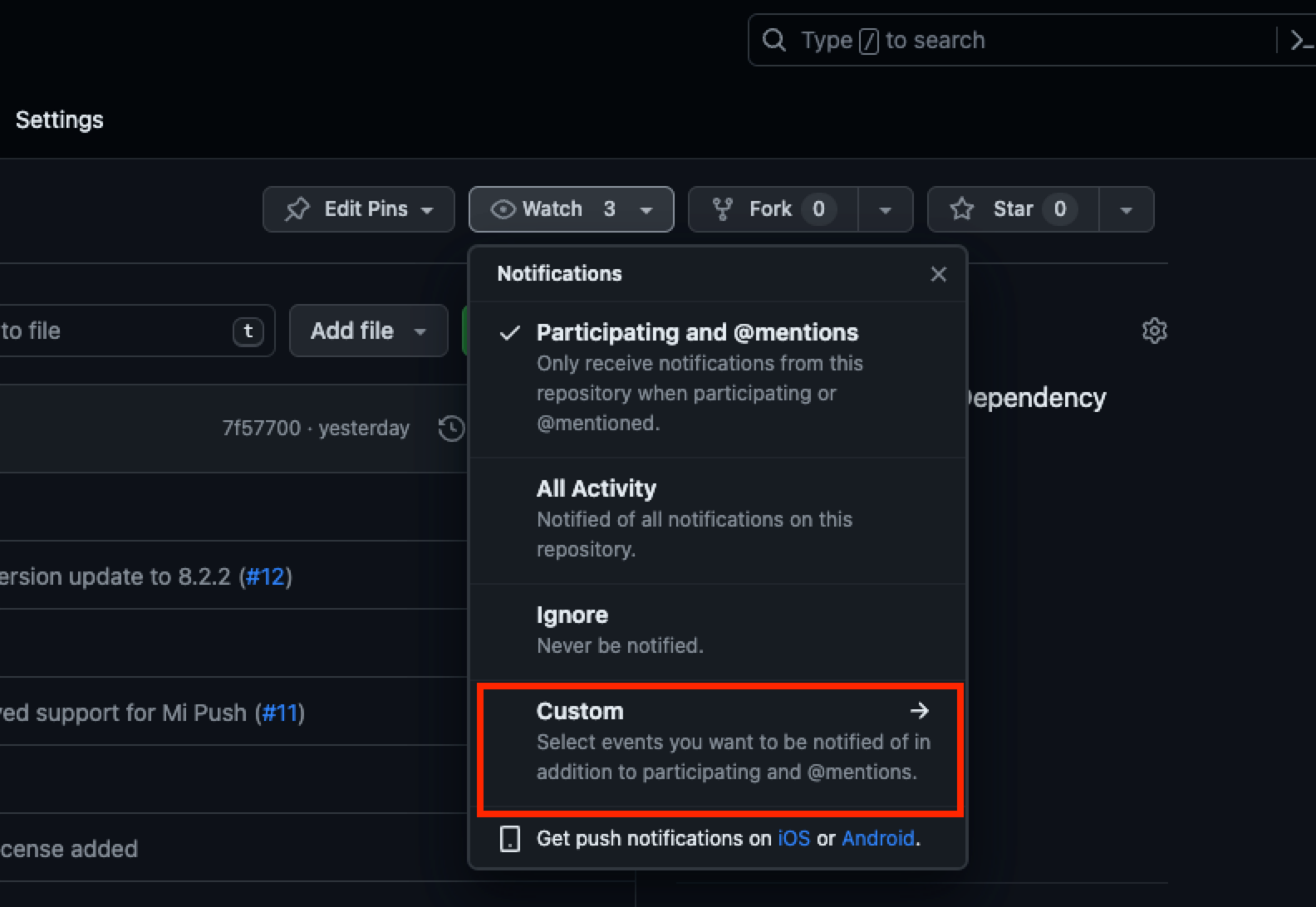
Click Watch. The Notifications pop-up window is displayed.\
-
Click Custom. The Custom pop-up window is displayed.\
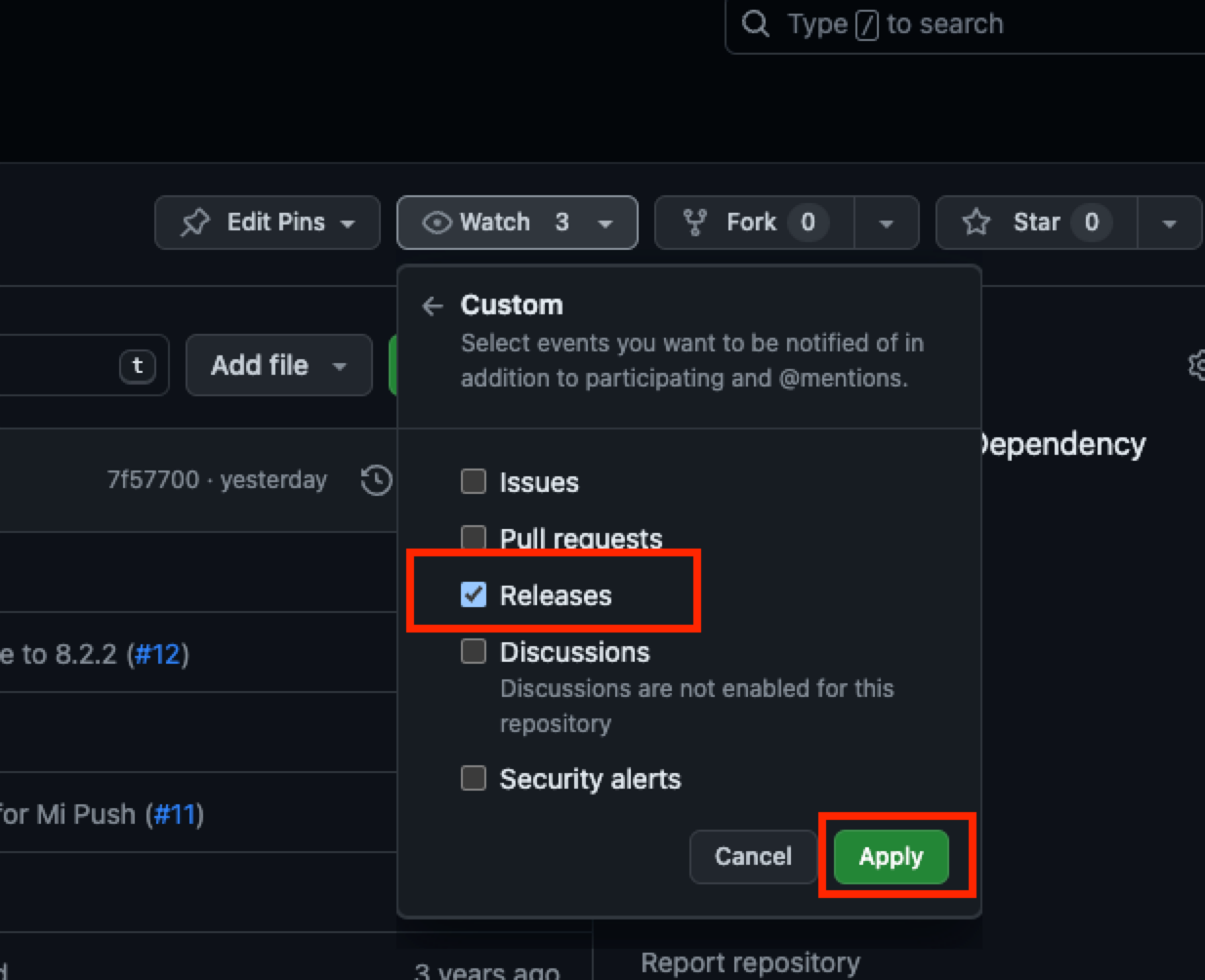
- Select Releases and click Apply.