

Introduction
OneTrust is a privacy and security software provider providing the visibility you need to better understand your trust landscape, action to leverage powerful insights, and automation to keep you elevated from the competition.MoEngage × OneTrust
The MoEngage and OneTrust integration allows you to use the OneTrust workflow builder to create security workflows for your product.Integration
Prerequisites
- Ensure you have access to your OneTrust account.
Step 1: Configure MoEngage
On your OneTrust dashboard,- Navigate to Integrations > Credentials in OneTrust.
- Add new credentials to allow OneTrust to authenticate with the MoEngage.
Step 2: Create an integration workflow
- Navigate to Integrations > Connections.
- Click Add New to create a new integration workflow.
- Enter the details-
- Name: MoEngage
- Description:Update user consent and action
- Click add a Custom System
Step 3: Add workflow trigger
On the Workflow Builder screen,- Select the Add OneTrust Trigger block.
- Choose the appropriate trigger based on when you want the workflow to initiate. This could be a module-specific event (e.g., assessment submission, data subject request stage change), or a webhook if an external system will initiate the workflow.\
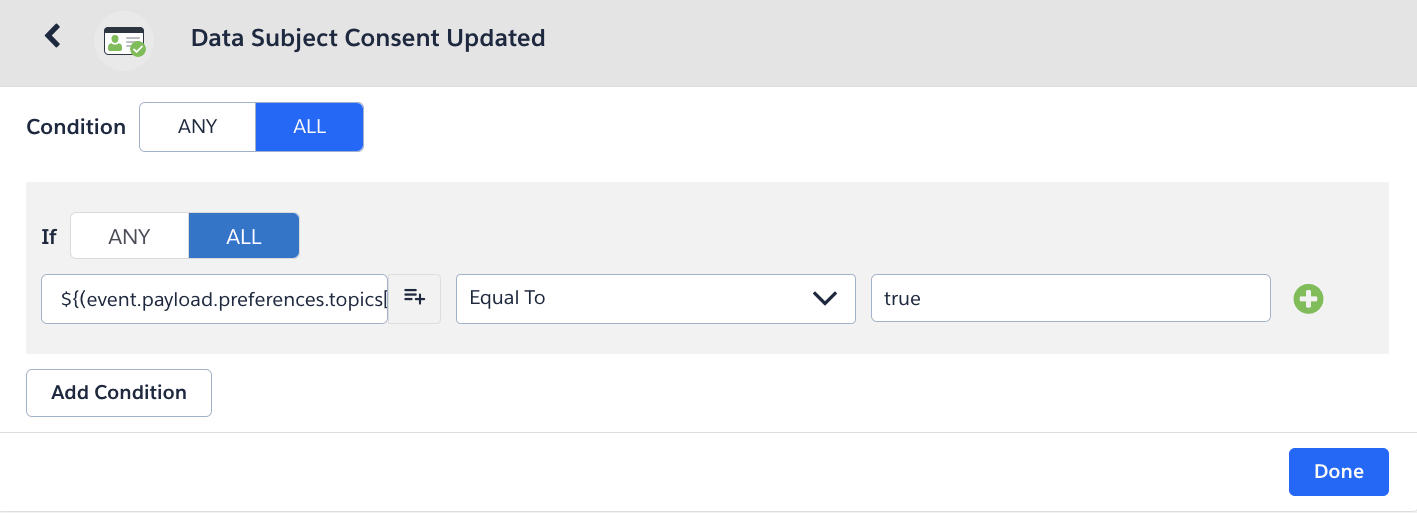
- Click Done.
Step 4: Add action
- Click Add Action.
- Select MoEngage (that has been configured in step 2)
- Enter the following details
- Endpoint: _< Your MoEngage connected source endpoint>. _You can reach out to your dedicated customer success manager for the details
- Method: POST
- Headers:
- Content-Type: application/json
- Authorization: Generate a Basic Authentication Token using an online Basic Auth Header Generator tool. You must enter your Workspace ID as username and Data API Key as password. To find your credentials, perform the following steps:
On the MoEngage UI, navigate to Settings > Account > APIs. Copy the ID under Workspace ID (earlier app id). Copy the Data under API keys. Your Basic Authentication Token is a combination of Workspace ID and Data.
For example, paste the following value as your
Basic Authentication Token: Basic Qk5CR1NNNUR4eHh4eHhWQ1hSRFJEWTdSOlFsWHVoTHVaeHh4eHh4QWQrQnBYUEotNw==\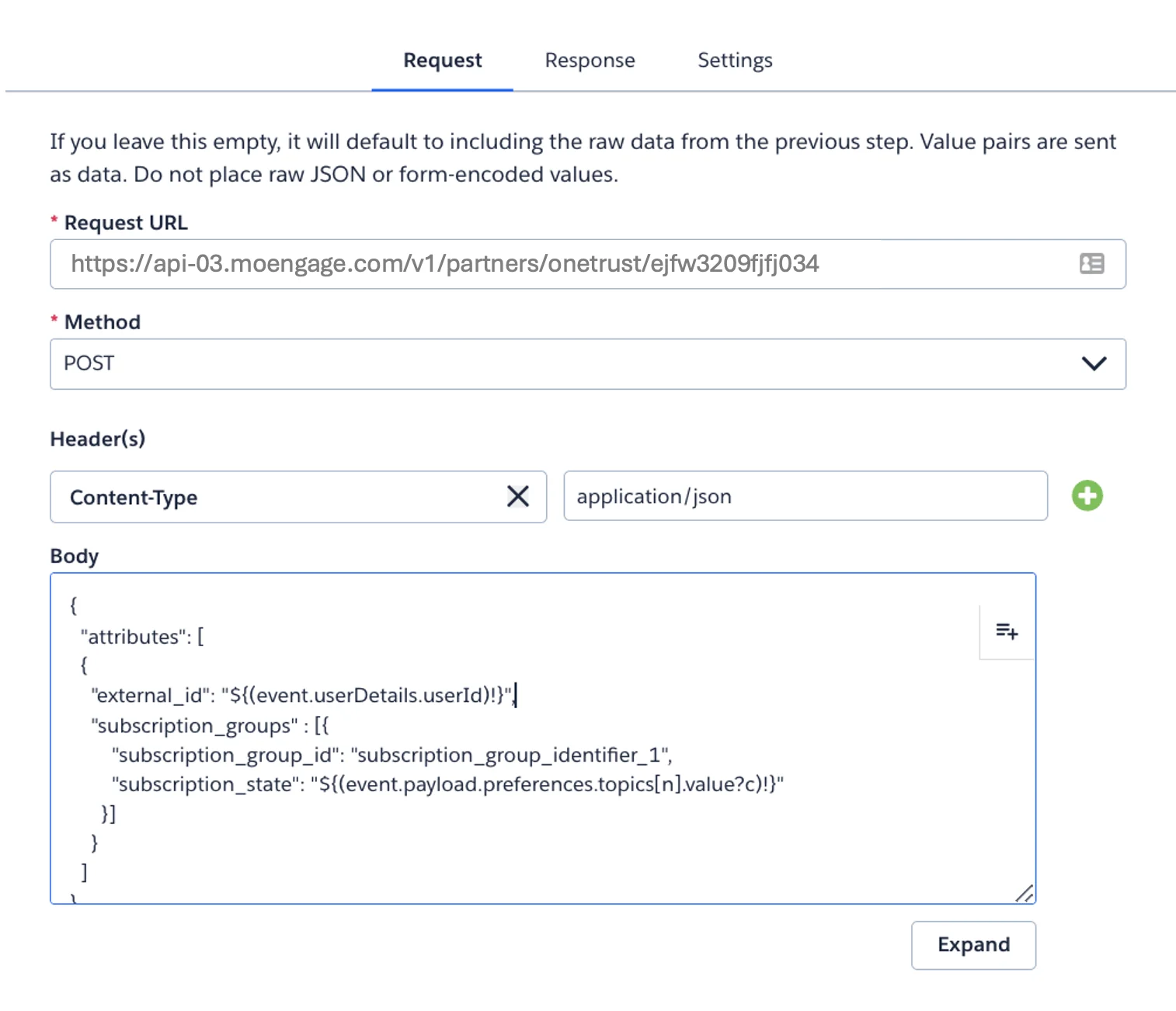
- Payload: Enter the request body.
- Click Finish and then Activate to enable the workflow.