

Introduction
OneXtel is a leading Communication Platform as a Service (CPaaS) provider, offering seamless, end-to-end communication solutions. Their product offering includes channels like SMS, Voice, WhatsApp, Chatbot, RCS, and Email services tailored for businesses of all sizes.Ensure you have access to the following:
- An active OneXtel account on 365cx.io
- An active MoEngage Account
Configure OneXtel as an RCS Connector Provider for MoEngage
Perform the following steps:- On the left navigation menu in the MoEngage UI, go to Settings > Channels > SMS & RCS > Sender Configuration.
-
On the RCS tab, click + Add RCS Sender.

-
Click the OneXtel tile.
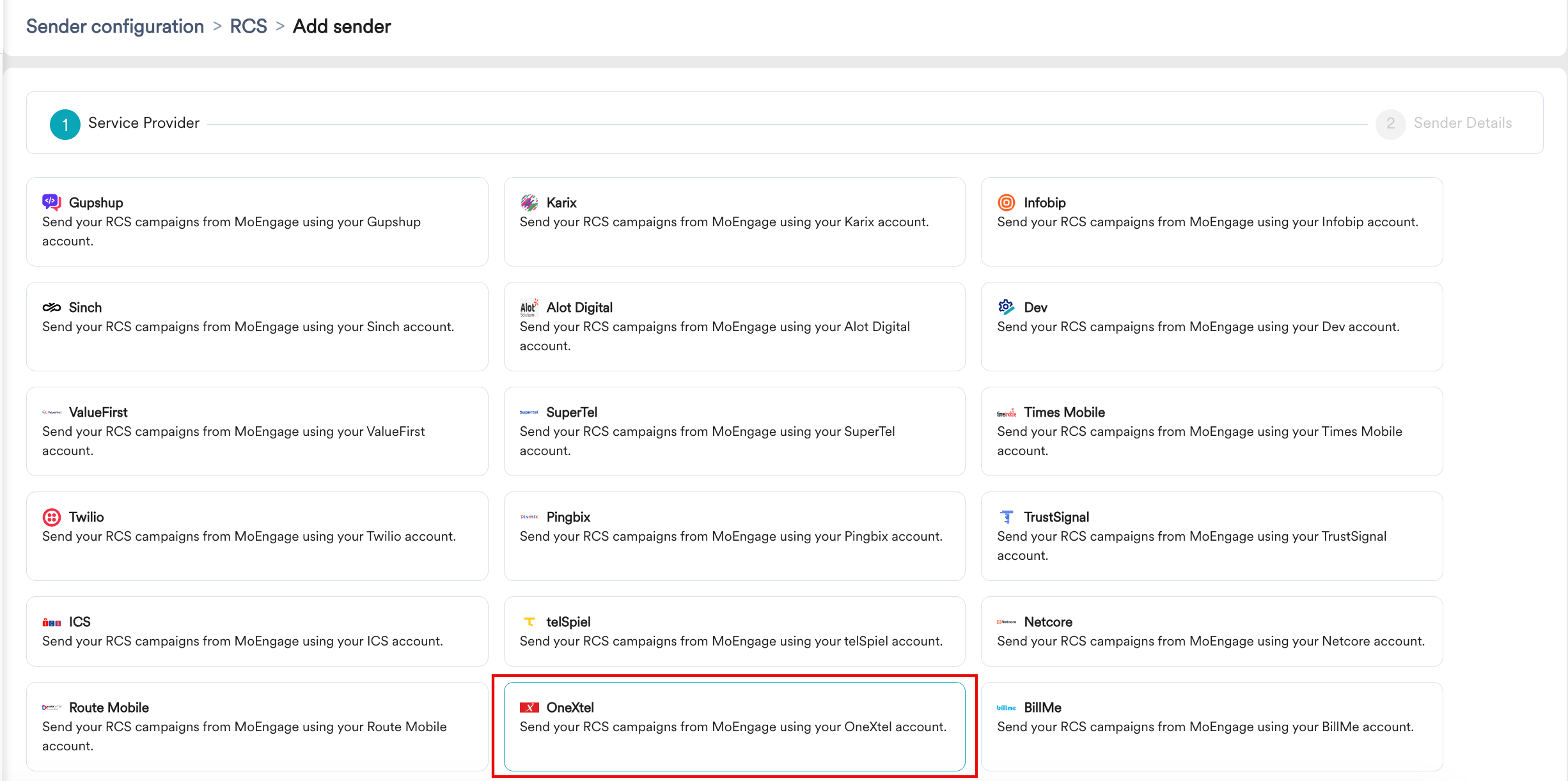
-
On the Sender Details page, add the following details:
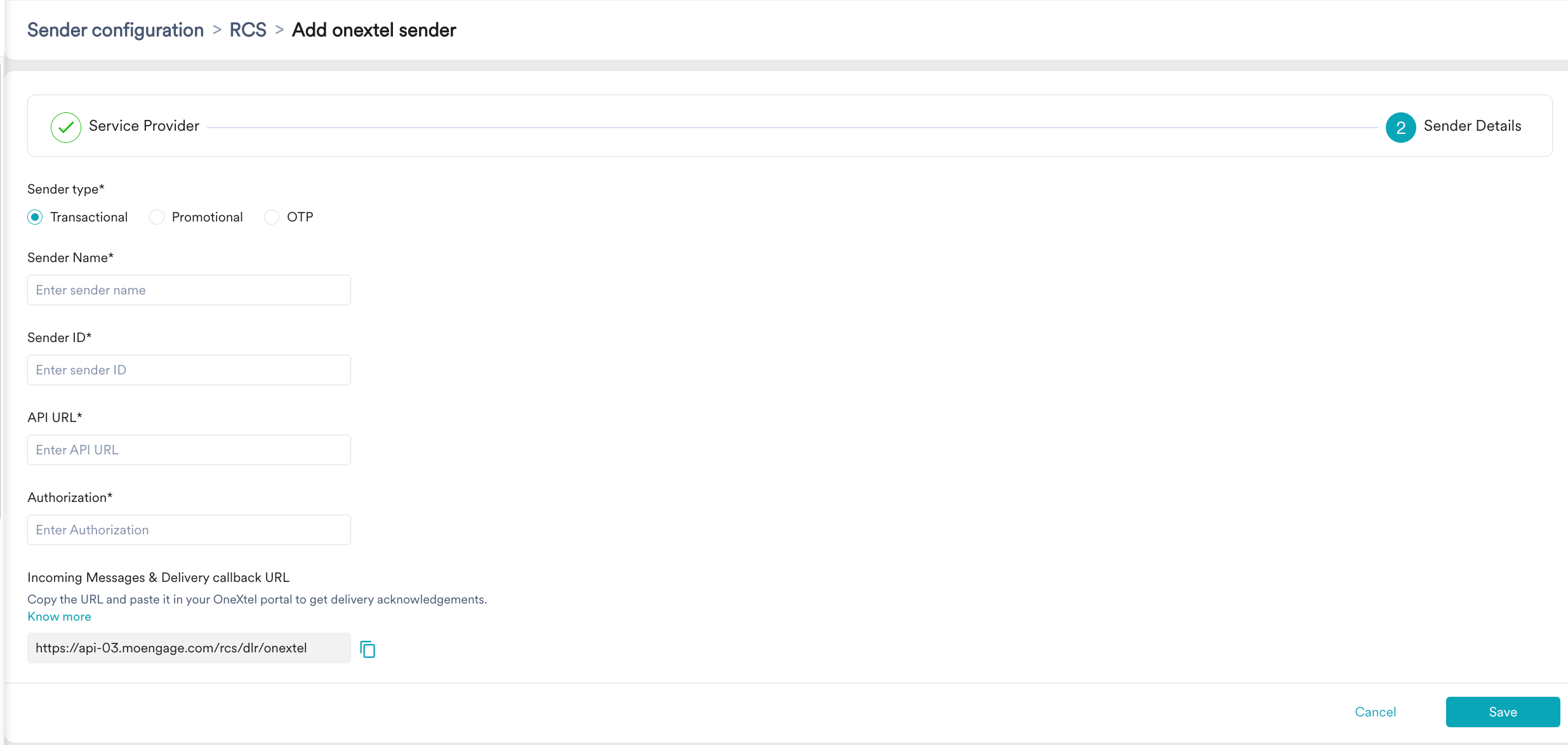
| Field | Description |
|---|---|
| Sender type | Select the sender type. The available options are:
|
| Sender Name | Enter the name of the sender. This field identifies the readable sender name that can be used while creating a campaign or alert. |
| Sender ID | Enter the sender ID. This is the RCS agent/bot ID RBM uses to send RCS messages to users. This is the RCS bot ID (obtained from onextel). |
| API URL | You can get this API URL from the onextel team. |
| Authorization | This field refers to the bearer token used for authorization. You can get this token from the Onextel team. |
- Click Save to save this configuration.