

New Changes & Enhancements
(Field Deprecation) Sync Object
- The
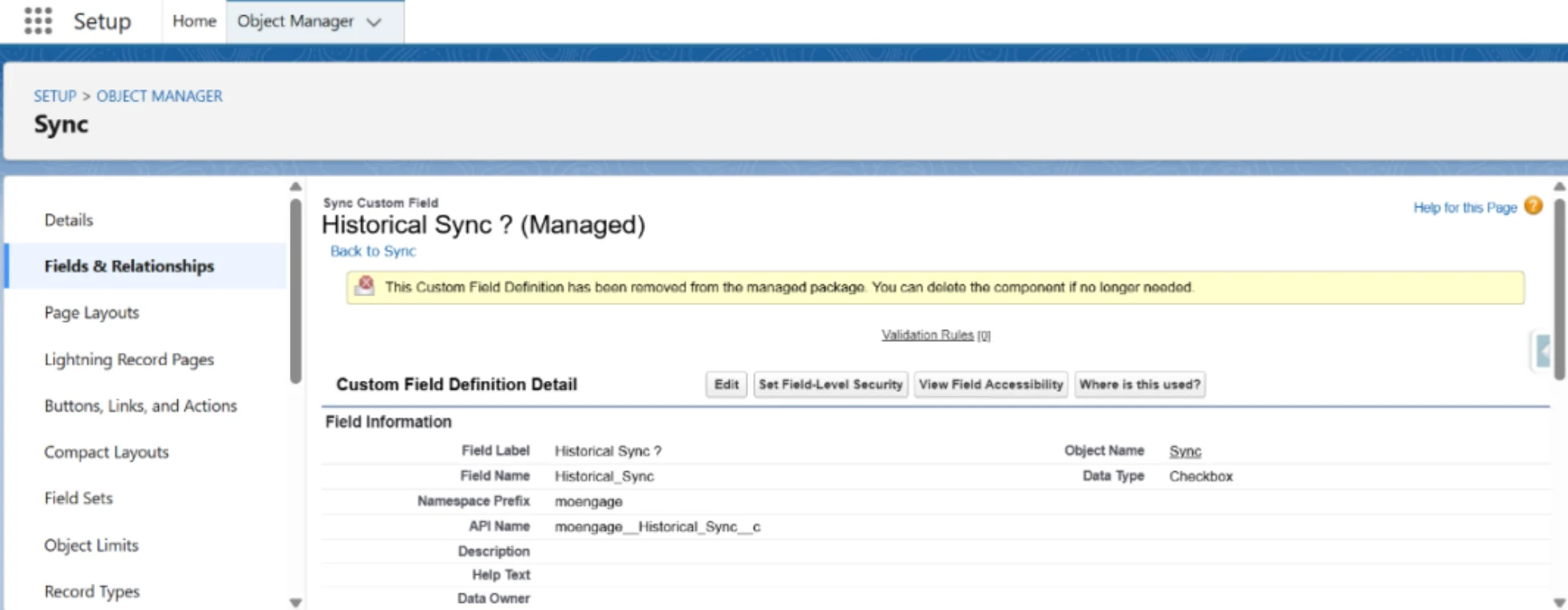
Historical Sync?checkbox field is now deprecated. - For New Installs , this field will not appear.
- For upgraded Orgs, this field may still be visible, but is safe to delete. Notification appears in Object
Manager:
New Field Added
- Name:
Last Historic Sync Apex Batch Job Id - Type: Formula Field
- Value: 15-character Apex Batch Job ID for Last Historical Sync.
Field Relabels
Last Historic Sync Batch Job Idis now calledLast Historic Sync Batch Raw Job Id.Link to Last Historic Sync Queue Recordis now calledLast Historic Sync Queue Record.
Sync Object: Page Layout Update
Page layout changes do not auto-apply for package upgrades. Customers must manually update the “Sync Layout” to reflect these updates.
Removed the following fields from UI:
Last Historic Sync Batch Raw Job IdLast Historic Sync Queue ID
Added the following fields on the UI:
Last Historic Sync Apex Batch Job IdLast Historic Sync Queue Record
Issue Fixes
DML Exception During Historical Sync
Problem
Syncing MoEngage Events failed when records had a blank customer_id. The systemthrew a DML error:
INVALID_OR_NULL_FOR_RESTRICTED_PICKLIST, Error Type: bad value for restricted picklist field: customer_id can not be empty
Fix
Now, instead of a DML exception, Failed Sync Queue records will be created for such entries, improving sync reliability.(UI Fix) “Sync Partial Success” Button
- The button was breaking into two lines on the macOS UI.
- Resolved: Now displayed properly on a single line.
Manual Retry: Unhandled Exceptions
- A Salesforce platform issue caused errors during manual retry.
- Resolved: Manual retry is now fully functional.