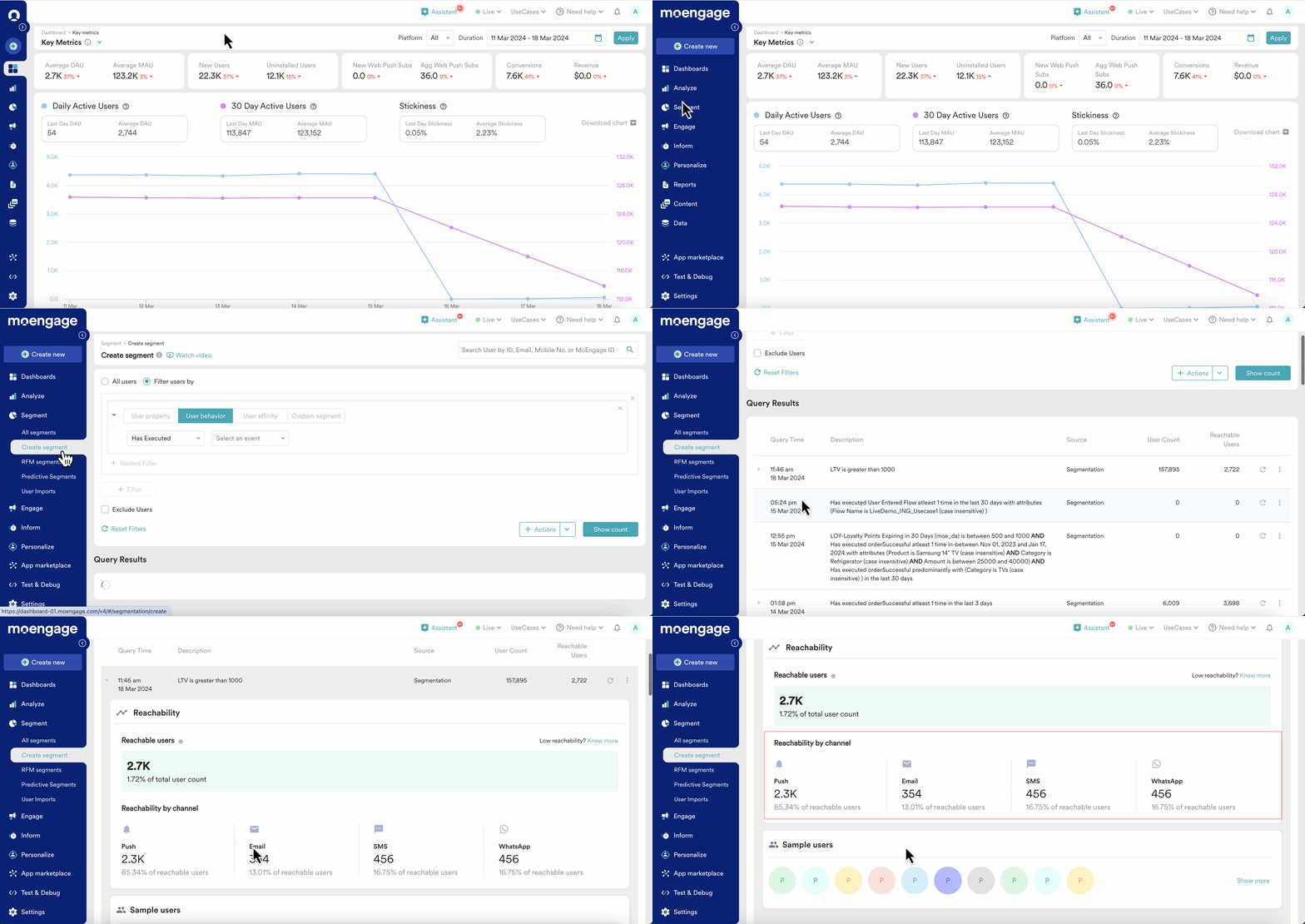
Find out how MoEngage calculates SMS channel reachability in your segments, why some users are unreachable, and what steps can improve your SMS reach.
SMS reachability provides the number of reachable users via the SMS channel in a segment. SMS reachability number is required to decide whether to choose SMS channel for sending a campaign if your goal is to reach users via the best-performing channels.This article explains how the reachability of the SMS channel is derived. This article also lists the parameters considered to calculate reachability for users reachable via SMS. There is a list of reasons why the users could not be reachable via SMS channel and potential solutions to convert the non-reachable users to reachable users.
SMS campaign will allow to reach users via SMS and the reachable users count will be the number of users that are eligible to receive SMS on their registered phone number.
How is user reachability calculated for SMS campaigns?
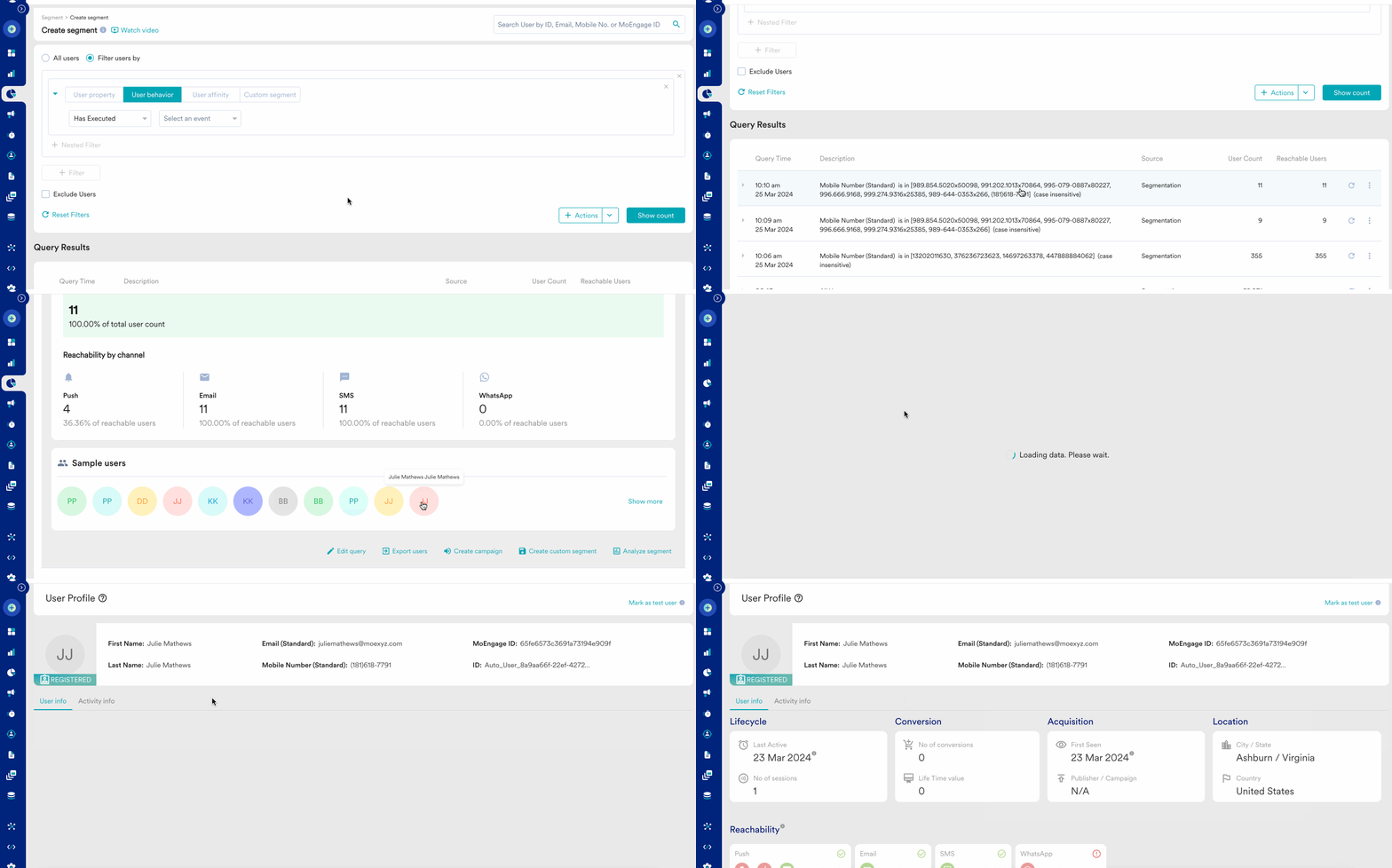
SMS reachability calculation is derived based on two conditions, as explained below:1. Presence of Mobile number string value in the attribute - Mobile number (Standard)Mobile Number (String) should exist for the user to be reachable. There is no mobile number format validation used for reachability calculation in Segmentation/Recent queries.
Mobile Number attribute should be stored as a string data type for proper functioning
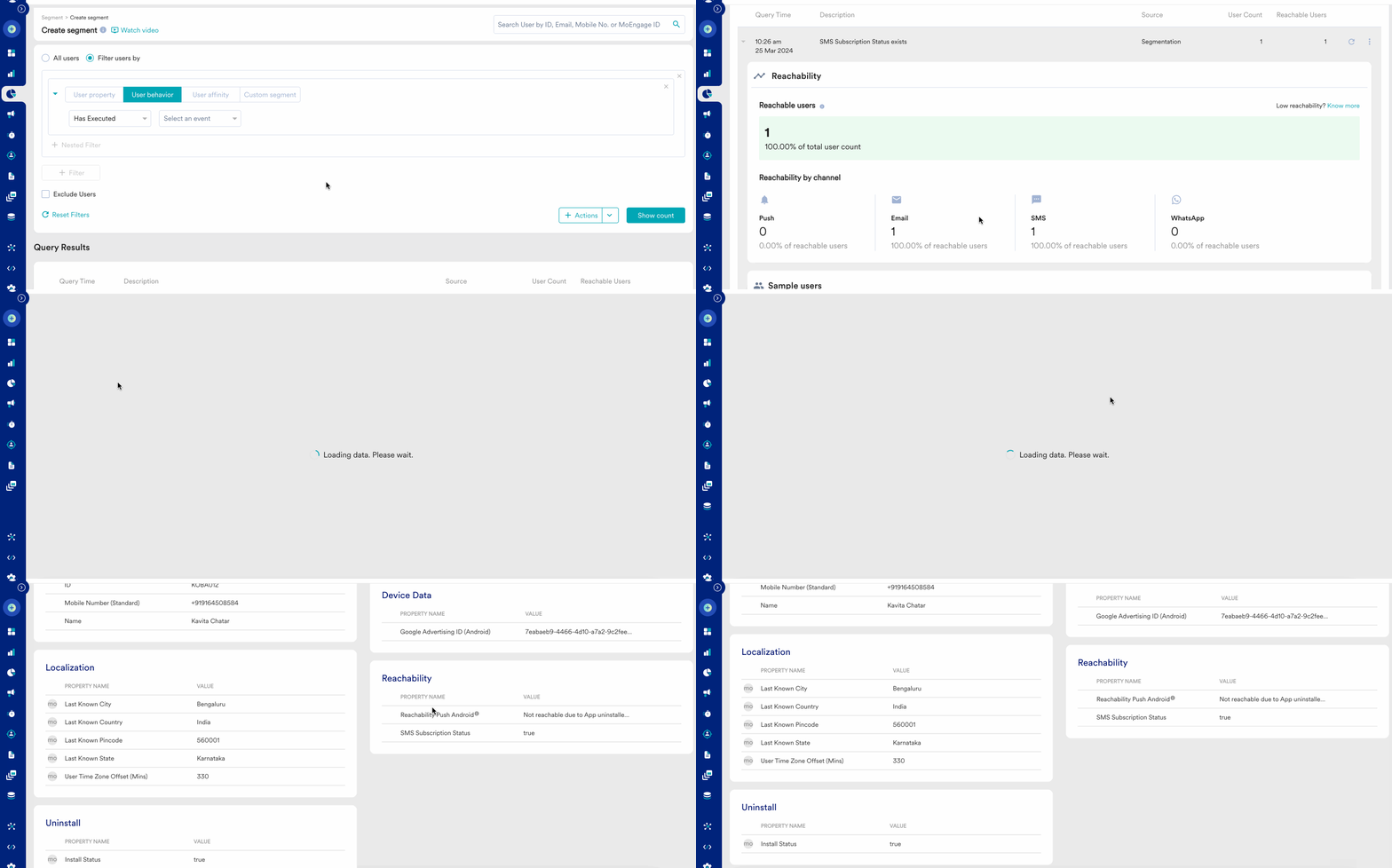
But before sending the actual SMS campaign, the system validates the mobile number, the country code, and the format.Here is how you can look at the Mobile number presence in the user profile:2. Subscription management (SMS subscription status attribute)If subscription management is enabled in your account, there will be an additional check for an attribute (SMS subscription status) that will determine the reachability of users on the SMS channel. If the SMS subscription status is True then the user will be marked reachable otherwise the user will be marked non-reachable.In case subscription management is not enabled for your account, only mobile number presence will be checked for deriving reachability. In case subscription management is enabled for your account, if any of the above two conditions are not satisfied, then the user cannot receive the SMS campaign (not reachable).
There could be a difference in the reachable user count on the “Create segment” page and “SMS campaign” page because segmentation only checks if user data and user permission to receive the campaign is present, it does not do mobile number validation and considers control group while calculating reachable users.
How to analyze and find reasons for users’ non-reachability?
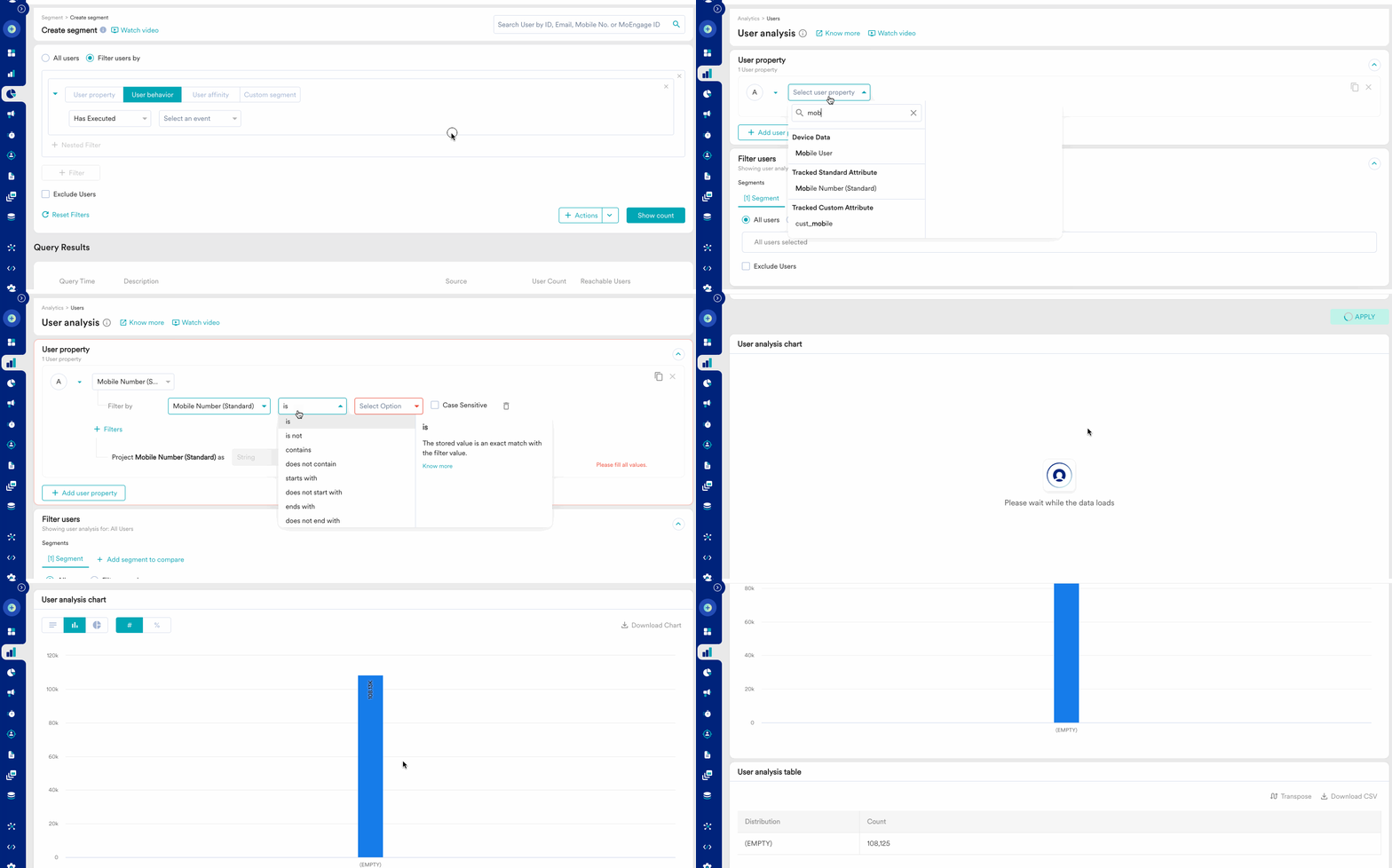
Step 1: Go to Analyse and select “Users” to do the user analysisStep 2: Select the user attribute present in the User Properties section (Mobile number (Standard) or SMS Subscription Status)Step 3: Below in the User Analysis Options select Analysis type as “Distribution” and click Apply buttonStep 4: Analyse the generated graph and look at the reasons for non-reachability for SMS channel along with the user count
Potential solutions to solve users’ non-reachability problems
Non-reachability reasons
What could be a potential solution to solve this?
Incorrect user data/mobile number not present Denotes if the user’s mobile number in MoEngage is incorrect/mobile number not present (Incorrect mobile number validation does not happen while calculating reachable users in segmentation, the check happens just before sending the SMS campaign)
You can create a segment of these users and run a campaign using outbound or inbound channels like InApps, Push, Email, etc. Here, using the CTA you can redirect them to their user profile on your app or a landing page and ask them to correctly input their mobile number. You can also use OTP to verify if the provided number is correct.
Subscription status (Only if subscription management is enabled for SMS channel) Denotes if the user has opted out or un-subscribed for SMS These users are considered non-reachable via SMS channel
(This will be applicable only if “Subscription Management” is enabled for your account) Target these users who are not reachable on SMS, via other channels like In-app, Email, WhatsApp, Push, etc. Use campaign content wisely so that the outcome of the campaign is these users subscribing again. Provide a CTA redirecting the user to the SMS message inbox for users to type the keyword leading to user opting in (Eg: Start, Begin, etc).
Note: Above solutions are some of the potential solutions, which may or may not result in the expected result/success.
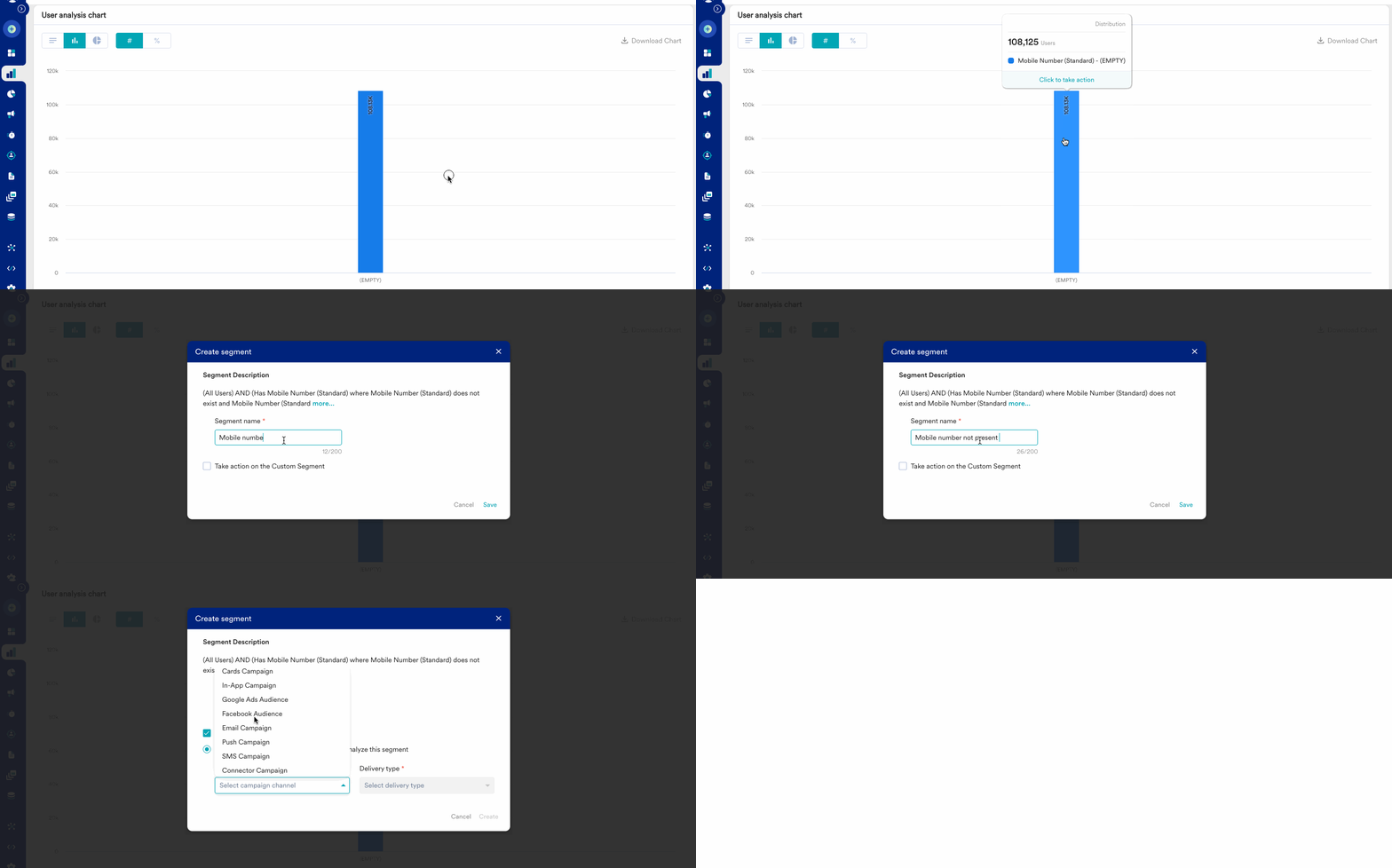
If you want to target the non-reachable users via SMS channel due to mobile number not present, you can do it in this way:Step 1: Select the reason on the chart, for example: Mobile number - EmptyStep 2: Create a segment or take action by choosing a Specific channel and Delivery type to target the email unsubscribed usersStep 3: Configure the content on the campaigns page
Similarly, you can target users with more conditions e.g. users who have the mobile number present in the user profile but opted out of SMS subscription.
Assistant
Responses are generated using AI and may contain mistakes.