

Supported Channels and Delivery Types
Configure Throttling at the Workspace Level
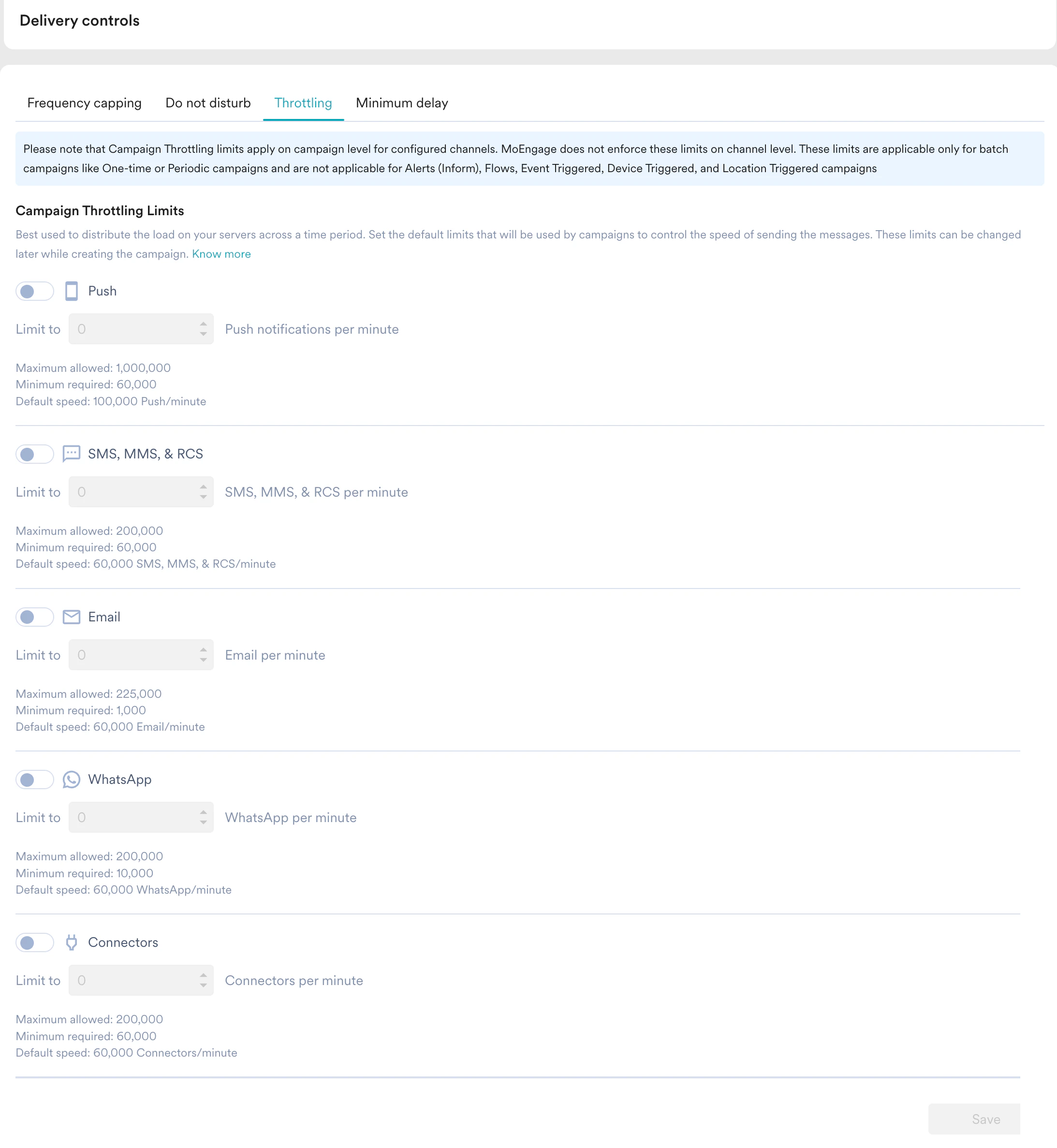
Perform the following steps to configure throttling at the workspace (global) level:- In the left navigation of the MoEngage dashboard, click Settings > Channels > Delivery controls > Throttling.
- Under Campaign Throttling Limits, turn on the toggle for the required channel.
- Set the throttling limit to the desired RPM. The throttling value cannot be lower than the minimum limit specified for the channel or greater than the maximum limit specified for the channel. The minimum, maximum, and default rates are displayed below each channel’s setting.
- Click Save.
Configure Throttling at the Campaign Level
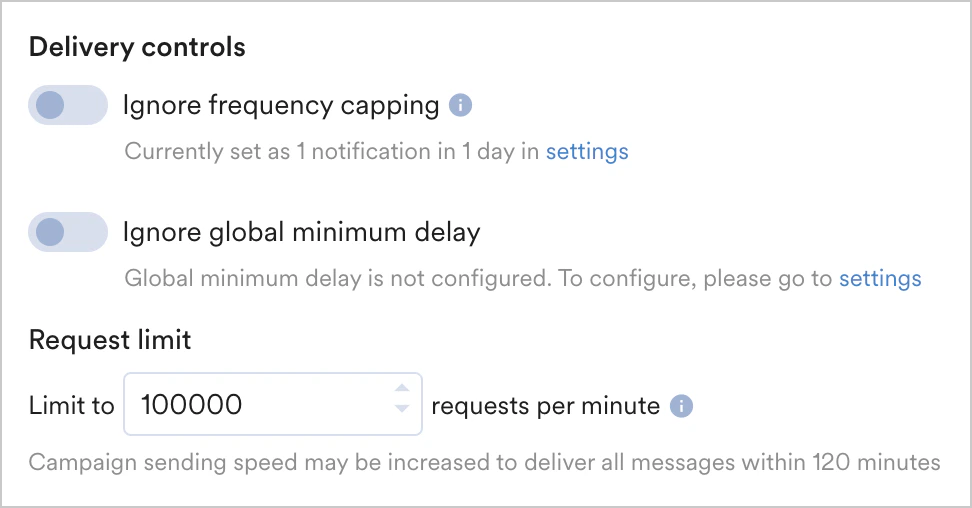
In addition to the global throttling settings, you can configure different throttling settings for individual campaigns in step 3, Schedule and goals, of campaign creation if the option for throttling is available. For more information, refer to Supported Channels and Delivery Types. You can configure the throttling at the campaign level under delivery controls, as shown in the image below:- Push
- SMS, MMS & RCS
- Email
- Whatsapp
- Connector
With the default FCM API rate limits reduced to 600,000 RPM, MoEngage is changing the maximum allowed throttle speed for push notifications to 500,000 RPM to ensure a single campaign does not breach the project limit. This change will apply to new and existing campaigns. You may still see drops because multiple campaigns are triggered together. For more information, refer to Changes in Sending Speed with Private Key Configuration.
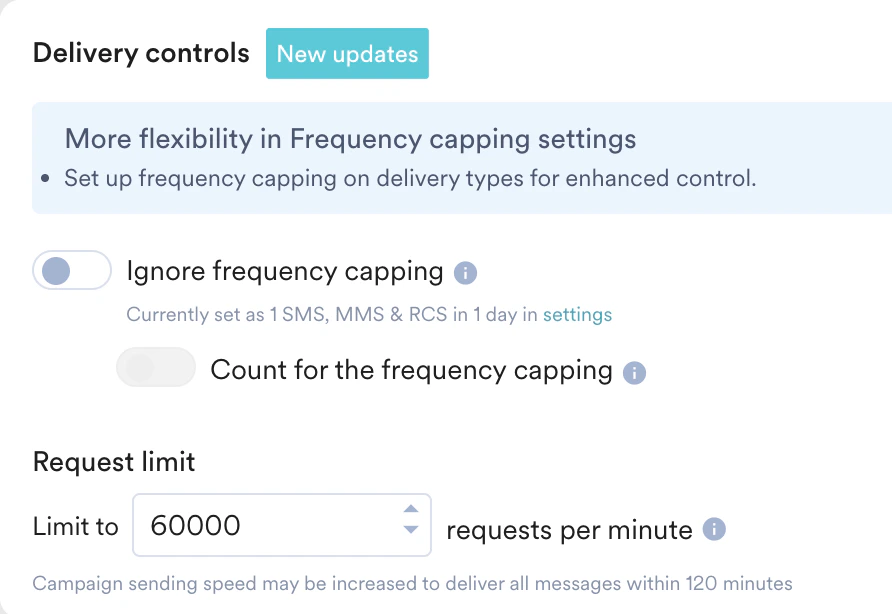
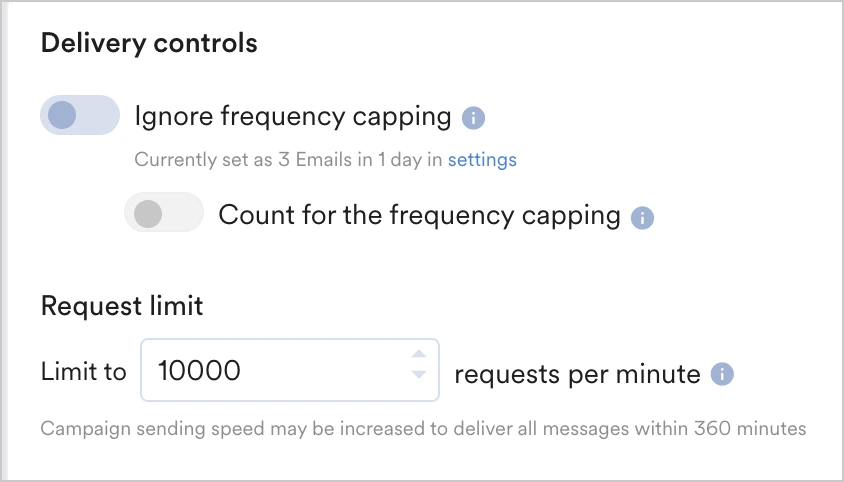
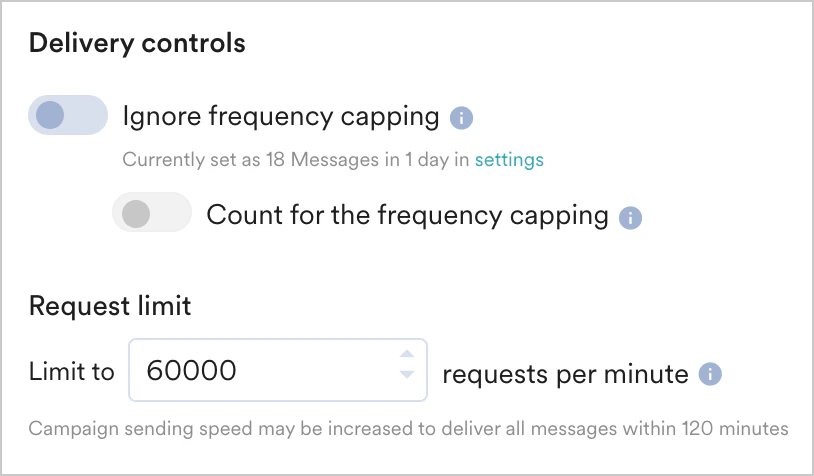
Whether workspace-level (global) throttling is enabled or disabled, you can change the throttle speed while configuring a campaign and set different options for different campaigns. If the values in the workspace-level throttling and campaign-level throttling differ, the campaign-level throttling takes precedence and is applied.
Throttling in Merlin AI Campaigns
Merlin AI is the in-house AI of MoEngage that predicts the engagement proportion by creating different variations of audiences and analyzing their behavior. For more information, refer here. Throttling does not apply in Merlin AI campaigns due to the campaigns’ extended running time. To perform user distribution dynamically with Merlin AI in Push campaigns, you must run them for at least 1 hour, whereas for Email campaigns, you must run them for at least 2 to 4 hours. The run time may vary according to the channel, which can be selected from the options provided in A/B testing.Merlin AI is available only for Push, Email, In-app Messaging, and On-site Messaging campaigns.
Throttling in Best Time to Send (BTS)
BTS uses a prescriptive time slot to send communications to increase user interaction. BTS determines this by analyzing Push, SMS & RCS, and Email campaigns individually, predicting the optimal time slot from the (0-24 hour) bucket. In BTS, throttling takes precedence over the number of communications that should be sent in a particular time slot. For example, the BTS is between 4 PM and 5 PM, with a volume of 15 million users. However, the throttling is limited to 200K RPM so that you can communicate only to 12 million customers in 1 hour (200k X 60 mins = 12 million). Because throttling takes precedence, you can communicate to the remaining 3 million users in the subsequent time slot (6 PM to 7 PM).FAQs
I set a higher throttling limit for my campaign, but it still took longer than expected to send. Why?
I set a higher throttling limit for my campaign, but it still took longer than expected to send. Why?
The throttling RPM you configure controls the rate at which requests are submitted for processing — this is what you set and directly control. The rate at which MoEngage actually processes and sends out those requests is a separate rate that is not directly controllable.MoEngage tries to catch up with the submission rate, but the actual send rate can lag behind it:
- For non-personalized campaigns, the processing rate is usually close to the submission rate.
- For personalized campaigns, the processing rate can be around 50% or lower than the submission rate.