

Introduction
TRIFFT delivers enterprise-grade loyalty to retailers with a ready-to-roll-out toolkit. It is an all-in-one solution that allows customers to launch a modern loyalty club solution within weeks.MoEngage × Trifft
TRIFFT is a Loyalty CRM software that helps customers to have a loyalty element to attract & retain members. With the MoEngage and Trifft integration, you can:- Assign a coupon code to a member when they perform an action in your app
Integration
Prerequisites
- You would need to know your Trifft API Token to use their Rest APIs.
Assign a coupon code to a member via MoEngage
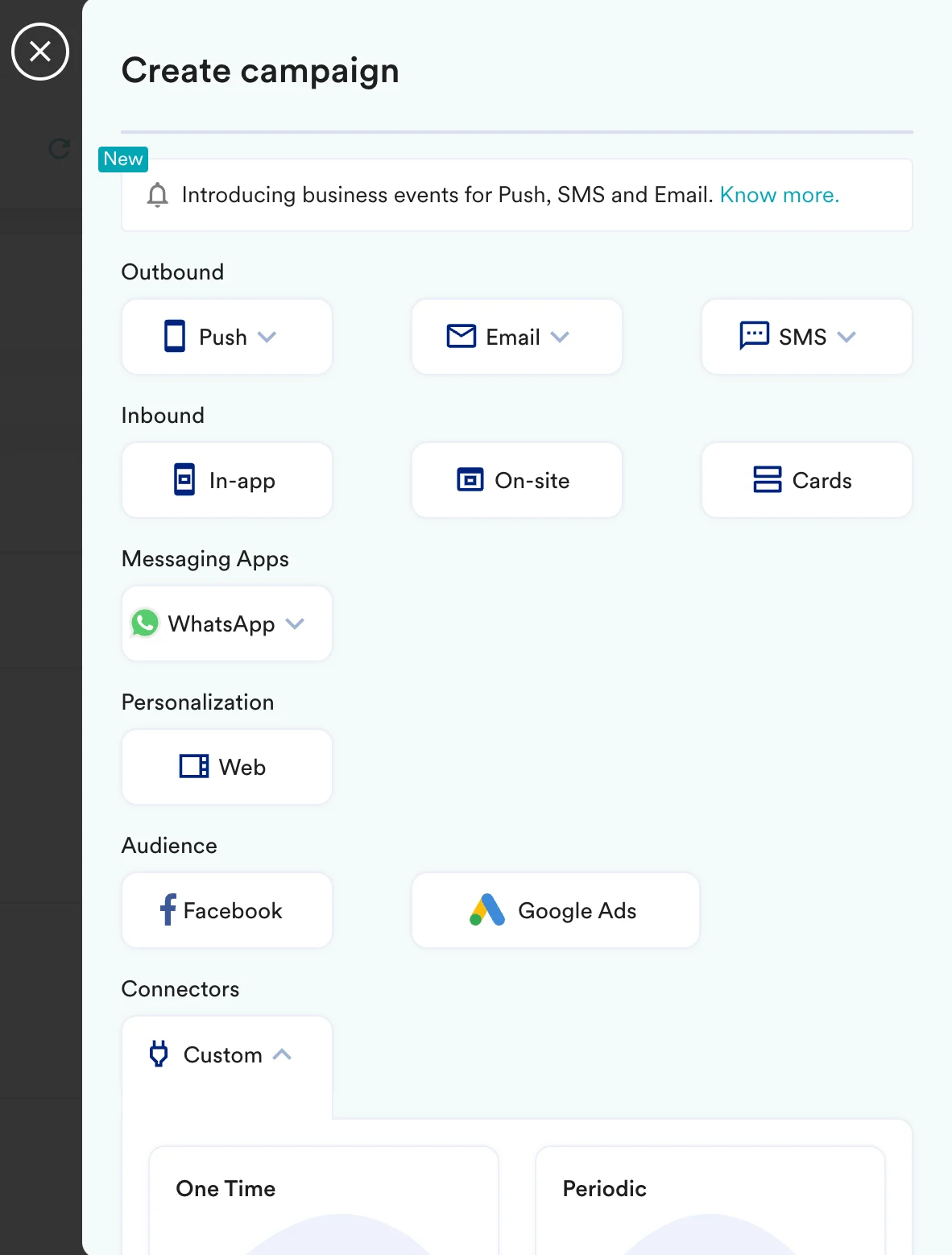
With MoEngage’s Connector Campaigns, you can send an API call to Trifft to assign a coupon code to your users when they perform any action on your app or website. To create a connector campaign on MoEngage,- Navigate to Create Campaign >> Connectors >> Custom and choose the delivery type most suitable to your needs. For this example, we will select “Event Triggered” and select the event as “Purchased”.
- On step 2 of the campaign:
Call the Trifft API
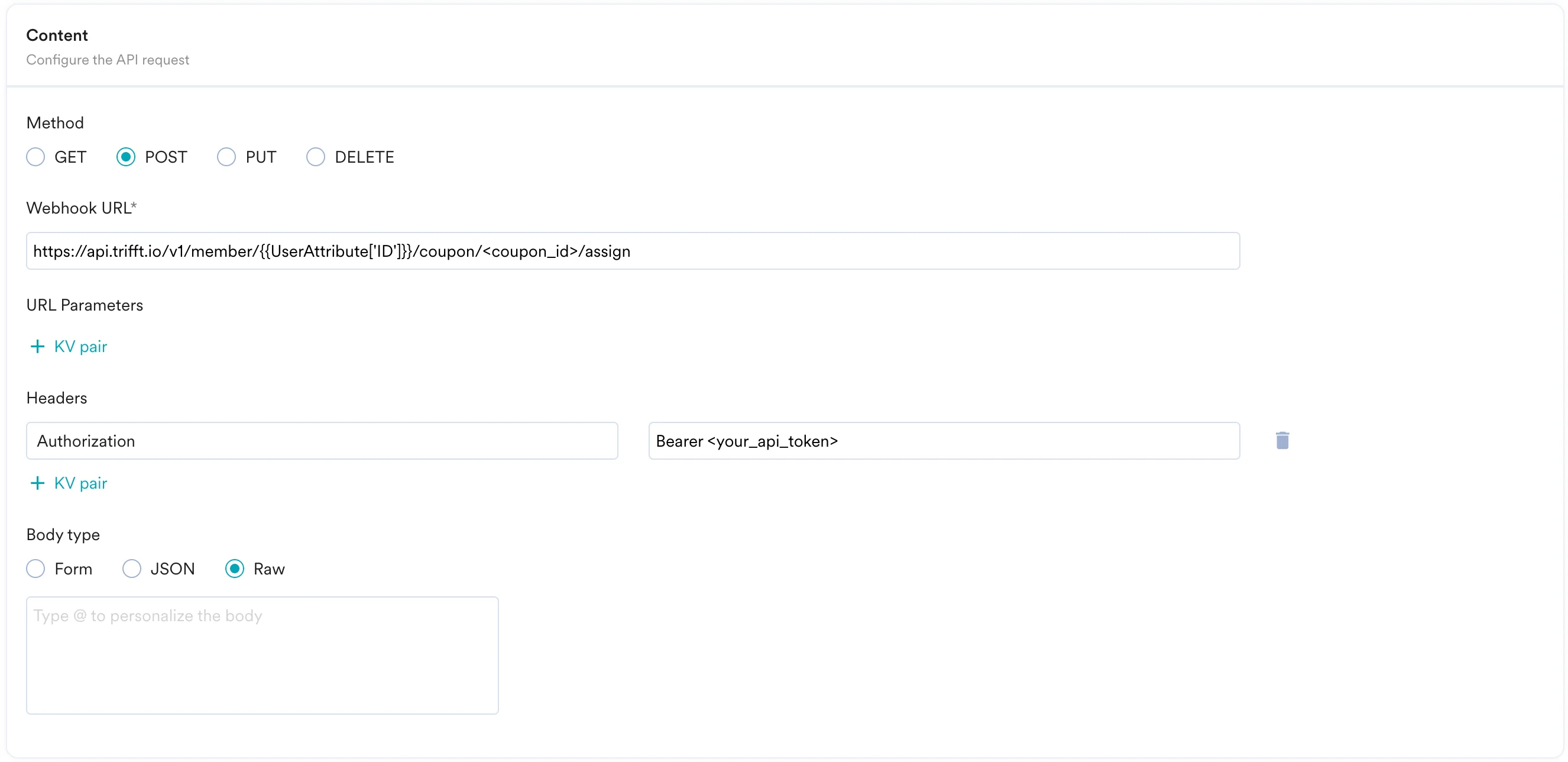
To assign a coupon to your member, use thePOST method and configure the payload.
- Select the method as POST
- Headers
Authorization: You need to add your API token here:Bearer <your_api_token>Content-Type:application/json
- Add the endpoint as Webhook URL:
https://api.trifft.io/v1/member/{{ UserAttribute['Email (Standard)'] } }/coupon/<coupon_id>/assign- Replace <coupon_id> with the ID of the coupon you want to assign. - Body:
You can leave the body empty.
- Refer to the Trift API documentation for more information.
- You can test your campaign on this step.
- Once ready, you can go ahead and publish this campaign.