

Introduction
Vonage is a global cloud communications provider that offers RCS as one of its core messaging channels within its Communications Platform as a Service (CPaaS). The Vonage MoEngage Connector is a self-service, no-code integration built on Vonage Cloud Runtime (VCR), bridging MoEngage’s campaign execution layer with Vonage’s messaging infrastructure to let brands send RCS campaigns at scale directly through Vonage. For more information, refer to Connector Overview.Prerequisites
- Access to your Vonage Dashboard to retrieve your API Key.
- Access to Vonage Cloud Runtime to deploy the connector instance.
- A Vonage RCS Business Messaging account with a registered RCS agent. RCS agent registration is handled outside the VCR Marketplace flow by your Vonage Customer Success Associate (CSA) or Account Manager.
- Access to Vonage Dashboard Settings to obtain your Signature secret (Standalone mode only).
- Admin access to the MoEngage dashboard, with the RCS channel enabled on your MoEngage tenant.
- For Conversational Connect mode only:
- A Conversational Connect account with RCS configured.
- Access to the Conversational Connect Developer Portal.
- Region alignment between your Conversational Connect account and your Vonage Cloud Runtime deployment.
- For the complete list of prerequisites, refer to Section 2 of the Vonage MoEngage Connector - RCS Channel Guide.
Configure RCS Connector (Service Provider)
Perform the following steps to configure Vonage as a connector on the MoEngage dashboard:- On the left navigation menu in the MoEngage dashboard, go to Settings > Channels > SMS & RCS > Sender configuration.
- On the RCS tab, click + Add RCS Sender.
-
Click the Vonage tile.
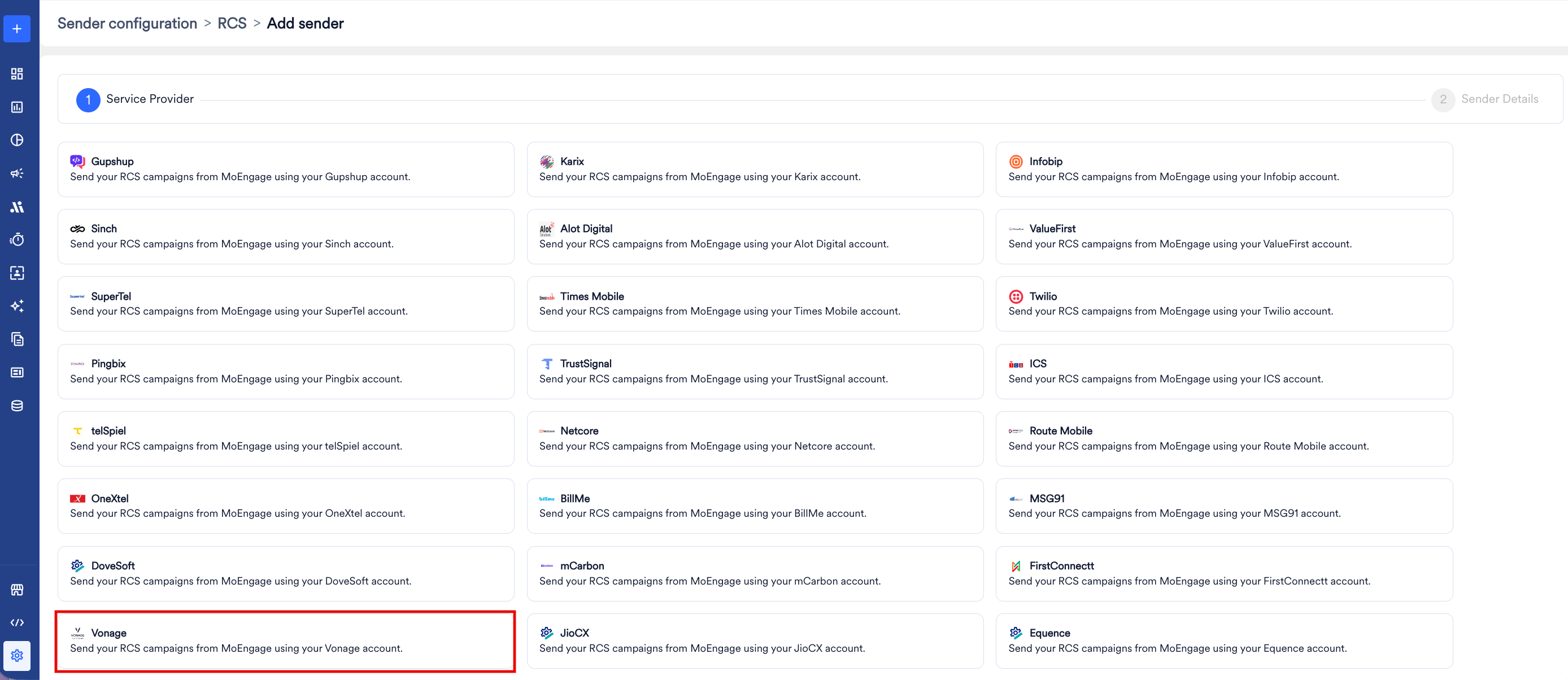
- Keep this page open and deploy the Vonage Conversations for MoEngage connector on Vonage Cloud Runtime by following Section 3 (Conversational Connect mode) or Section 4 (Standalone mode) of the Vonage MoEngage Connector - RCS Channel Guide. Then return here to complete the Sender Details.
-
On the Sender Details page, add the following details:
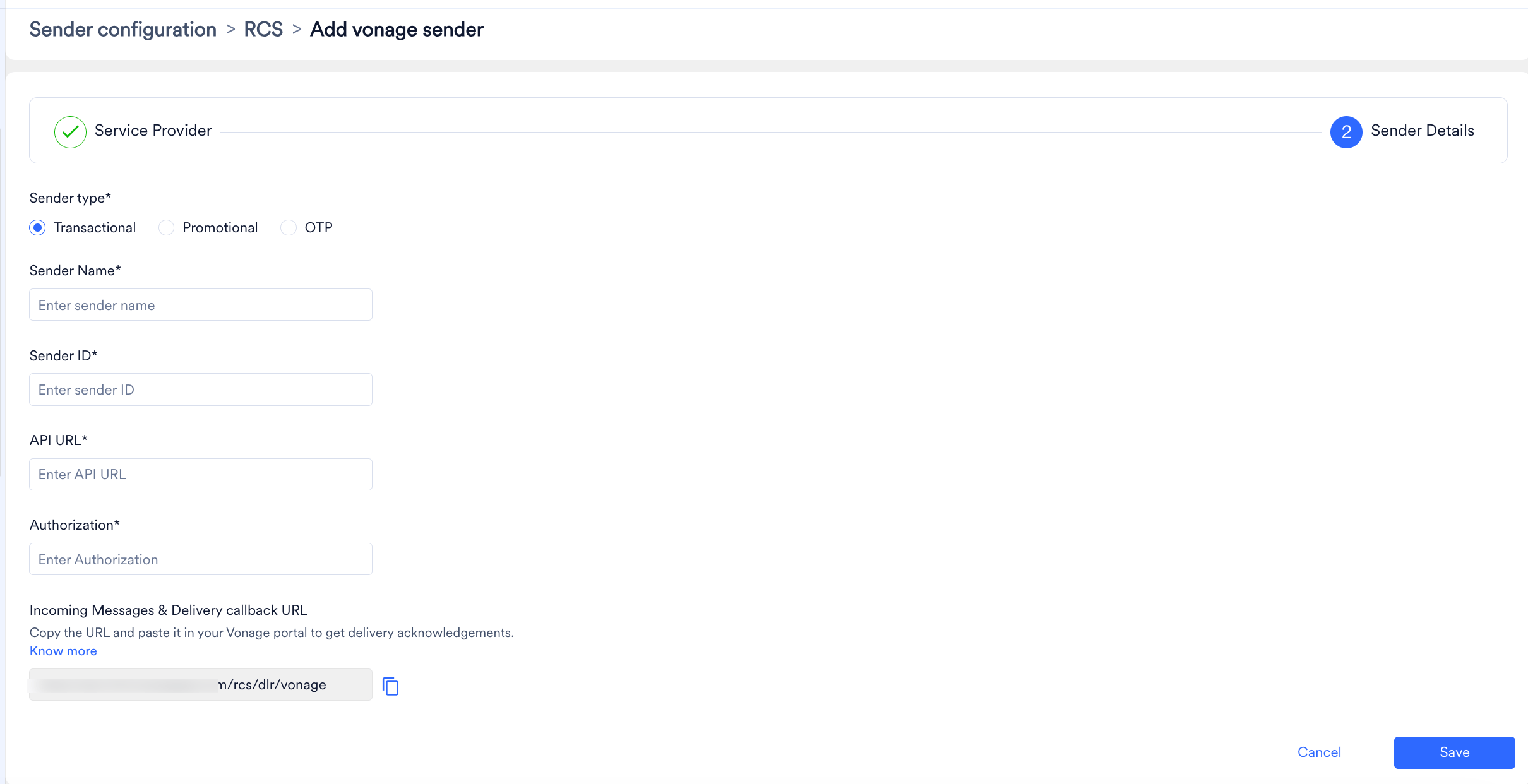
- Click Save to save this sender configuration.
- Incoming Messages and delivery callback URL: Configuring delivery tracking allows you to monitor whether messages have been delivered to end users. Configuring incoming message URLs allows you to track messages’ responses so that you can act on them accordingly. Copy this URL from the MoEngage dashboard and paste it into the RCS MoEngage Delivery Tracking URL field in the connector admin panel, as described here, and then click Update configuration.