

Introduction
ICS provides SMS Gateways. It helps integrate smart SMS, including the latest Google-verified SMS campaign, into your omni channel marketing strategy.Prerequisites Ensure that you have the login credentials such as UserId and bearer auth token for the SMS ICS Account.If you have any issues with the credentials or if you do not have the credentials, contact ICS support.
Configure SMS Connector (Service Provider)
Log in to the MoEngage Dashboard by performing the following steps:- Navigate to Settings > Channel > SMS > Sender configuration.
- Select ICS in the Add Sender screen.
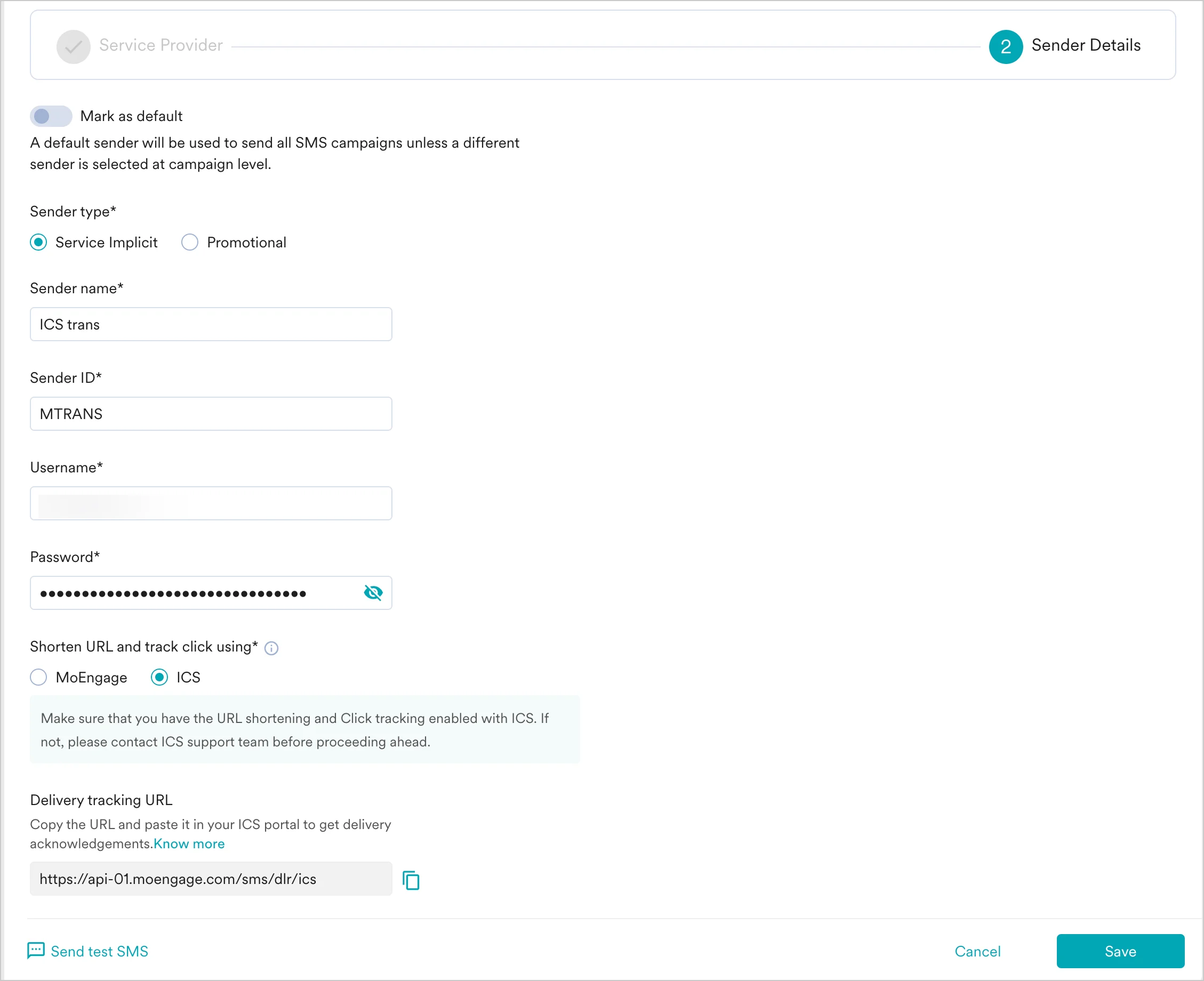
- Add the following details in the Sender Details screen.
- Send a test SMS to verify your configuration.
- Click Save to save the Sender Configuration.
Delivery Callback
To track SMS delivery receipts, you must set the MoEngage delivery callback URL on your ICS account. Use the callback URL for your data center:https://api-0X.moengage.com/sms/dlr/ics
Replace 0X with your workspace’s data center number (for example, api-03 for DC-03). To find your data center, see Data Centers in MoEngage. This URL also appears on the SMS Settings page.
To configure this callback, share the URL with ICS support and ask them to set it as the delivery callback on your ICS account.
URL Shortening and Click Tracking
For ICS, you can also use the URL shortening and click tracking feature provided by ICS. To enable it, select ICS in the Shorten URL and track click using field when configuring the sender. To use ICS click tracking, contact ICS support to enable it for your account, and set the clicks callback URL on your ICS account:https://api-0X.moengage.com/sms/clicks/ics
Replace 0X with your workspace’s data center number. With ICS click tracking, MoEngage tracks click receipts.
To use MoEngage URL shortening and click tracking instead, you do not need to set the clicks callback URL on ICS.
Next Steps
- Create an SMS campaign using the Getting Started for creating SMS campaign.
- Set the Frequency Capping for SMS.
- Set the Current Service Provider.