

Prerequisites
- You must have a WhatsApp Business API account live on Sinch India to use this integration.
- You must have a MoEngage account to connect with Sinch India WhatsApp.
Sender Configuration
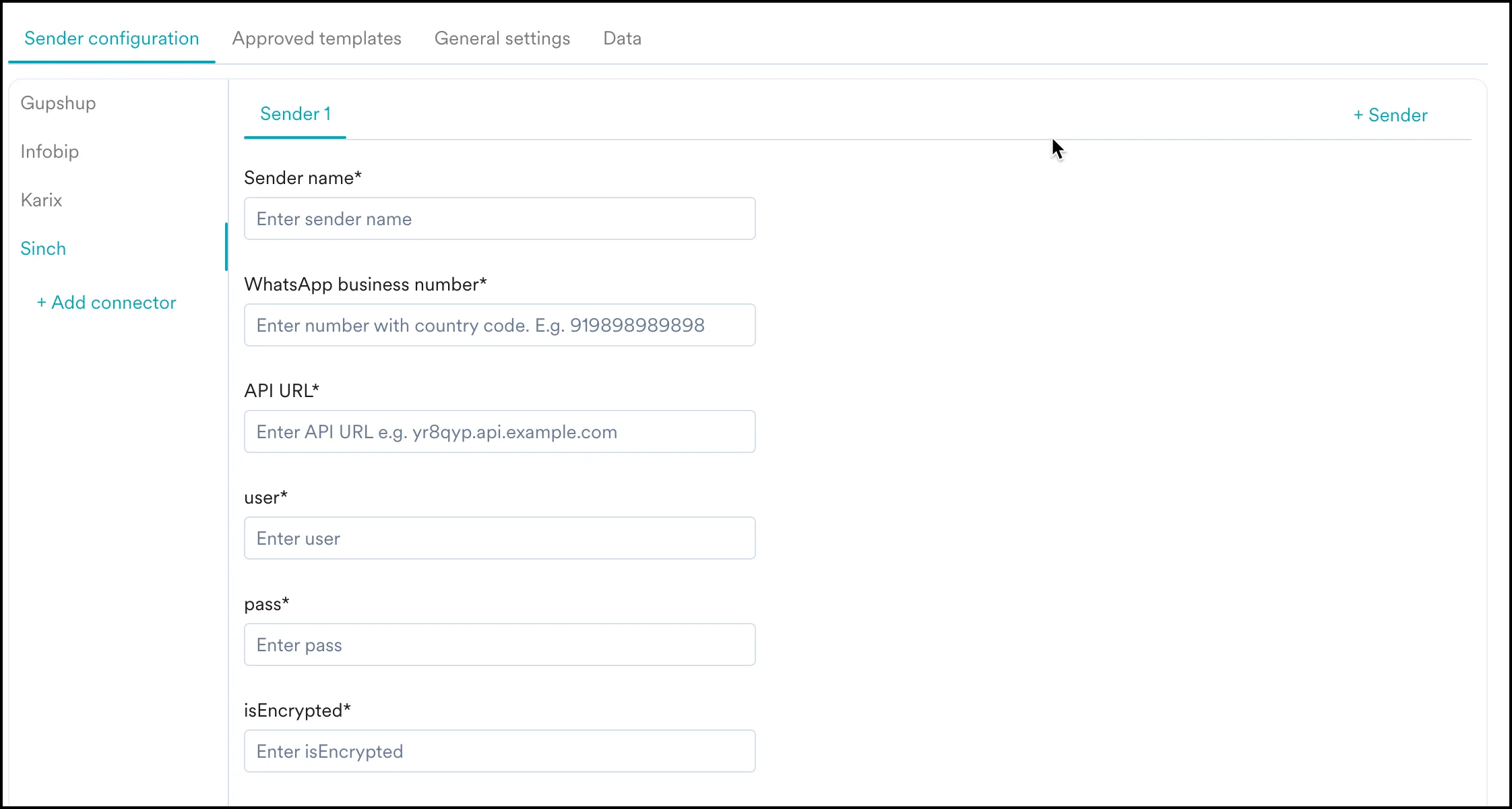
- Go to Settings > WhatsApp > Sender Configuration.
- Choose Sinch India from the menu on the left and click on + Sender.
Delivery Tracking
To track the delivery of your WhatsApp messages inside MoEngage, you would need to copy the MoEngage Delivery Tracking URL and share it with Sinch India to get it updated on their side. The delivery tracking URL is available on the MoEngage Dashboard as shown below: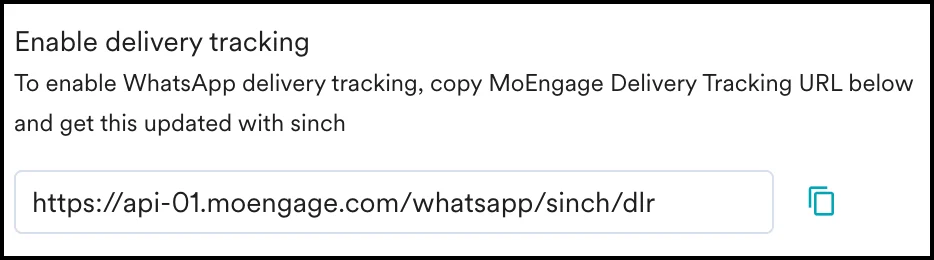
The URL in the image above is a sample URL. Copy the exact URL from your MoEngage dashboard and share it with the Sinch India team.