

Introduction
Loplat is a leading offline location-based platform. Use the loplat SDK to grow your store’s footfall and execute marketing campaigns that encourage in-store purchases. After a campaign ends, you can measure store performance through footfall analysis.MoEngage and Loplat
The MoEngage and loplat integration lets you use loplat’s location services (store POIs and custom geofences) to trigger geo-contextual marketing campaigns and create custom events from offline activity. When users visit a target location set in loplat X, the campaign and location information is sent to MoEngage in real time.Use cases
You can use the custom event location data provided by loplat in your campaigns to power use cases such as:- Duty-free promotion alerts: Send duty-free shop discount coupons to users near boarding gates at the airport.
- Electric vehicle (EV) charging station push: Set geofences around EV charging stations and notify users when they are nearby to encourage them to charge.
Integration
Prerequisites
- A loplat X account. Email
[email protected]to request one. - The loplat SDK recognizes user store visits, processes location events, and distinguishes whether users are stationary or moving. Use it to analyze store footfall, send push messages on store entry, and more. The SDK is available for Android and iOS only.
- Access to your MoEngage Workspace ID and Data API Key. You can find both under Settings > APIs on the MoEngage dashboard.
SDK setup
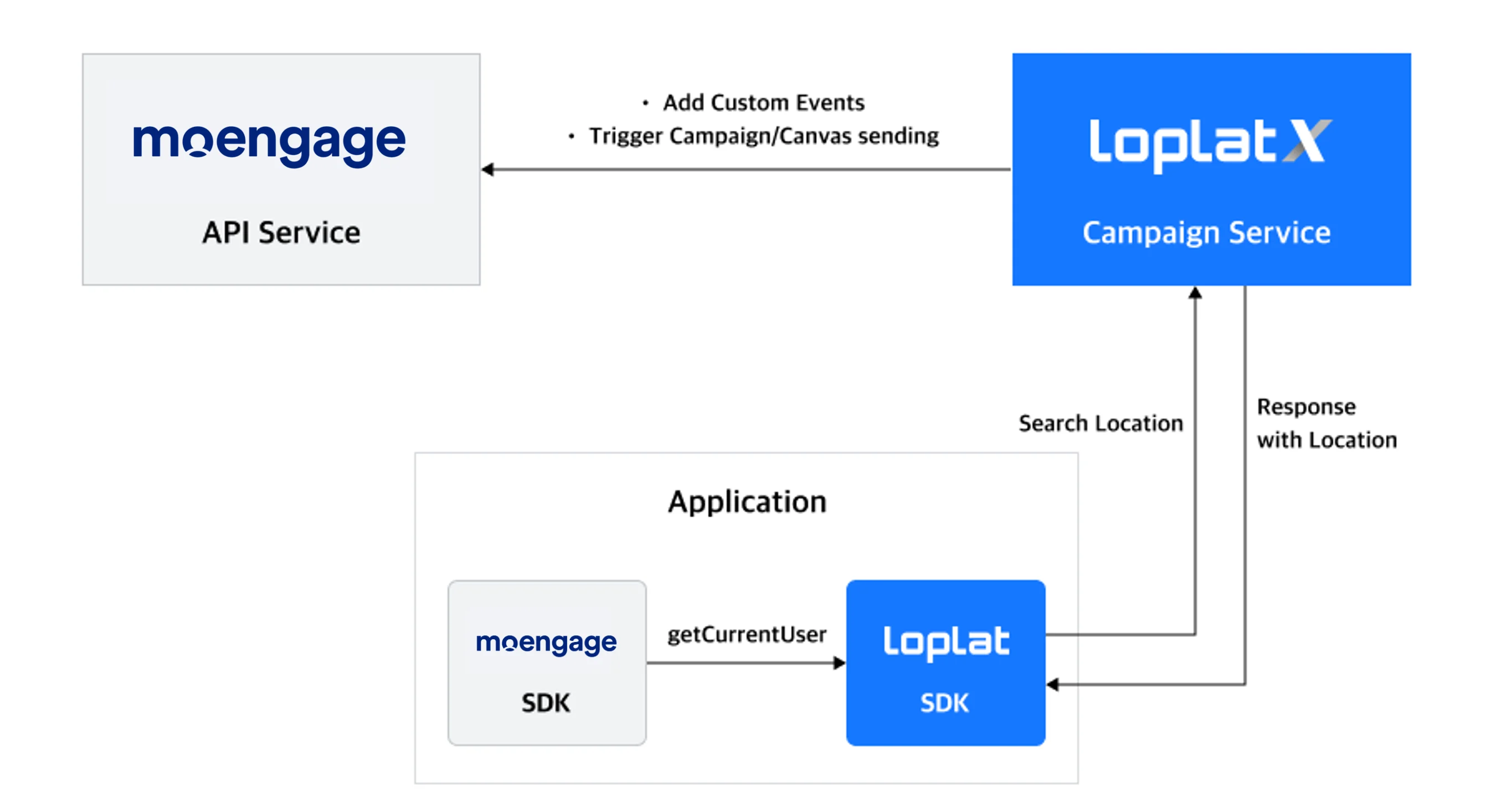
Step 1: Integrate the SDKs
Integrate the loplat SDK and the MoEngage SDK in your app using the steps below. The MoEngage user ID set in the loplat SDK is linked to MoEngage through loplat X for location recognition results.- Get started with the loplat SDK for Android: https://developers.loplat.com/android/#loplat-sdk.
- Follow the equivalent steps for the iOS app.