Getting Started
At a high level, you will follow these standard steps to perform these analyses. While the specifics may vary based on the case and needs, this provides a general overview of the process to be followed.Choose Events
Select the events or properties for the analysis, either single or multiple. Choose those that will provide the most value for your analysis. These should generally be relevant to your users and app/website.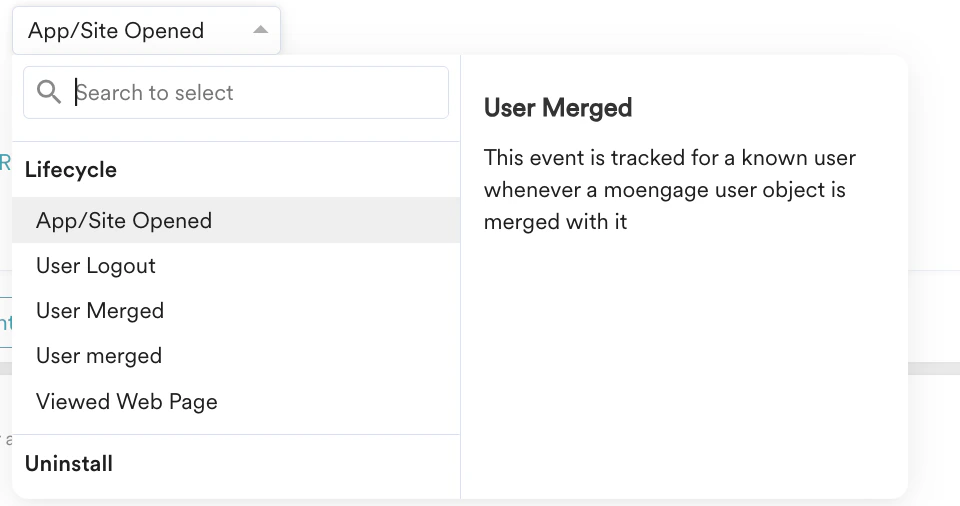
Define Attributes
Select relevant attributes for your event. Attributes provide context for the events you choose, allowing you to filter specific actions or events further.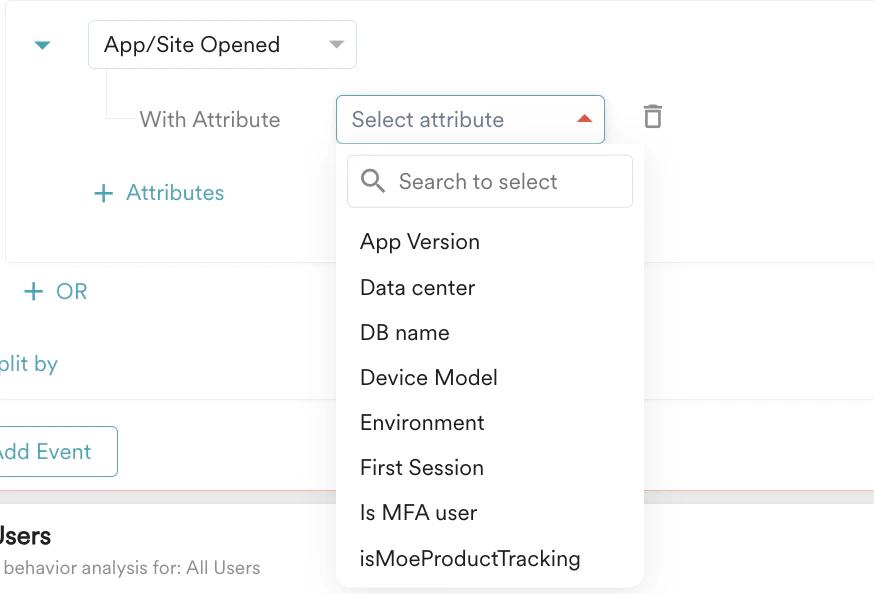
Choose Users
Identify the users on whom you want to perform this analysis. These are the individuals who have completed the set of events that you have selected. For more information, refer to Segmentation.
Analysis Options and Duration
MoEngage offers options for count-level and aggregated analysis. These options vary depending on the type of analysis. You will learn more about these options in the analysis types. After selecting the analysis option, you will specify the duration for which you wish to run the analysis.Charts
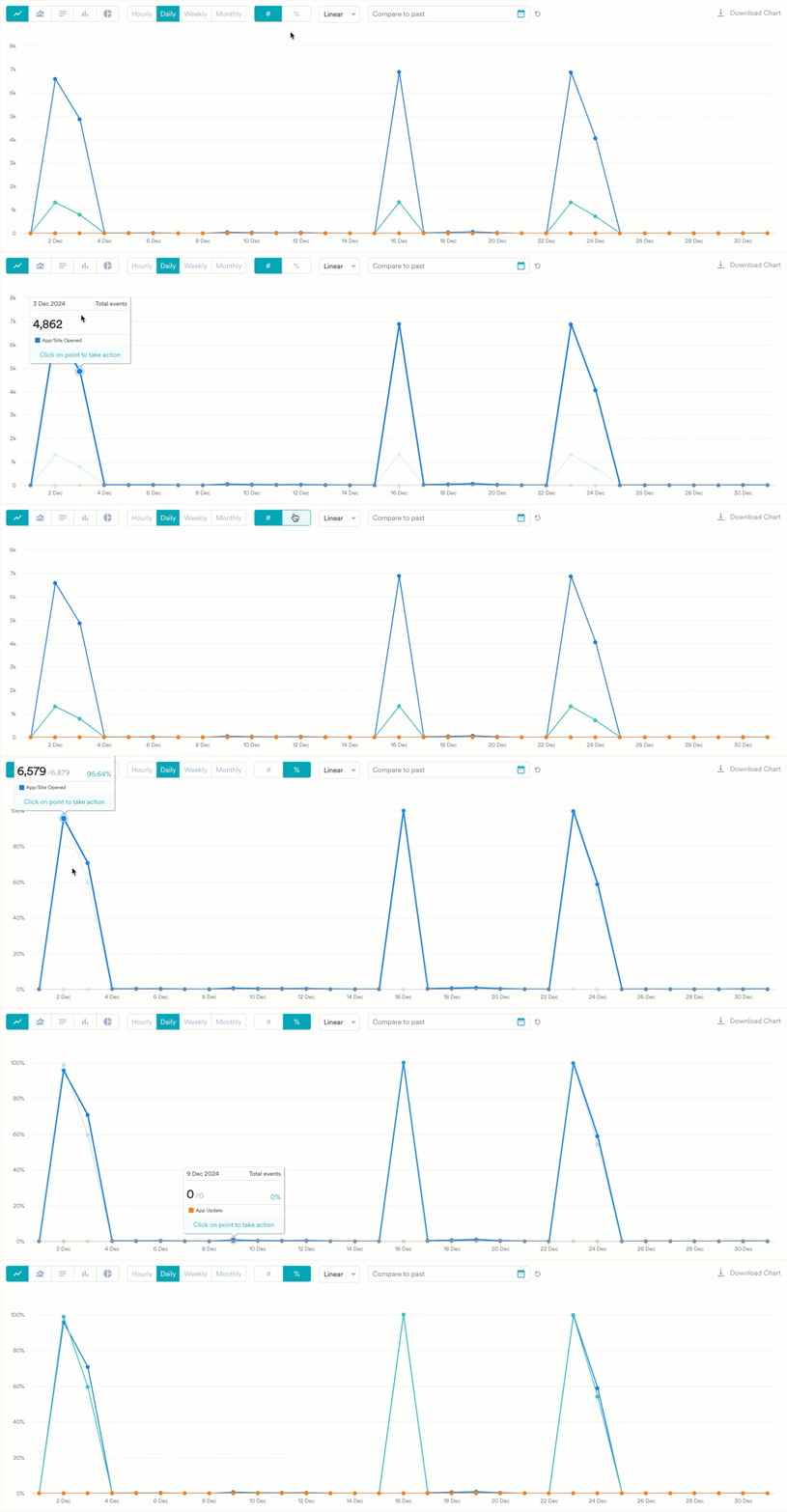
Charts are the results obtained at the end of an analysis. They visually represent data, making it easier to understand large quantities and their relationships with different data. Each analysis type offers different ways to visualize your query. To give you a general overview, the types of visualization options available are:- Line
- Bar
- Column
- Area
- Pie
- Choropleth
Tables
With charts, the data is also presented in tabular form, arranged in rows and columns. Tables are useful for locating specific information and identifying patterns. You can adjust how each table looks and what it shows—resize and reorder columns, sort and filter values, pin the columns you care about, and download the current view—without rerunning your query. These table controls are available across Behavior, Funnels, Retention, Session & Source, User Analysis, and Custom Dashboards.Sorting, filtering, and other column actions only change how the table is displayed. They do not change the underlying query or the chart above the table.
Transpose Table
You can transpose the table. This allows you to view and download the table in your preferred format by shifting its vertical and horizontal orientation.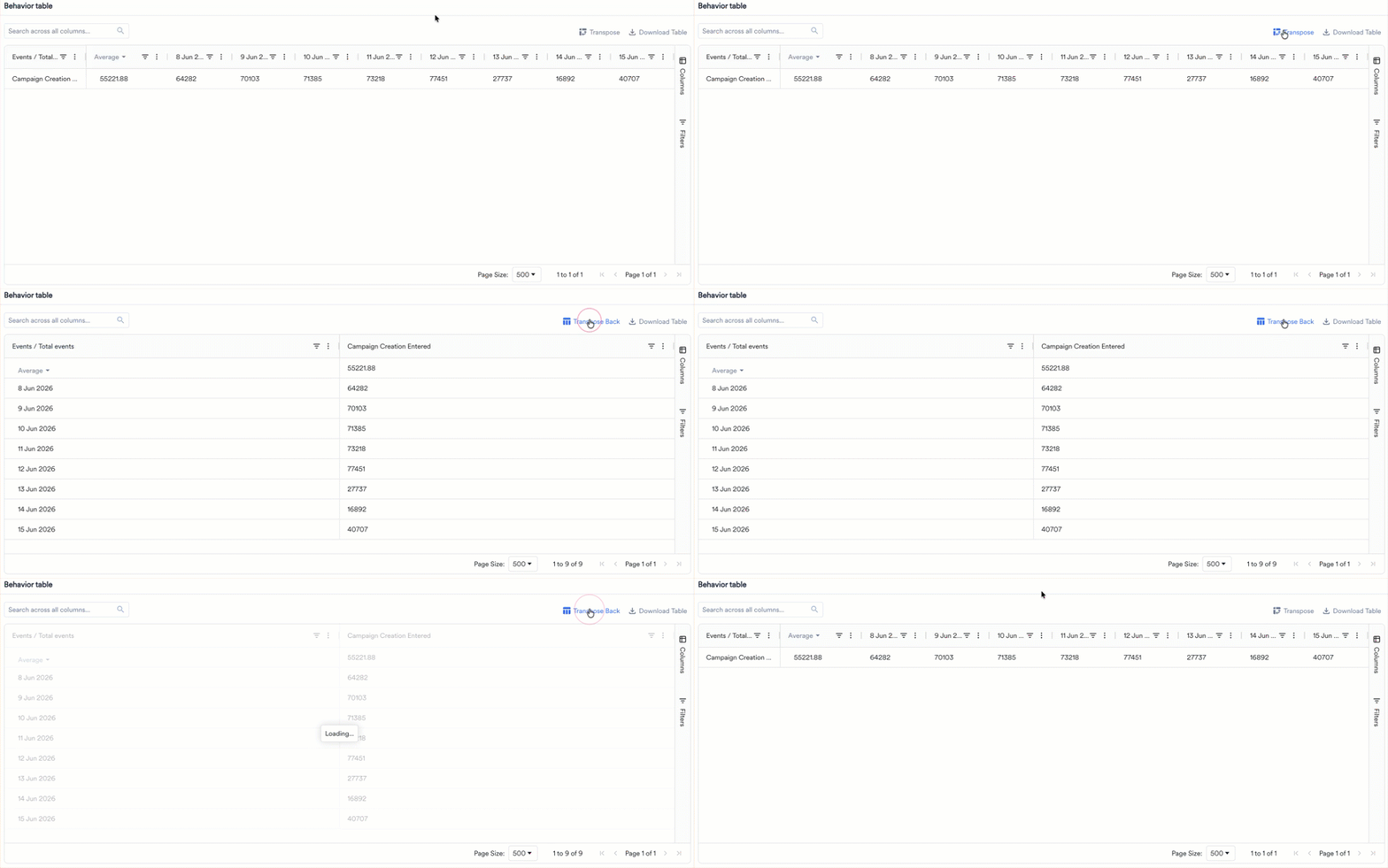
Sorting and Calculation
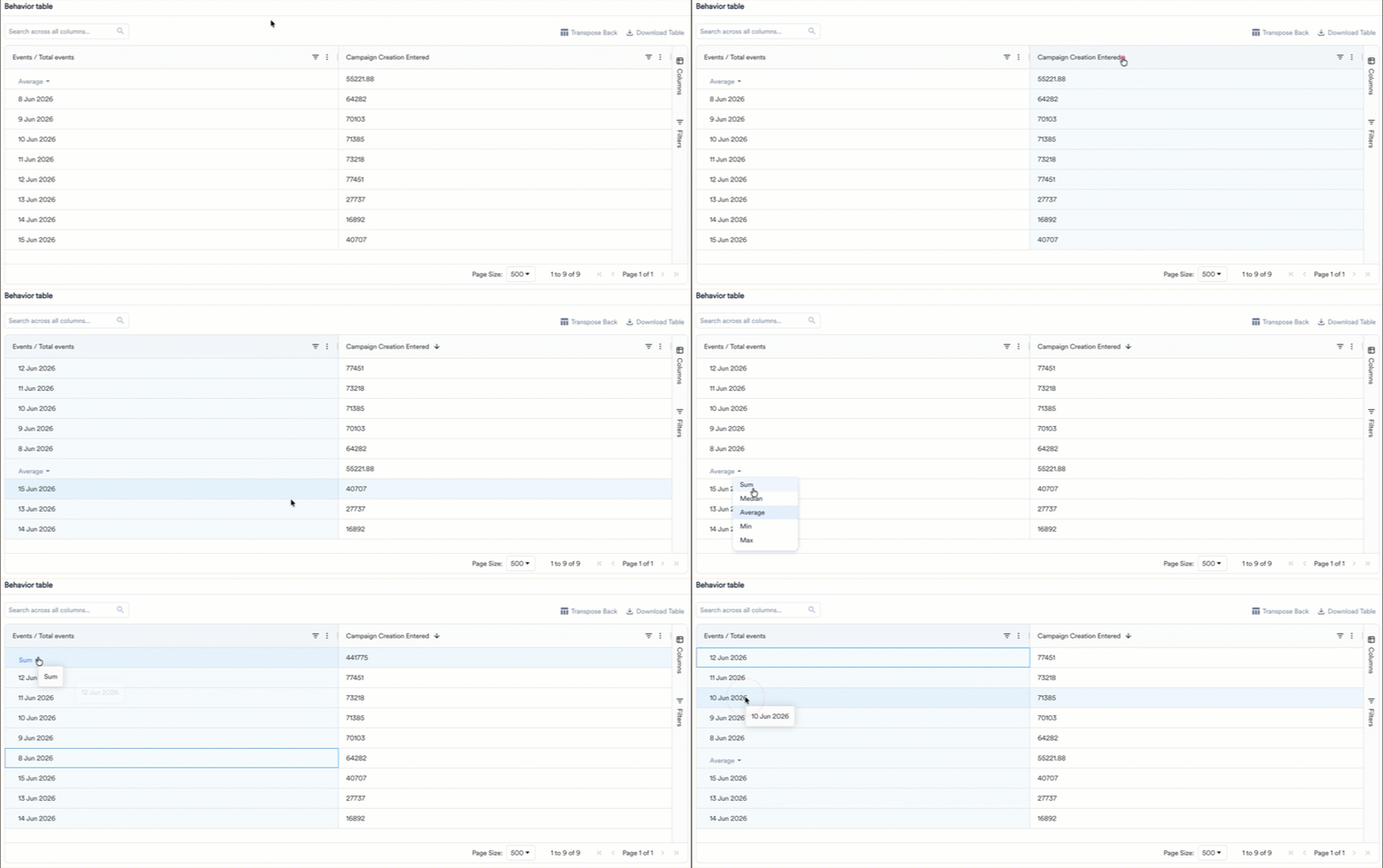
You can organize the data in the table without external tools. Click the header of any column to sort the table data. Sorting is available on every column.- The first click sorts in ascending order, the second click sorts in descending order, and the third click resets the column to its default order.
- To sort by more than one column, hold Shift and click additional column headers. The table applies the sorts in the order you click them.
- You can also open the column menu (the three-dot icon in the column header) and select Sort Ascending or Sort Descending.
- Sum
- Median
- Average
- Min
- Max
Resize Columns
Drag the divider between two column headers to make a column wider or narrower. Each column has a minimum and maximum width, so content stays readable. To fit a column to its content automatically, open the column menu (the three-dot icon in the column header) and select Autosize This Column or Autosize All Columns. When you resize the browser window, the table adjusts to fit the available space.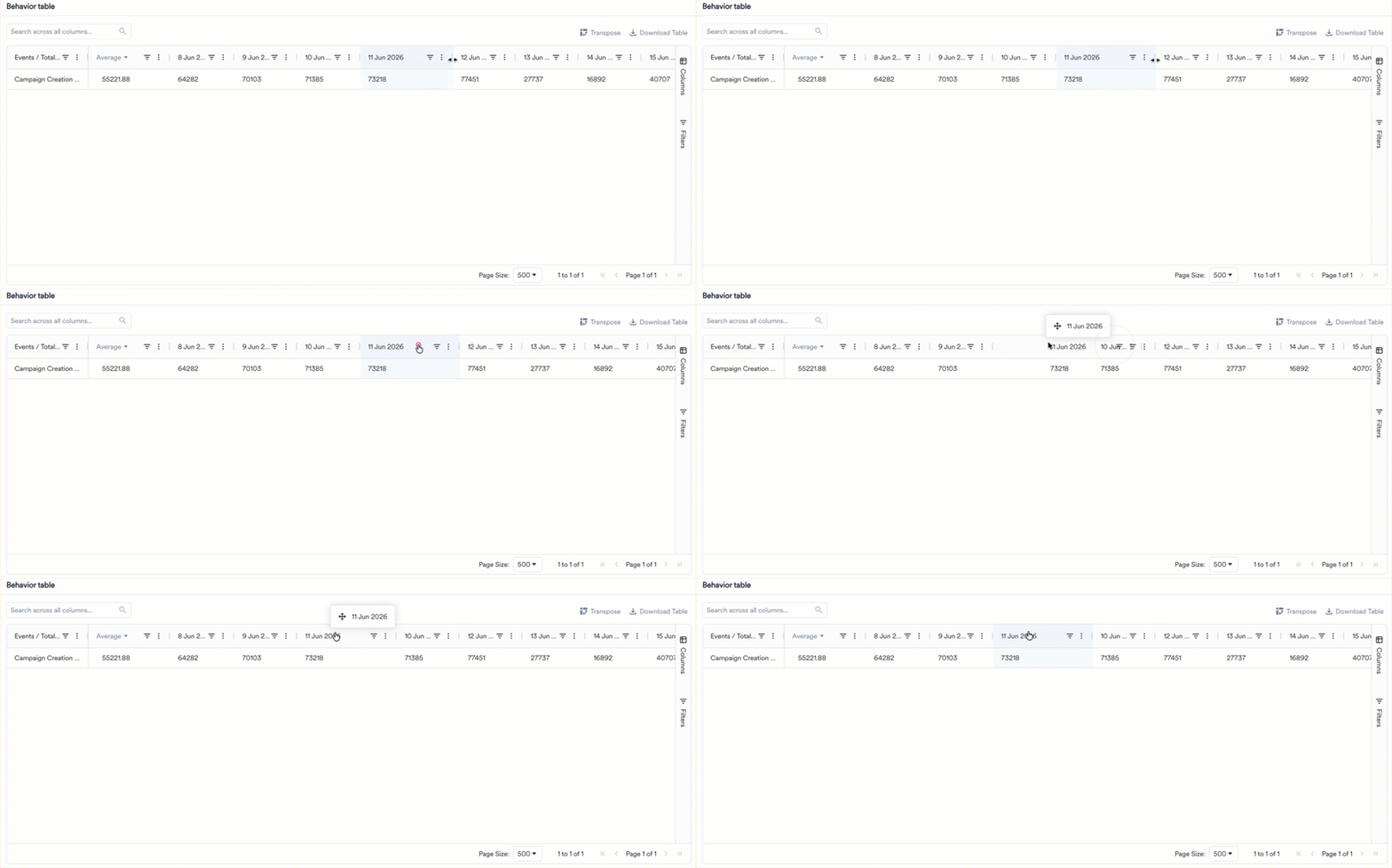
Filter
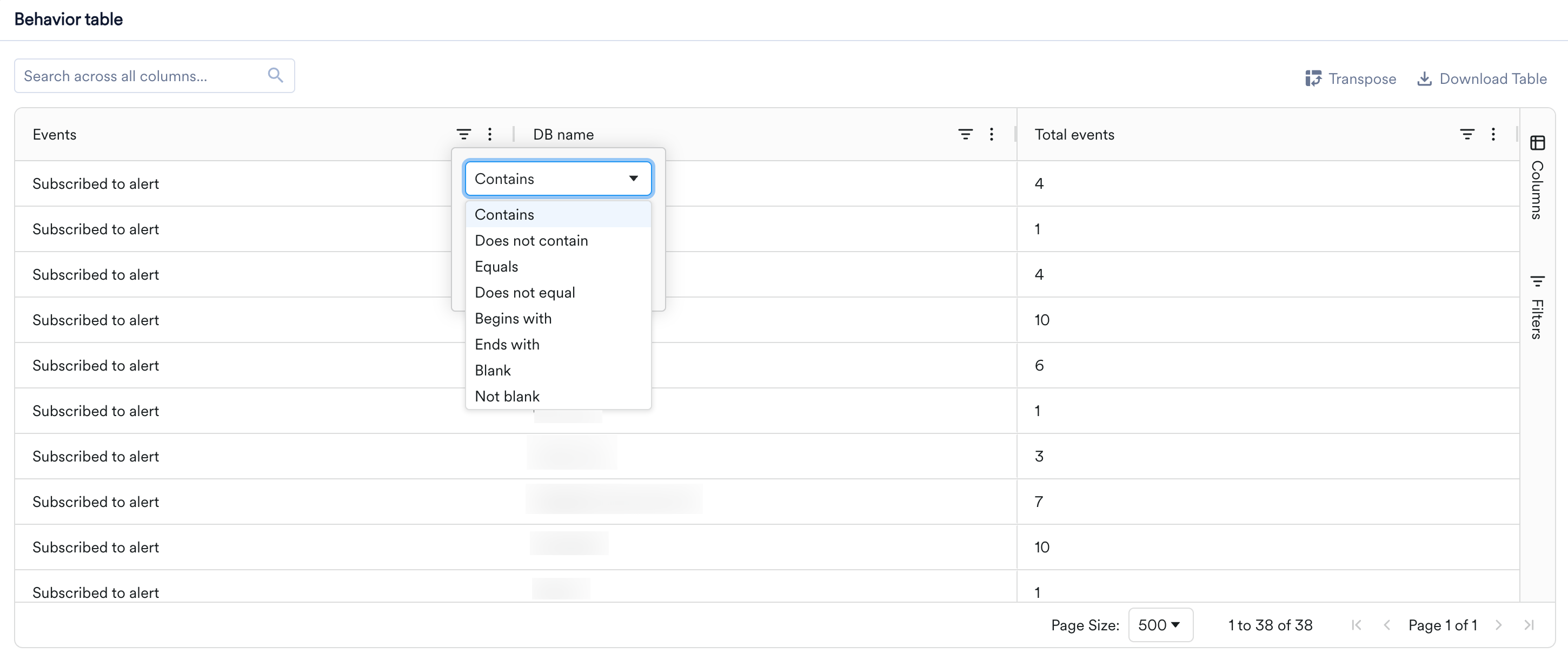
You can narrow the rows shown in a table without changing your query.- Column filters: Click the filter (funnel) icon in a column header to keep only the rows that match a condition. For text columns, the available operators are Contains, Does not contain, Equals, Does not equal, Begins with, Ends with, Blank, and Not blank. You can combine two conditions with AND or OR, and apply filters on more than one column at the same time.
- Quick search: Use the Search across all columns box above the table to find a value across all rows and columns at once. The table updates as you type to show only matching rows.
- Advanced filters: For more complex conditions, open the Filters tab on the right sidebar to assemble multiple conditions into a single filter expression.
Pin, Reorder, and Choose Columns
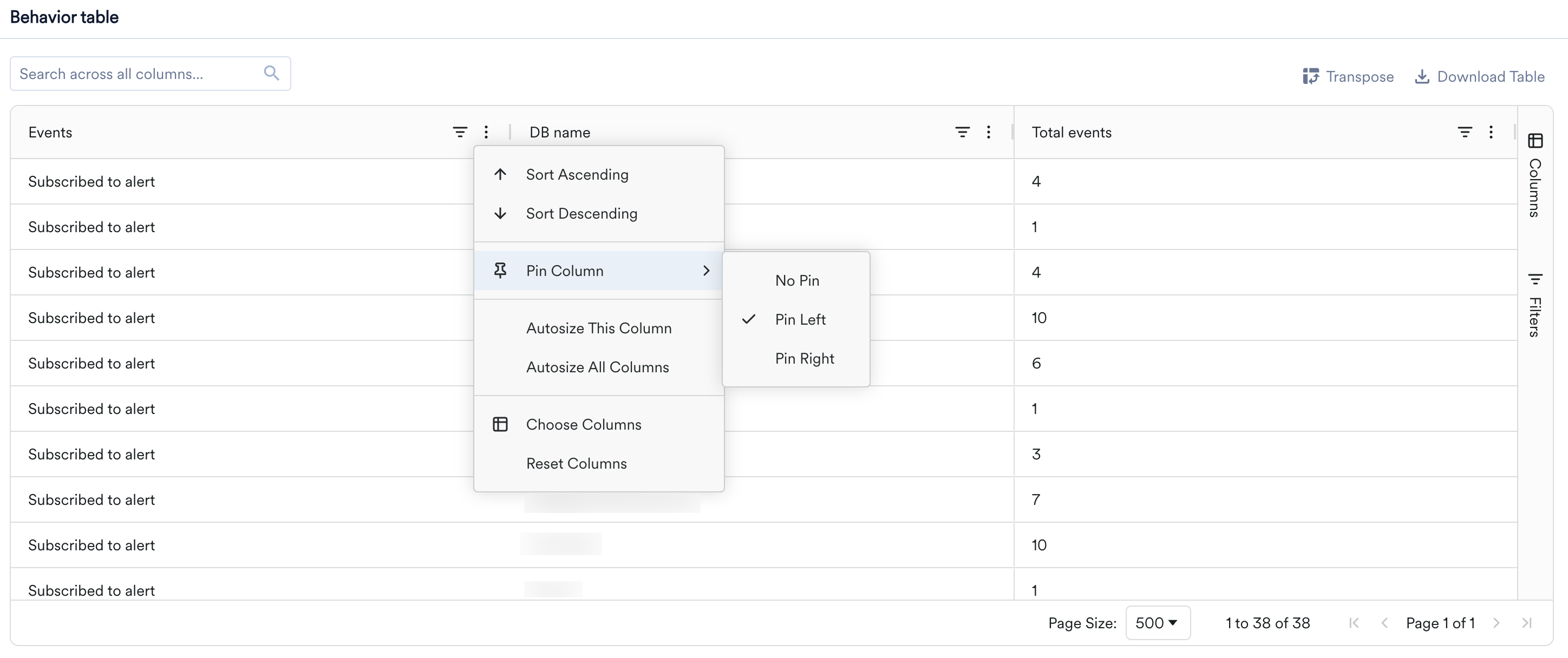
- Pin: To keep a column visible while you scroll horizontally, open the column menu (the three-dot icon in the column header), select Pin Column, and choose Pin Left or Pin Right. Select No Pin to unpin. You can also drag a column into or out of a pinned section.
- Reorder: Drag a column header left or right to change the order of columns.
- Choose columns: Open the column menu and select Choose Columns to show or hide columns, or use the Columns tab on the right sidebar. Select Reset Columns to restore the default layout.
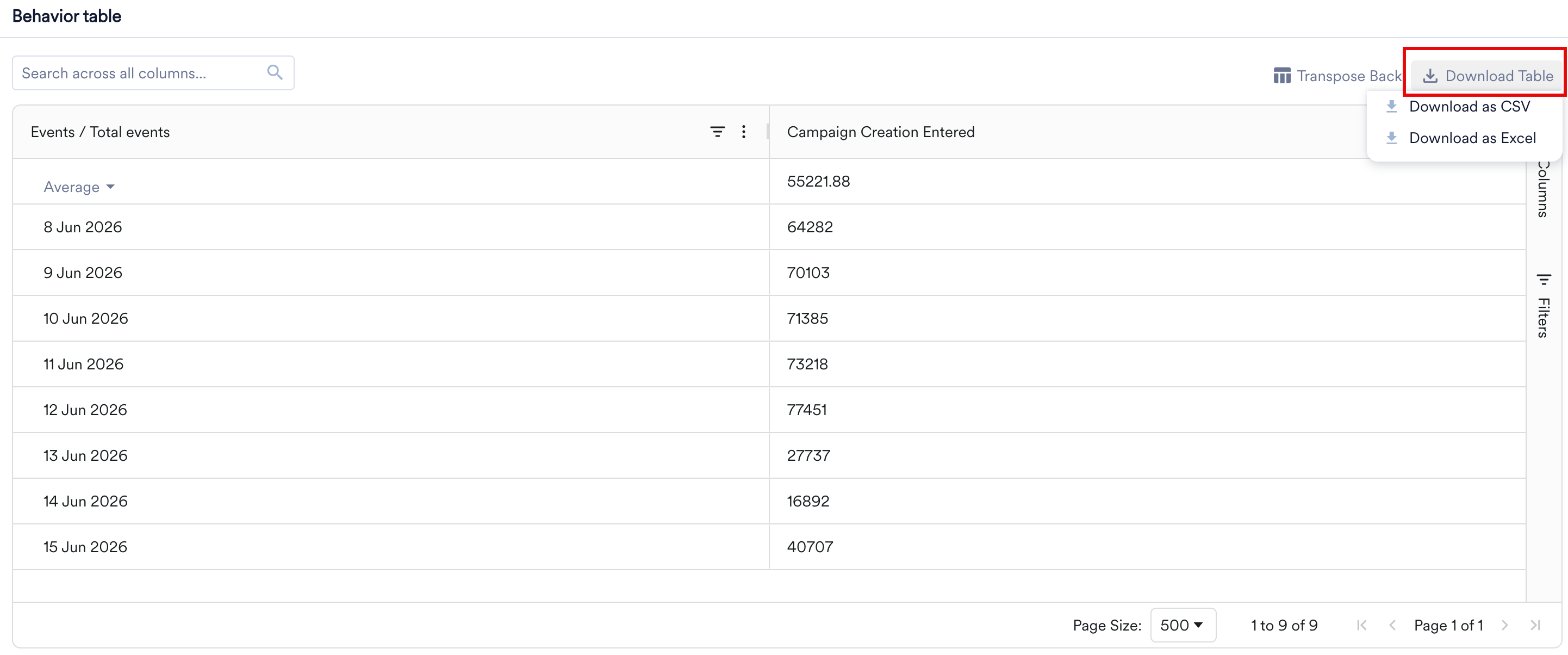
Download the Table
To share or analyze the table elsewhere, click Download Table at the top of the table and choose Download as CSV or Download as Excel. The download reflects the table’s current state, including any filters you applied and the sort order you set, and includes all columns.