

How the Tracking Pixel Actually Works
An email open tracking pixel is a single-pixel, transparent image embedded in the email body. When a recipient opens the email, their mail client loads this image in the background, which reports the open back to the sender. This is the mechanism behind open-rate tracking. In countries where regulators require the recipient’s consent before an open tracking pixel can be included, its inclusion must be based on that consent, and recipients need a straightforward way to opt out of being tracked.How the Consent Attribute Controls Tracking
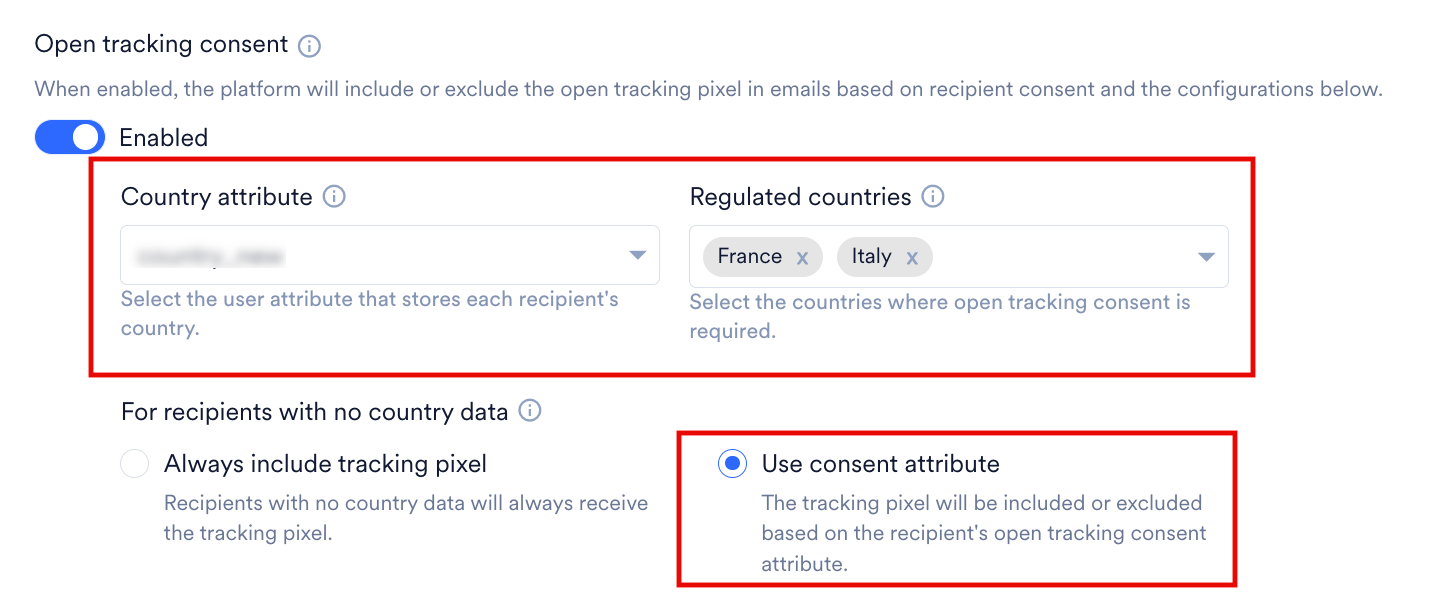
- France and Italy are used here only as example values for Regulated Countries. The same logic applies to whichever countries you configure.
- In the absence of an explicit opt-in, a recipient is always treated as opted out. This is a regulatory requirement and consent cannot be assumed or defaulted to “yes.” Make sure this attribute is being updated through one of the supported paths below before you rely on it.
- If a recipient’s consent status changes to opted out after an email was sent, MoEngage stops attributing opens to that recipient going forward. This applies even if the tracking pixel was already included in that email, whether because the recipient was opted in at send time or because the email was sent before this feature was enabled.
Update the Consent Attribute
You can update this attribute using:- User Import
- Server-to-Server (S2S) Data API
- The consent management page, where recipients can set their own preference
Consent Management Link and Page
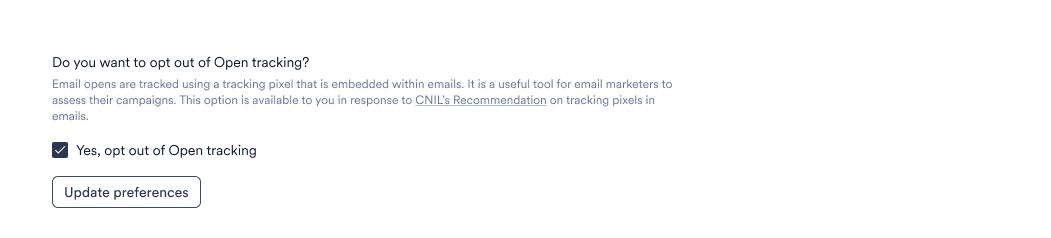
- When open tracking consent is enabled, MoEngage inserts a consent management link in the footer of emails sent to recipients in your regulated countries, based on the specific combination of settings and recipient data described in the table in How the Consent Attribute Controls Tracking section above. This link is separate from your unsubscribe link. Recipients who use it to opt out of tracking continue to receive your emails as normal; they just won’t be tracked for opens. The link takes recipients to a MoEngage-hosted consent page where they can view and update their open tracking preference.
- MoEngage raises an Email Open Tracking Consent Updated event on a user’s profile only when the attribute is updated through the MoEngage-hosted consent management page. This means the event is raised when the recipient clicks the consent link in an email, lands on the page, and updates their preference there.
- If you update the Email Open Tracking Consent attribute directly through the Server-to-Server (S2S) API or User Import, no event is raised. MoEngage only generates this event for changes made through the consent management page flow; it has no way to detect an attribute being overwritten directly. If you need your own record of such changes, you’ll need to track them on your end.
- The consent management page is unbranded and available only in English. There’s no support for using a custom or self-hosted consent page.