

Overview
You can customize your RFM Insights and Key Insights preferences on the Proactive Insights settings page. You can also adjust the Confidence Interval and Analysis Duration based on your needs. Configuring these settings helps populate accurate data on the Proactive Insights page on the MoEngage dashboard. To open the Proactive Insights page, go to the left navigation, select Analyze, and then click Proactive Insights.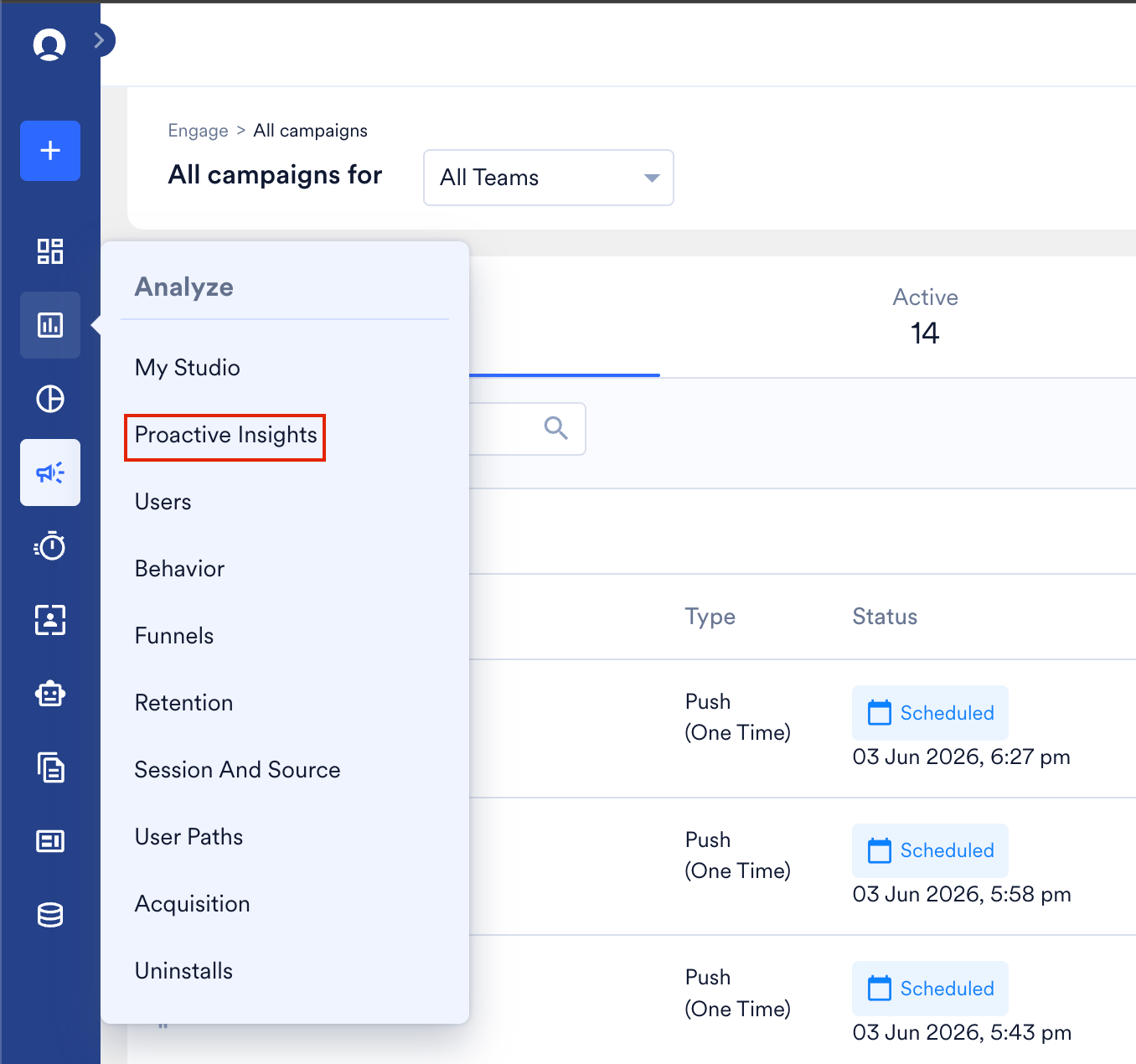

Setting Up Proactive Insights
To access the Proactive Insights settings page, navigate to Settings > Reports and alerts > Proactive Insights. The Proactive Insights settings page appears.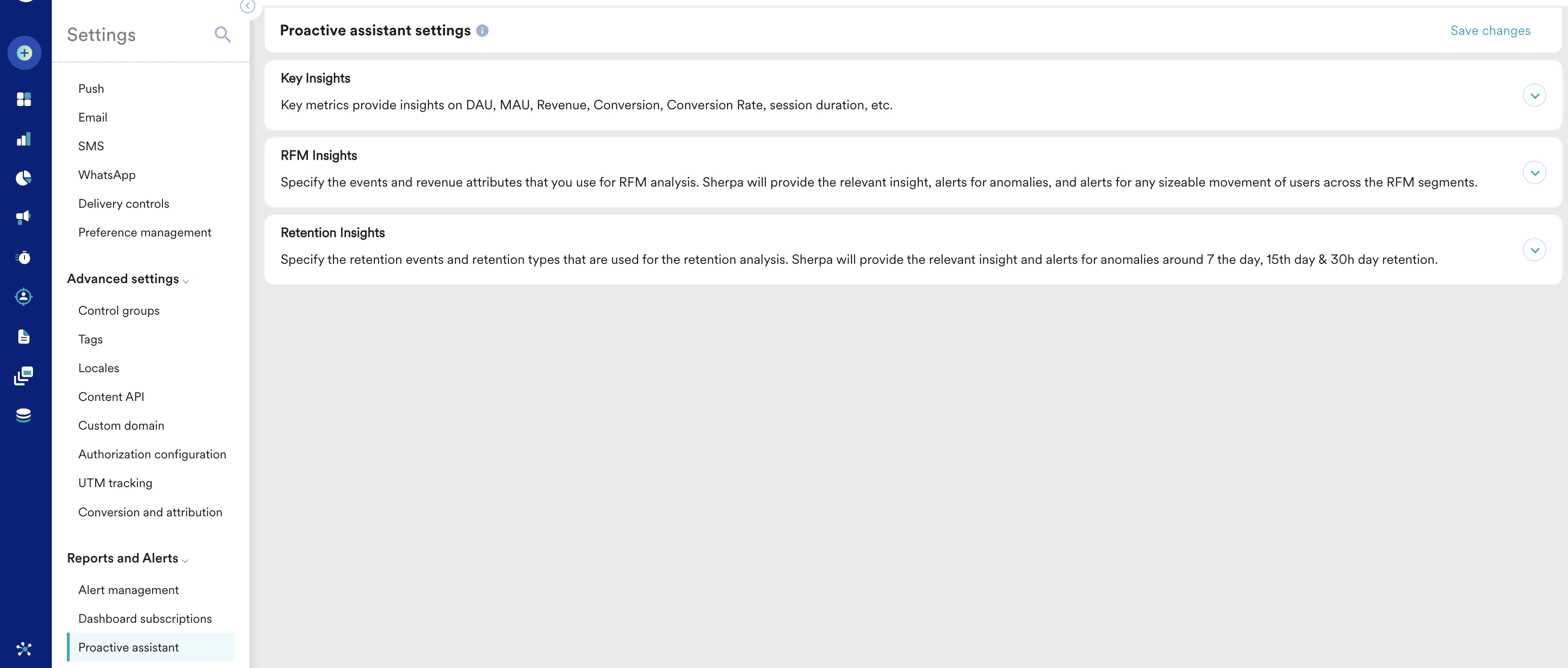
Key Insights
The events and revenue attributes that you set up in the Key Insights section will be used for Key Metrics analysis. Proactive Insights will provide relevant insight and alerts for any sizable movement of users for DAU and MAU Metrics.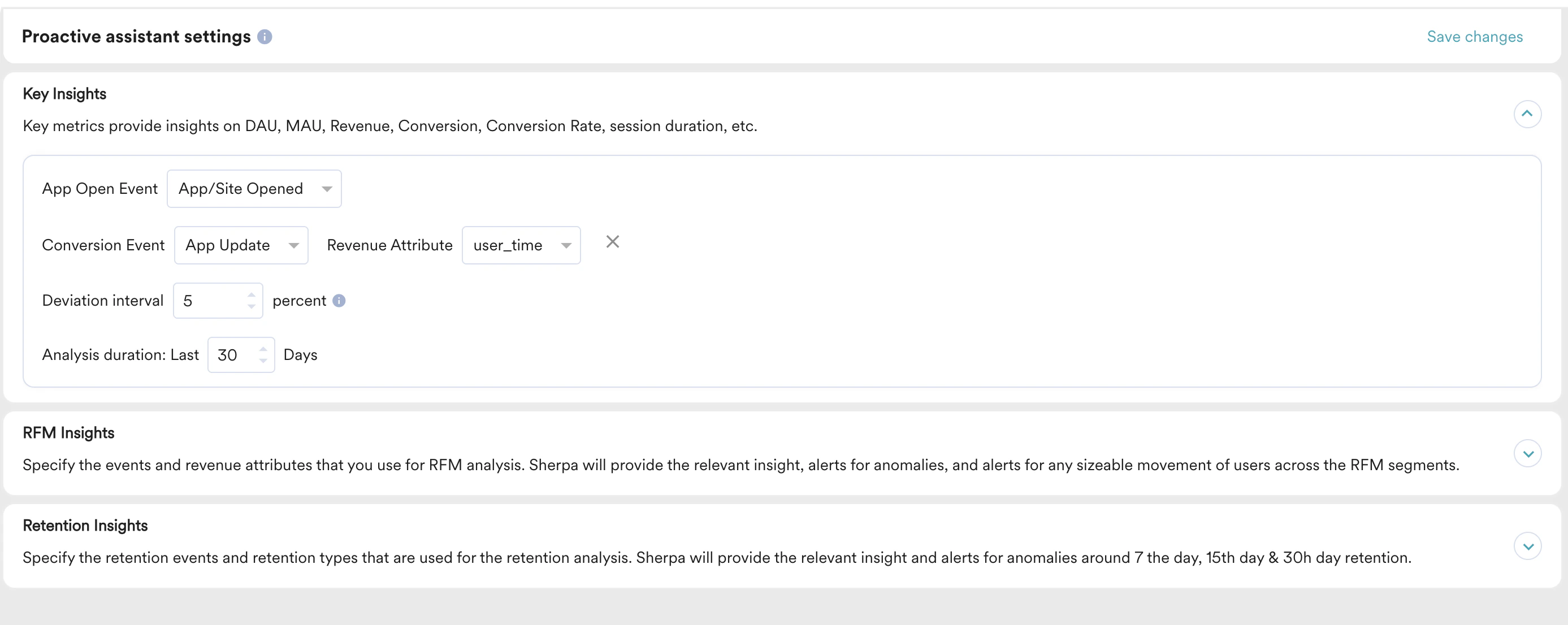
- Specify the App Open Event, Conversion Event, and Revenue Attribute you would like to use for Key Insights.
- Define the Deviation interval. The Deviation Interval is the range around the forecasted value within which the actual value is likely to fall for generating insights. This range can be between 5% to 20%.
- Set the Analysis duration based on your needs.
RFM Insights
The events and revenue attributes that you set up in the RFM Insights section will be used for RFM analysis. Merlin AI will provide relevant insight and alerts for any significant movement of users across the RFM segments.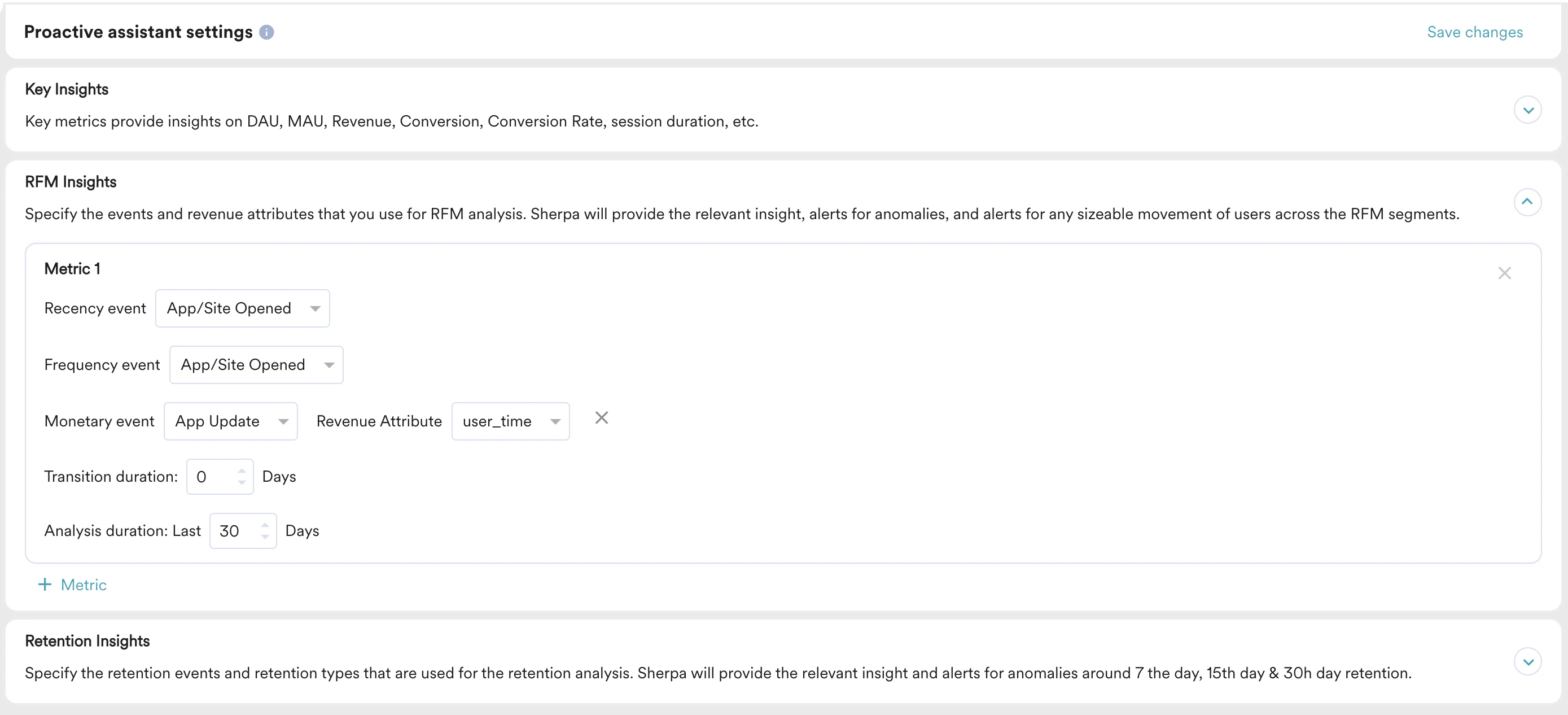
- By default, Recency event and Frequency event will be set up as App/Site Opened.
- Monetary event will be picked from the Settings > General > Goal mapping > Revenue attribute field.
- These inputs will be analyzed over the duration added in Analysis duration. Set the analysis duration based on your needs. It is recommended to be above 7 days for meaningful insights.
Retention Insights
The events and revenue attributes that you set up in the Retention Insights section will be used for Retention analysis. Merlin AI will provide relevant insight and alerts for anomalies around 7-day, 15-day, and 30-day retention.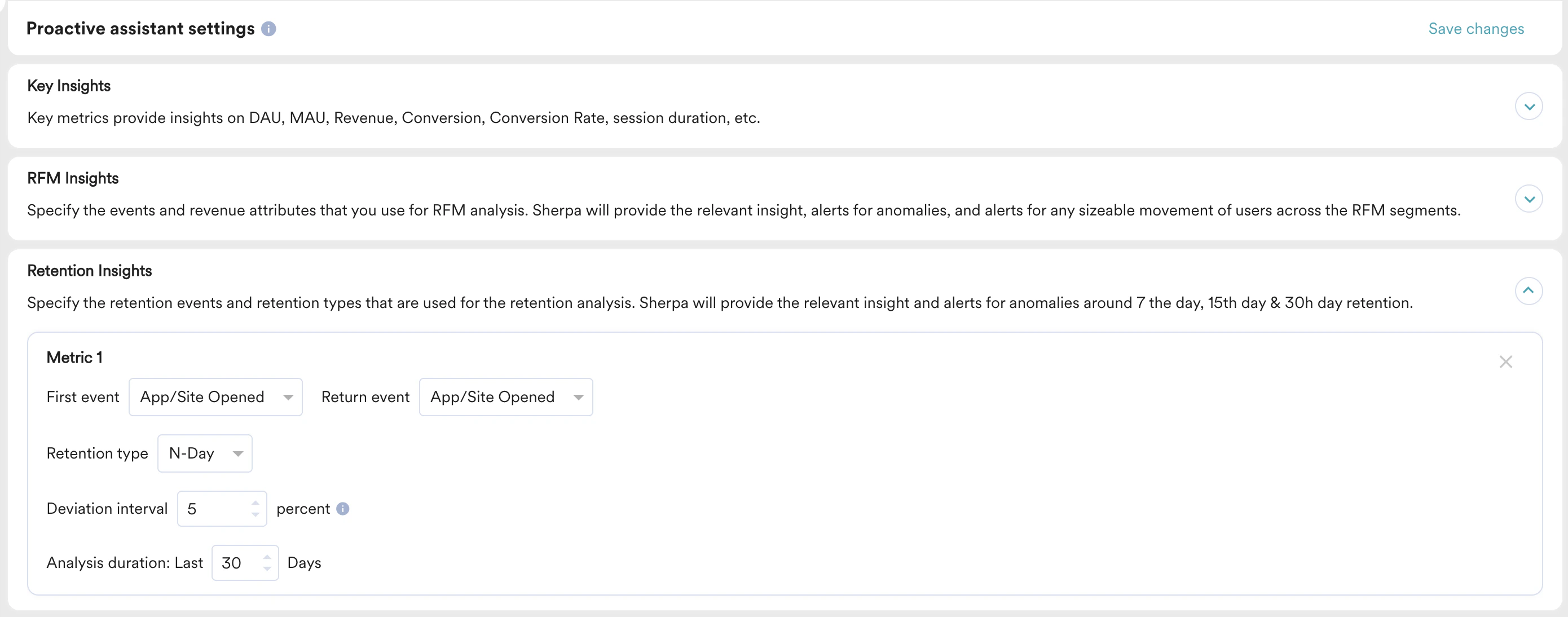
- Specify the First Event, Return Event, and Retention type you would like to use for Retention insights.
- Specify the Deviation interval and Analysis duration based on your needs.