

Tracked Events
MoEngage tracks the following events for every store after you complete the integration. You do not need to select them. To review the events and their attributes, expand User events in the Configuration tab of the MoEngage app.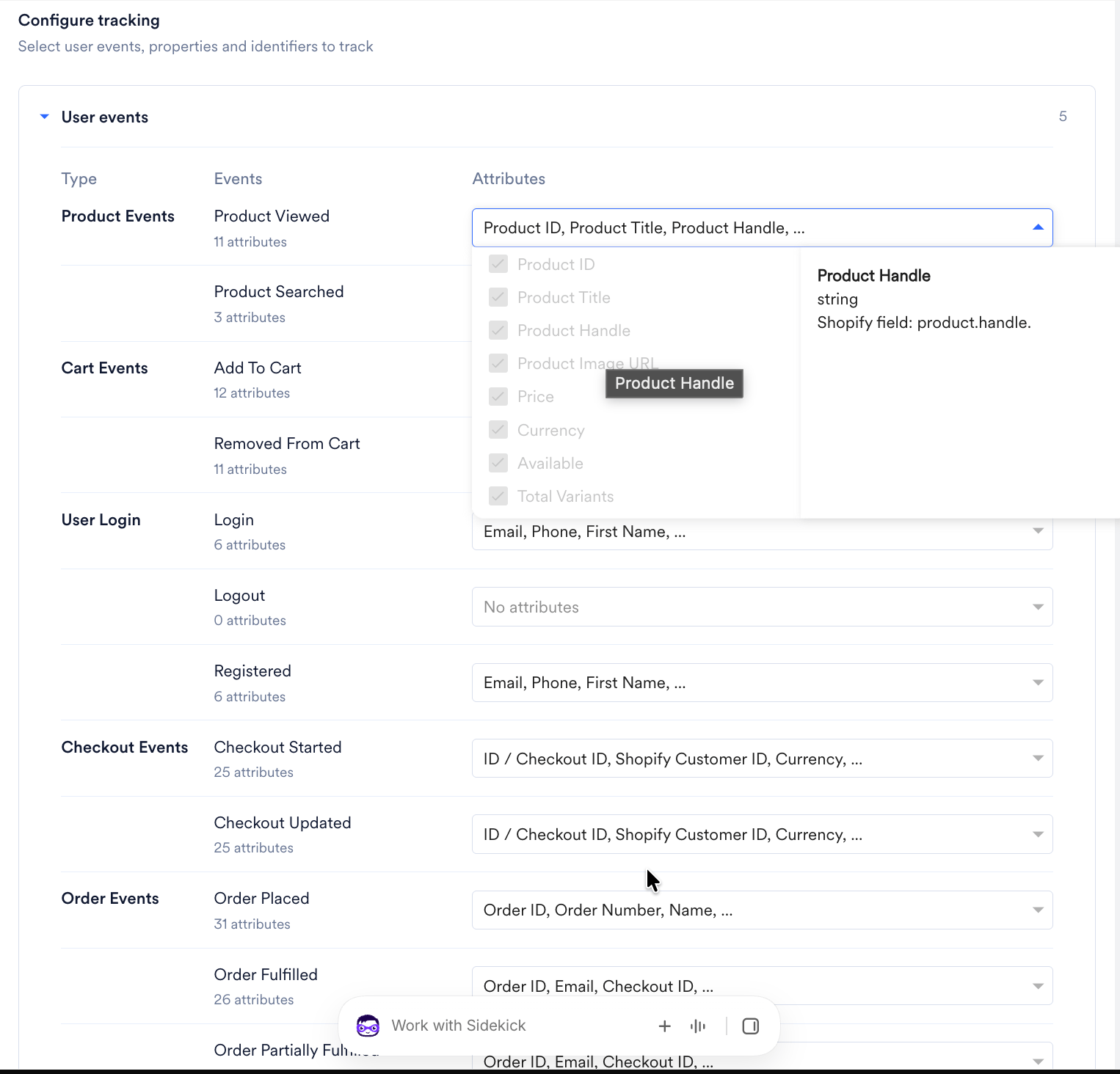
Types of Events
Two sources generate events in the MoEngage Shopify integration:- Webhook: Shopify generates these events and sends them directly to MoEngage via the Shopify webhook system. These represent server-side signals that the Shopify backend triggers, for example, when a user places an order or starts a checkout.
- Web SDK: The MoEngage JavaScript SDK running in the browser generates these events based on user behavior on your store frontend — for example, a product page view or a search action.
Recommended Event Version for Campaigns and Segmentation
For any event that both Webhook and the Web SDK track, use the Webhook version when building segments or triggering campaigns.MoEngage receives webhook events directly from the Shopify backend; they are the more reliable signal for campaign logic. Web SDK events are useful for triggering on-site messages that must fire in real time within the browser session.If you use both versions of the same event in a single campaign or journey, you will cause conflicts and prevent a single consistent event-triggered flow from running.
Event Attribute Requirements
Product URL and Image URL in Webhook Events
Webhook events do not include the product URL or image URL in their payloads. These attributes are present only when you capture the event by using the Web SDK. To obtain these attributes: If you sync your product catalog to MoEngage, you can pull the product URL and image URL from the catalog at send time by using Product set-based personalization. For more information, refer to the User Actions Model.Shopify Customer Metafields
Shopify customer metafields are custom data fields attached to the Shopify customer object. You can sync them to MoEngage user profiles as user attributes. For more information, refer to Customer Metafields. MoEngage does not include customer metafields in event attributes.Track Custom Events via Shopify Liquid
If you must track events beyond the MoEngage default set, for example, a wishlist action or a custom button click, you can add them using the MoEngage Web SDK in your Shopify theme’s Liquid files.Before You StartThis procedure requires editing your Shopify theme files, which requires developer access. Check with your web team before you make changes.
Step 1: Identify the Correct Liquid File to Edit
Shopify themes use Liquid template files to render pages. To find the right file, perform the following steps:- Log in to your Shopify Admin.
- Go to Online Store > Themes.
- Locate the theme you want to edit and click the Actions (three dots) button.
- Select Edit code from the drop-down menu.
- Browse the
sections/folder.
- Product page actions: Edit
sections/product-template.liquidorsections/main-product.liquid. - Collection page actions: Edit the relevant collection section file.
- All pages: Edit
layout/theme.liquid. Use this file sparingly.
Step 2: Add the Track-Event Call
In the Liquid file, locate the HTML element the user interacts with. Add a JavaScript call to the MoEngage track_event method.Step 3: Validate That the Event Fires
To validate that the event fires correctly, refer to the Validate Integration documentation.Track Custom User Attributes
To sync Shopify customer metafields, select them in the Configuration tab of the MoEngage app. For more information, refer to Customer Metafields. To pass data that is not stored in a customer metafield, such as values available only in your theme, use the following methods.Liquid-Based Method
If the data is available in Shopify Liquid, for example, a metafield with storefront access enabled, you can read it in your theme. To find the correct file and add the code, perform the following steps:- Log in to your Shopify Admin.
- Go to Online Store > Themes.
- Locate the theme you want to edit and click the Actions (three dots) button.
- Select Edit code from the drop-down menu.
- Open
layout/theme.liquid. - Inside the
<body>tag, after you initialize the MoEngage SDK, add the following code:
{% if customer %} guard ensures the code only runs when a customer is logged in.
Server-Side Method
If the data is stored outside Shopify customer metafields, for example, in a third-party app, perform a server-side integration:- In your backend, read the values you want to sync.
- Call the MoEngage Data API to update the corresponding user attributes on the customer’s profile.
Sample Event Payloads
The payload samples below show the attributes available for reference when building segments and personalizing event data. Full payload samples for each event are shown below.Sample Payloads for Webhook Events
Sample Payloads for Web SDK Events
Profile Sync
MoEngage syncs user profiles from Shopify in near real time. When a customer is created or updated in Shopify, or when their tags, marketing consent, or purchase totals change, Shopify sends a webhook to MoEngage, and MoEngage updates the matching user profile. MoEngage matches each update to a user profile by using the user identifiers you selected during integration. If no profile matches, MoEngage creates a new user profile. For example, a customer who signs up for an account or a newsletter in your store gets a MoEngage user profile even before they place an order.The Mobile number attribute is populated from the phone number on the customer’s Shopify account. The phone number in the customer’s address is synced to the Shipping Mobile Number attribute and is never used to identify a user.
Tracked User Attributes
Default User Properties
The User properties section of the Configuration tab lists the following user attributes by default. MoEngage syncs these attributes unless you remove them. You cannot remove Shopify ID, Email, or Mobile number.Custom User Properties
To sync additional customer data, click + Custom property in the User properties section, enter a property name, select a data type, and then select one of the following Shopify sources: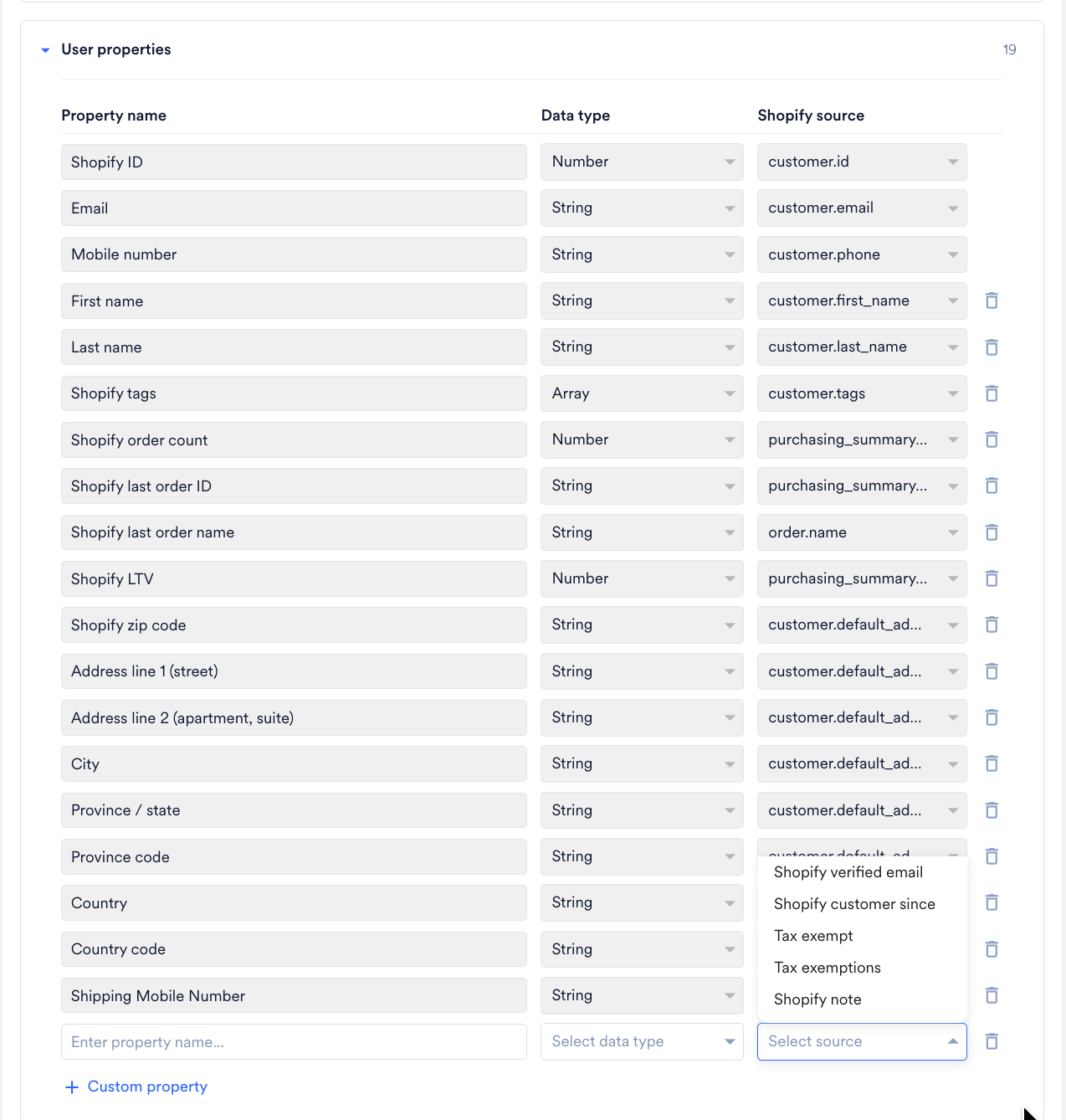
Customer Metafields
You can sync Shopify customer metafields as custom user properties. The Shopify source list includes the customer metafield definitions in your store, up to 250 definitions. The property name you enter is the name of the user attribute in the MoEngage dashboard. MoEngage updates metafield values when a customer is created or updated in Shopify.Attributes That Are Not Synced
MoEngage does not sync the following Shopify customer data:- Customer account state (enabled or disabled)
- The full address history of the customer. MoEngage syncs the default address only.
- The legacy Accepts marketing flag. Use the marketing consent attributes instead.
- The Multipass identifier
Marketing Consent Mapping
MoEngage maps the Shopify marketing consent state of each channel to the MoEngage subscription attributes as follows:
MoEngage syncs the marketing consent of a channel only when its toggle is turned on in the Sync user OPTIN section of the Configuration tab: Email subscription sync, SMS subscription sync, or WhatsApp subscription sync.
Shopify LTV
The Shopify LTV attribute holds the amount Shopify reports as the customer’s total spend. It is calculated as the sum of order totals, including shipping, minus the value of returned items, across all orders that are not cancelled. Keep the following in mind when you use this attribute:- Shopify updates the value when an order is fully refunded. Partial refunds do not update it until Shopify recalculates the total, so the value can be higher than the actual net spend for some time.
- Test orders do not update this value.
Configure User Properties
To add or remove the user properties that MoEngage syncs, perform the following steps:- Navigate to the Configuration tab in your Shopify app.
- Expand User properties.
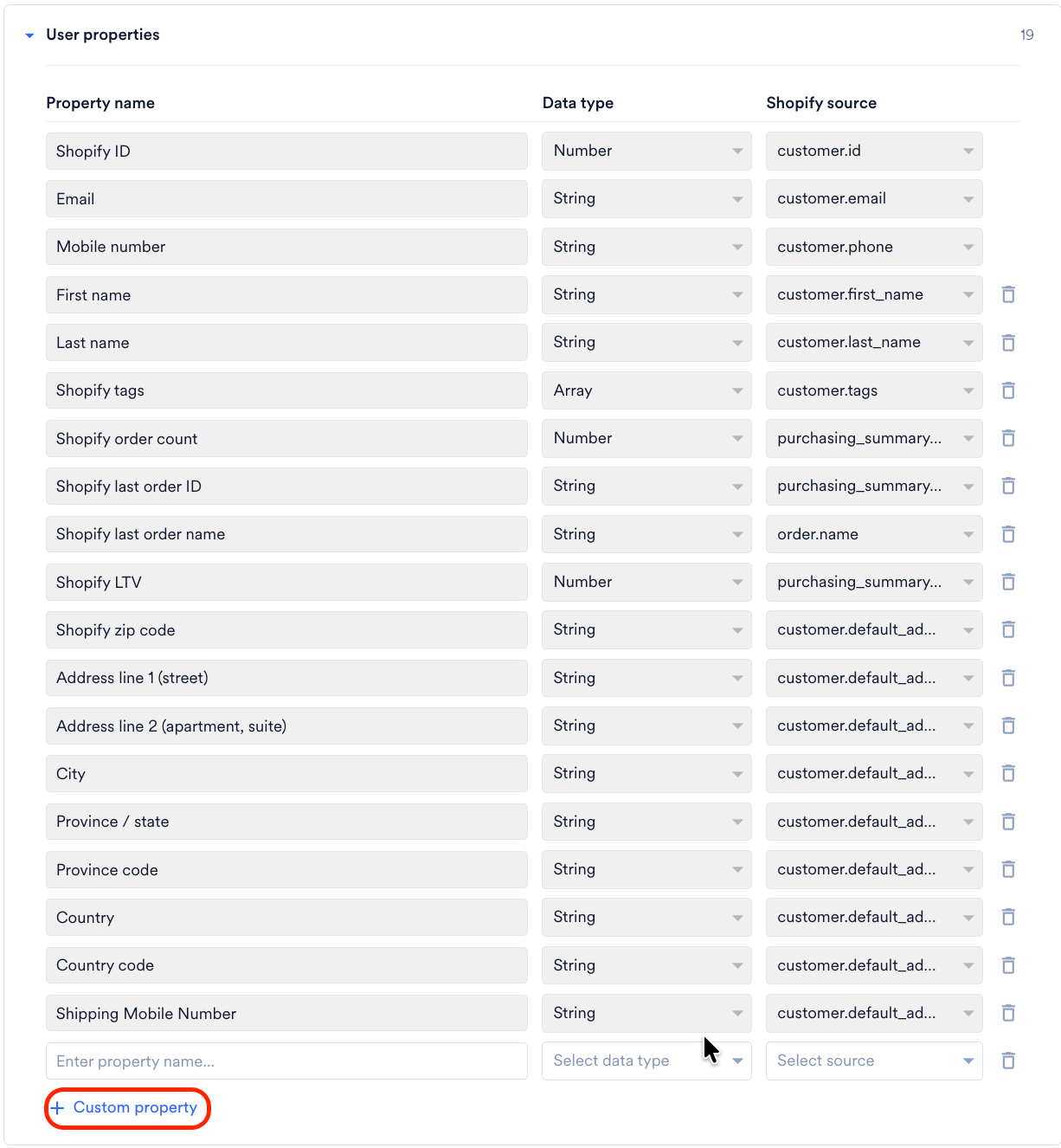
- Remove the properties you do not need, or click + Custom property to add one.
- Click Save configuration.
If you have questions about your Shopify integration, refer to the MoEngage Shopify FAQs.