

Shopify User Tracking
A user visiting your store is tracked by two primary sources:- MoEngage Web SDK: Integrated with your store as part of the initial setup.
- Webhooks: Real-time event notifications sent directly from Shopify to MoEngage after the integration is complete.
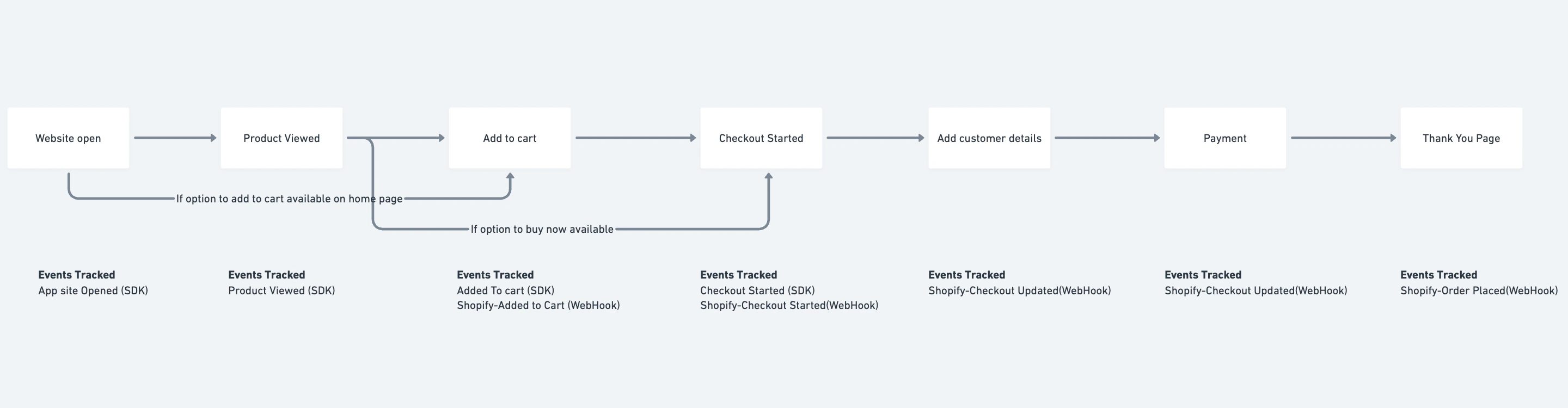
InformationWhen both sources track the same event, use the webhook version for segmentation and campaign creation. Webhook events are received directly from Shopify and provide the most reliable signal for campaign logic
User Profile Attribute Capture
Profile attributes such as first name, last name, and Shopify ID are tracked when a user creates an account. For anonymous users, these attributes are collected during checkout along with the checkout updated event. MoEngage also keeps user profiles up to date as customers are created and updated in Shopify. For more information, refer to Profile Sync. Email addresses and mobile numbers are captured when a user submits an on-site messaging form, logs in, registers, or provides contact details during checkout. MoEngage uses the user identifiers you selected during integration, such as Shopify ID, email, and mobile number, to recognize and merge profiles.Profile Merge
Profile merge occurs when MoEngage finds two profiles with the same value for one of your user identifiers. This process ensures user activity remains under a single profile when a customer visits from a new device. In Shopify integrations, MoEngage uses the Cart token as a common identifier to merge SDK and Webhook events. This token is generated when the first item is added to a cart and refreshed each time the cart is emptied.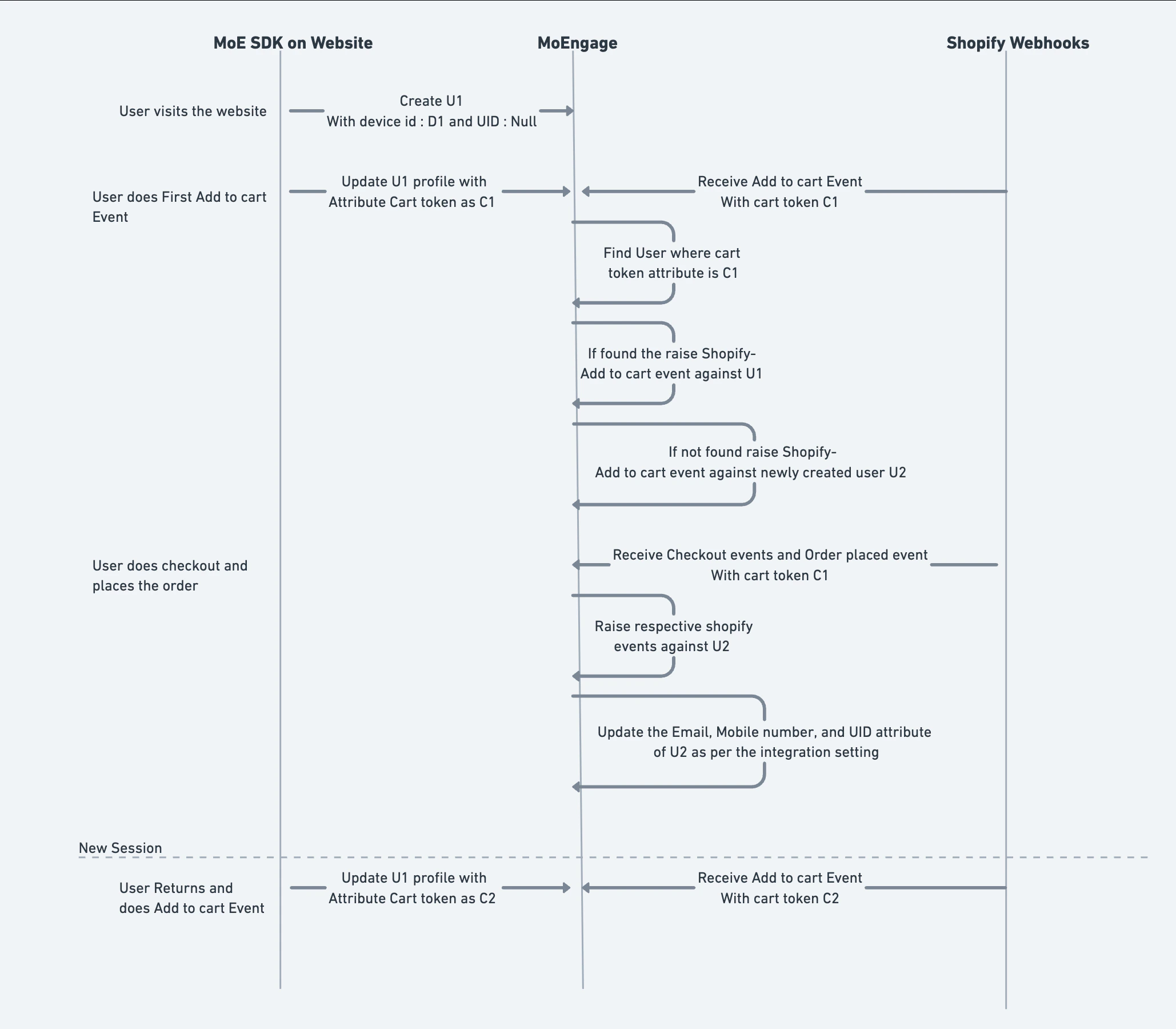
Duplicate Profile Information
You might notice more user profiles in MoEngage than visitors reported in Shopify analytics. To troubleshoot profile count discrepancies, review the following scenarios:- Buy Now Button usage: If your site allows checkout without adding a product to the cart, SDK and webhook events cannot merge, which creates extra profiles.
- Missing identifier at checkout: If a user places an order from a new device without entering any of your user identifiers, MoEngage creates a separate profile that cannot be merged automatically.
Identity Resolution
Identity Resolution is a MoEngage feature that links user profiles from multiple sources into a single unified profile. It allows MoEngage to recognize a user by more than one identifier, such as Shopify ID, email, and mobile number. When you save the configuration of the MoEngage app for the first time, MoEngage sets up Identity Resolution for your workspace with the user identifiers you selected. For more information, refer to Configuration Settings.Identity Resolution for Existing Stores
If your store was integrated before multiple identifiers were available and your workspace does not have Identity Resolution, perform the following steps:- Contact your Customer Success Manager to request enablement for your workspace.
- After enabled, go to Settings > Data > Identity Resolution in your MoEngage dashboard to configure identifiers and merge rules.