

Introduction
NiftyImages is a platform that enables marketers to create dynamic and personalized content for email campaigns. It offers real-time personalization for emails, including personalized images, countdown timers, live social feeds, and rule-based images.MoEngage × NiftyImages
With the MoEngage and NiftyImages integration, you can display multiple dynamic elements like personalized images, countdown timers, dynamic timers, rule-based images, data source images, as well as real-time images.Integration
PrerequisitesAccess to your NiftyImages dashboard.
Step 1: Create your dynamic element on NiftyImages
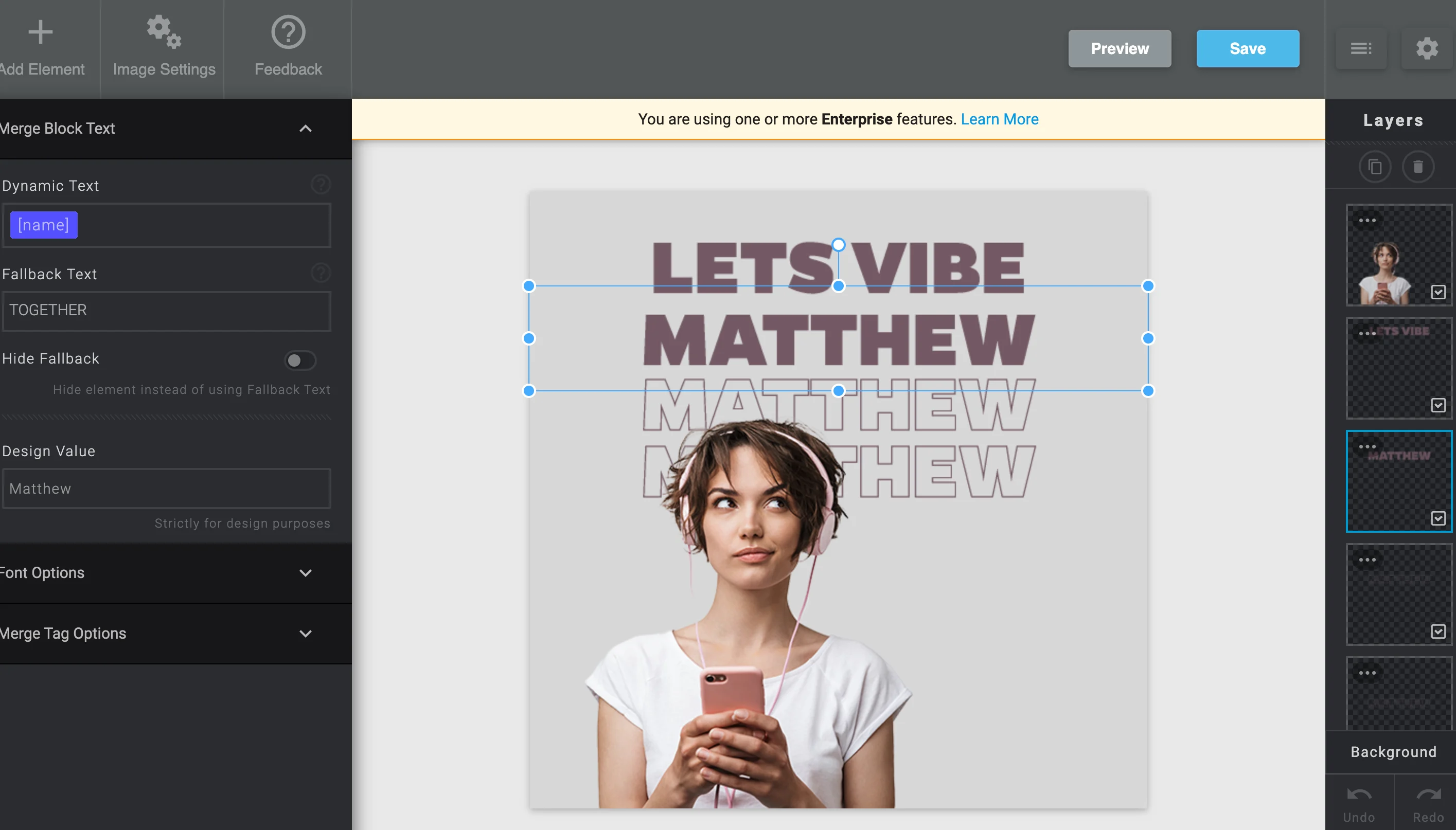
- Go to the NiftyImages dashboard and create your Personalized Image:\
- Once you have created your image, you can save the image and get the share URL:\
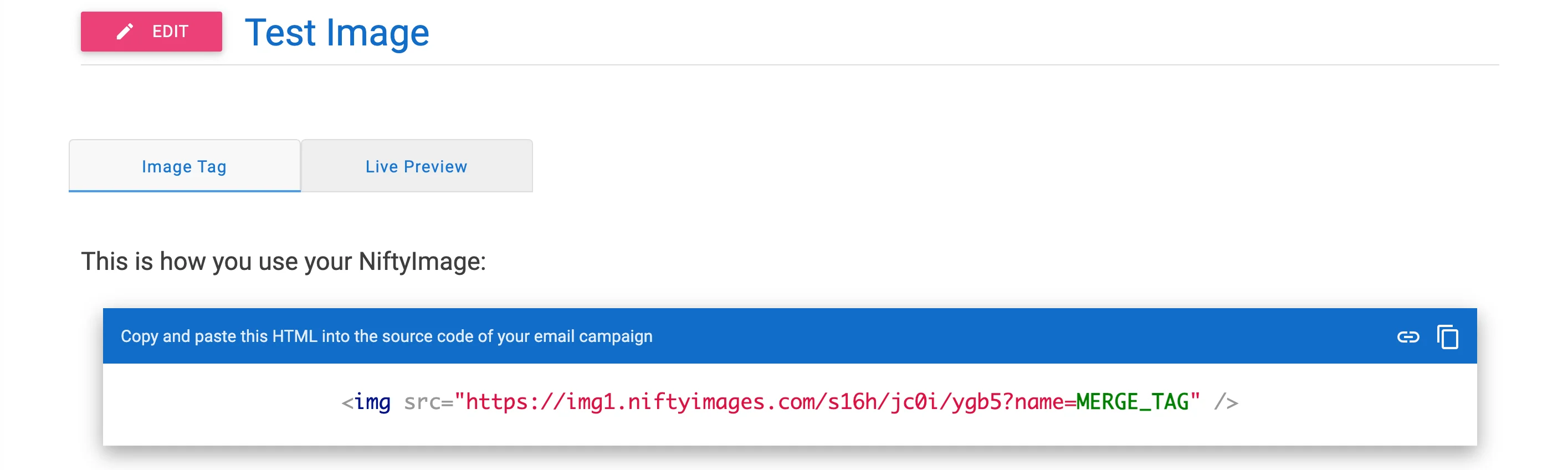
- Copy this code. You will need to paste it inside your MoEngage Campaign’s Template.
Step 2: Use this code inside MoEngage Campaigns
To include the NiftyImages code in your MoEngage campaign, on step 2 of the campaign creation: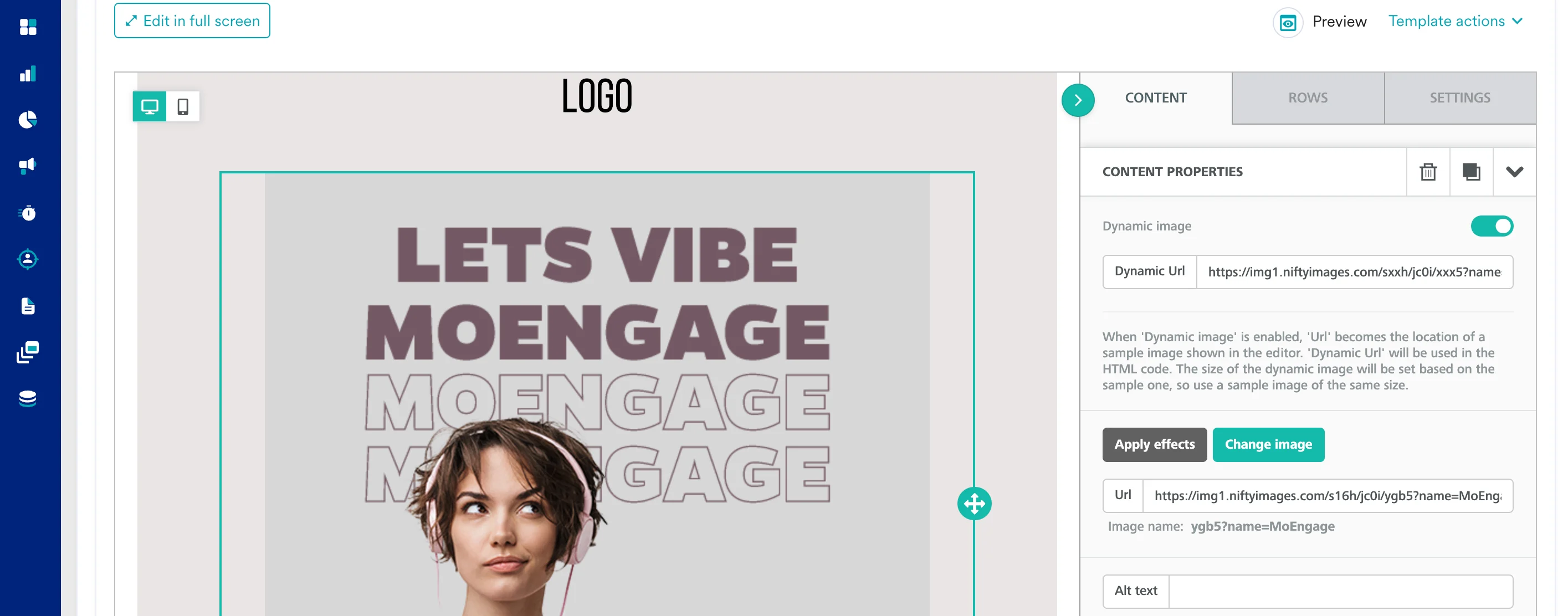
- Create a new HTML block
- Paste the copied code from Step 2 inside HTML Block. You can also insert a Dynamic Image.
- Replace the
MERGE_TAGwith MoEngage Templating code by typing ”@” and selecting the appropriate attribute to personalize: