

Personalization Errors
You can see personalization errors in the Failed to Send error category in the Error breakdown table. Click See breakdown in the Name column for personalization errors to get a detailed view of the number of users for whom personalization has failed and the reasons for failure.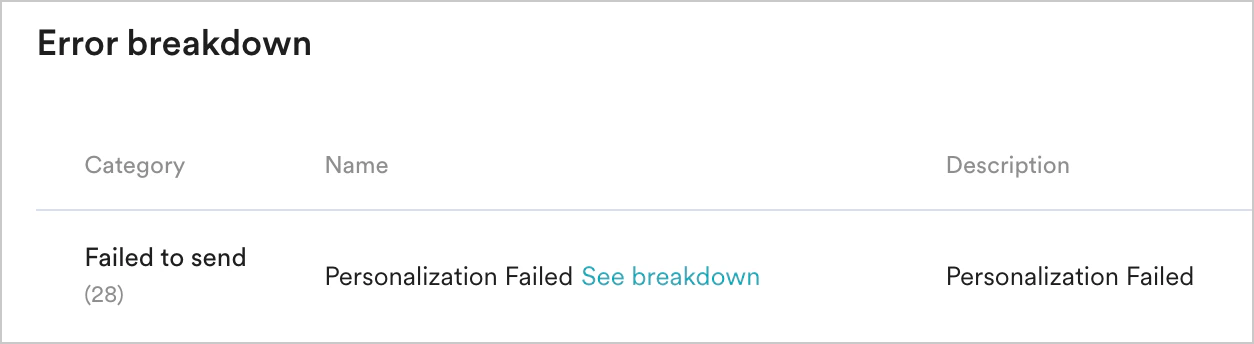
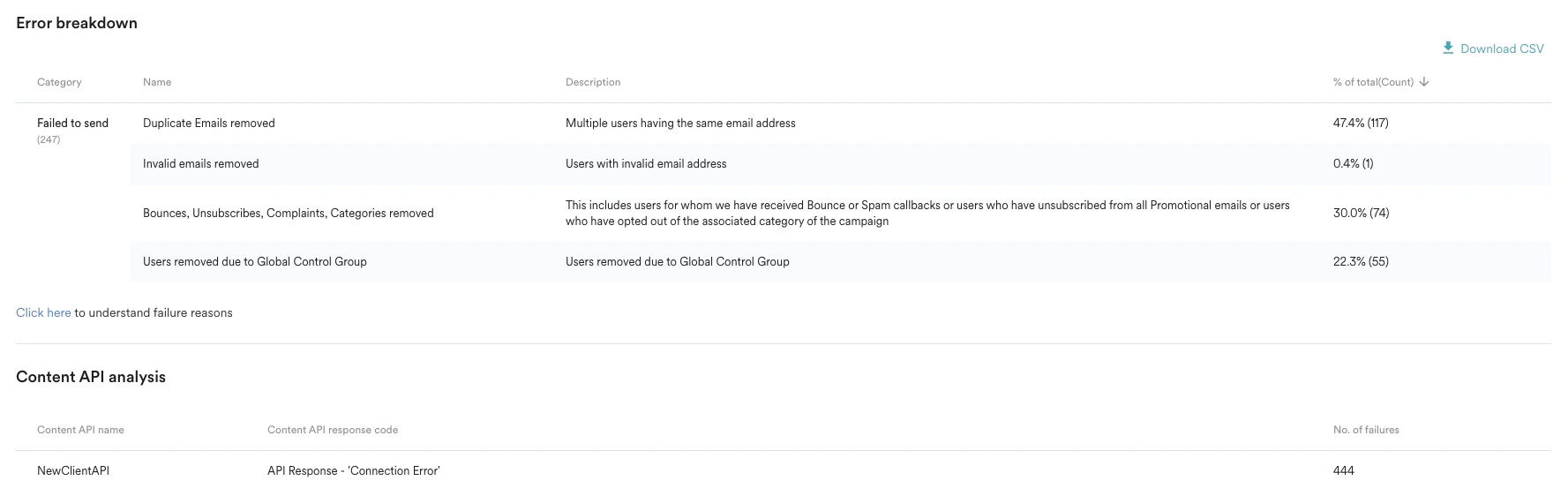
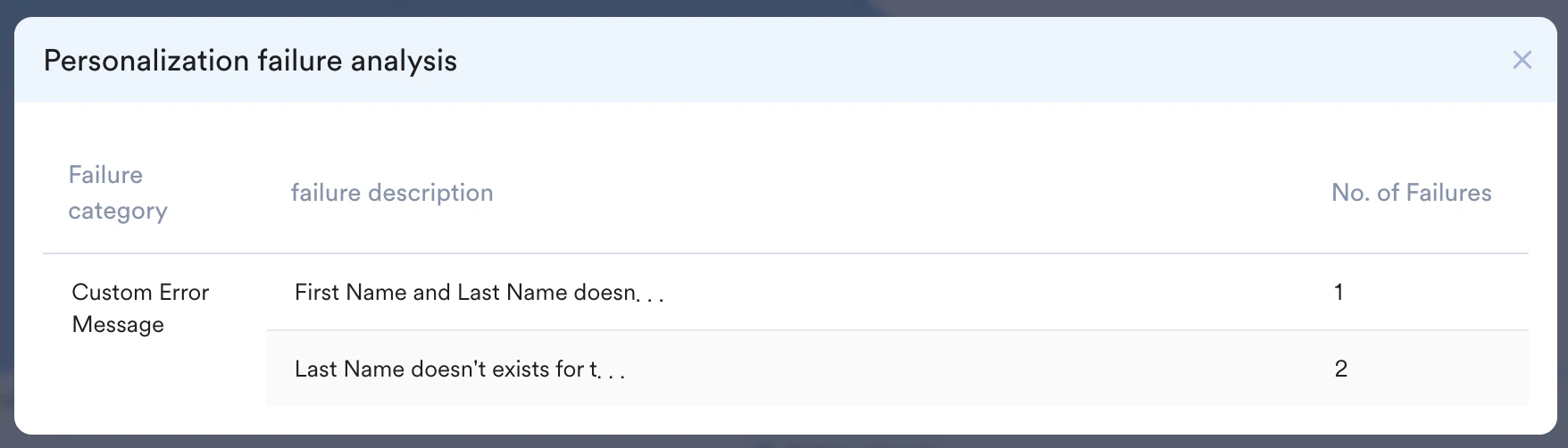
Personalization Failure Analysis
The Personalization failure analysis helps you identify specific attributes that cause personalization failures and offers in-depth insights into these causes.Personalization errors can be classified into the following categories:
The number of failures listed in the Personalization Failed category under Failed to Send denotes the unique number of users for whom personalization has failed. In some cases, this might differ from the count shown in the Personalization failure analysis pop-up window, as multiple failures can happen for the same user and might be counted under each failure category shown in the UI. For example, if a user were to have a user property and event property failure, they would be counted for the number of failures in both these sections in the analysis page. In contrast, they would be counted as one in the Personalization Failed section.
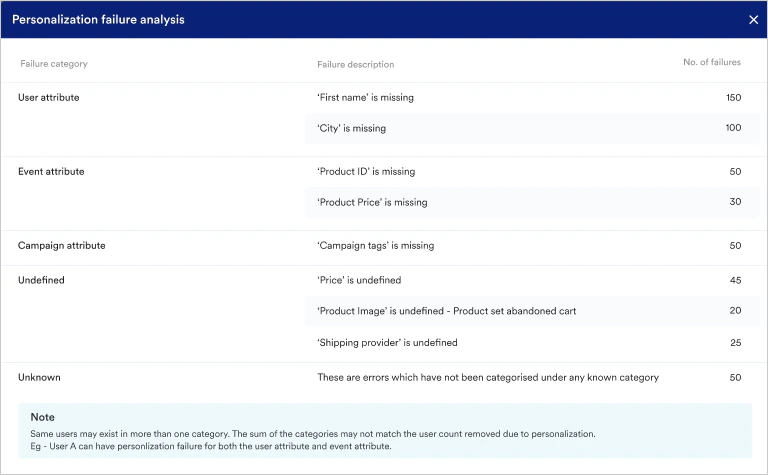
Personalization Failure
Consider a scenario where you have personalized both the template and backup notifications but not added the personalization fallback. In this situation, if the personalization fails for the template or backup, the notification will not be sent to any users. This is because the template and backup are considered to be part of one payload. Because the personalization fallback does not exist, MoEngage won’t have any alternate message to send to the user in case of failure. To avoid this issue, make sure that you add a personalization backup to your messages.Internal Errors
MoEngage internal system generates a few errors, which apply to Push messages sent to all platforms.Jinja and HTML Editor FAQs
Why does my dynamically generated table render incorrectly after saving?
HTML tables have a strict structural hierarchy:<table> > <tbody> > <tr> > <td>. If a Jinja for loop is placed directly inside <table> or <tbody> — instead of wrapping a complete <tr>...</tr> row — the email HTML editor treats this as invalid markup and auto-corrects it by relocating or removing the Jinja tags when the template is saved.
This is why the Jinja can look different in the backend after saving, and why the resulting table doesn’t render as expected — the editor isn’t corrupting your personalization, it’s “fixing” HTML it considers invalid.
Correct pattern: wrap the entire <tr> row (not just the cell content) inside the loop, and place the loop inside <tbody>:
Why does my Jinja condition display a TemplateSyntaxError in the rich editor?
The rich (Froala) editor used for stylized email and push templates HTML-encodes the> and < comparison operators when they appear inside Jinja (> becomes >, < becomes <). This produces a template error similar to:
- Rewrite the condition to avoid
>/<— for example, use!=instead:
- Or author the Jinja in the custom HTML/source view instead of the rich editor, where no auto-encoding is applied.
Why does saving or sending my campaign return “unexpected char u’$’”?
If you see an error similar toError in parsing jinja template format. Error unexpected char u'$' at ... when you save or send a campaign, a personalization token in your content may have been URL-encoded. URL-encoding replaces the {{ delimiter with %7B%7B and $ with %24, which decodes to a {{$ sequence that Jinja cannot parse.
To resolve this: insert personalization tokens, and any links that contain them, unencoded through the token or merge tag provided in the editor. Do not paste a manually URL-encoded value into your HTML or an href.
For more information, see Jinja Templating Language.