Introduction
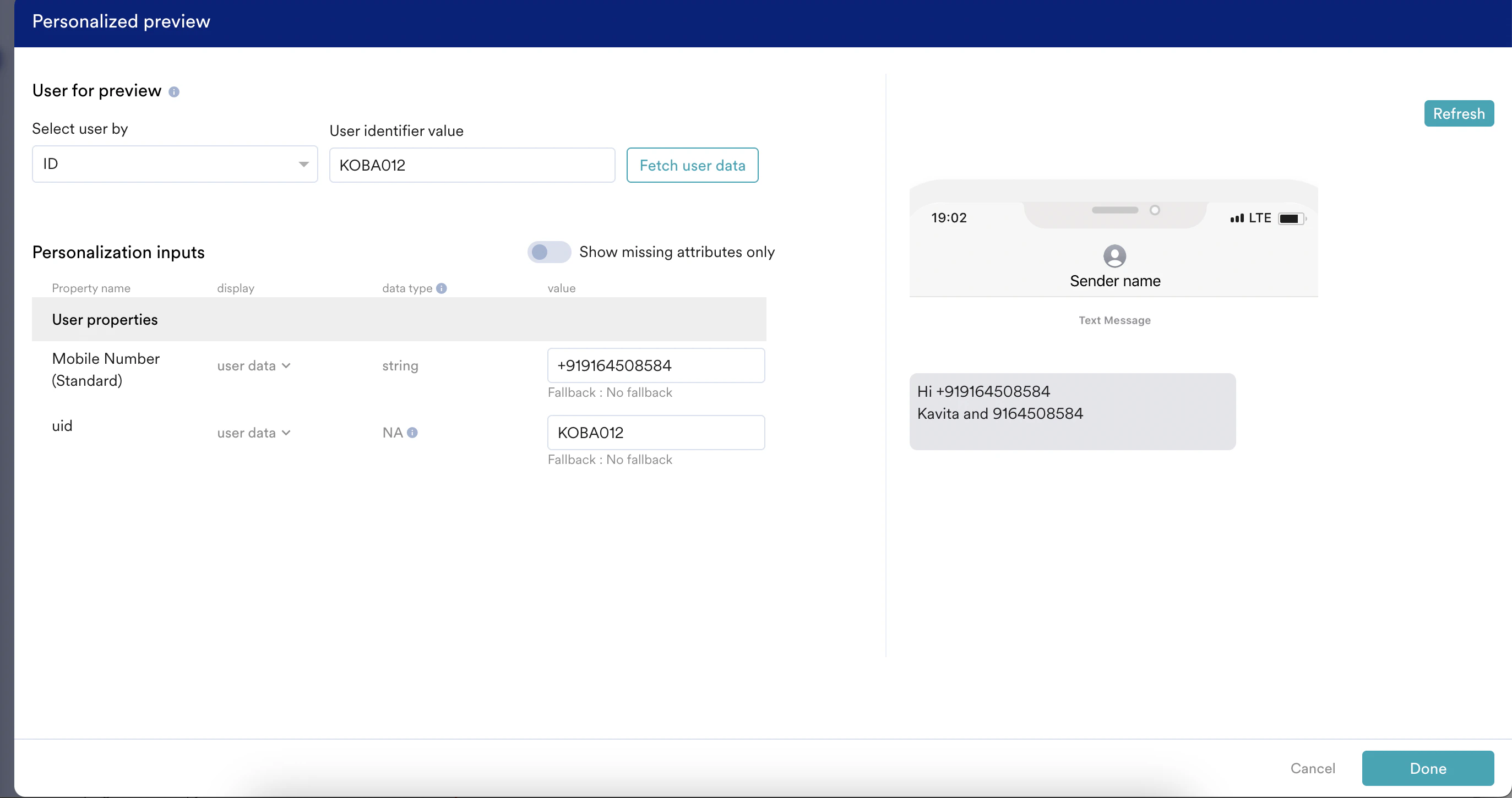
Personalization is a method of tailoring marketing messages to individual users to improve engagement and conversion rates. By addressing users by name, referencing their past interactions, or showing products they viewed, businesses create more relevant and meaningful connections with their users. This approach helps differentiate campaigns in a crowded market, fostering more robust user relationships and boosting open rates, retention, and overall campaign effectiveness. As a marketer, you can personalize the content of your campaign in MoEngage. You can personalize one or multiple attributes in the same message or image.Use Cases
- Connect better with users: Send personalized messages that address them by their first name and reference their last activity.
- Boost revenue: Create and send unique coupon codes for individual users to incentivize purchases.
- Retarget customers effectively: Show personalized images of products users viewed but did not purchase based on their browsing history, prompting them to reconsider.
- Improve buyer targeting: Use personalized product images for users who viewed but did not buy, encouraging them to complete their purchase.
- Improve substantial brand reputation: Tailor your messages to highlight products relevant to each customer, enhancing their perception of your brand.
Ways to Personalize Content
You can personalize content in two ways in MoEngage:- Using the editor
- Using the JINJA templating language
Personalize Content Using the Editor
The following procedure describes how to personalize content using the editor:- In step 2 of campaign creation, in the content section, type @ to insert personalization in any field value.
The Personalization page appears, where you can configure your content based on which parameters you want to personalize. - On the Data Personalization tab, in the Select Attribute list, click the relevant user attribute value.
- For the selected user attribute, define a fallback value to be used in case the personalization fails for some reason. The following options are supported:
- No fallback*:* Defines that there’s no alternative value when the personalization does not work.
- Do not send: Defines that the content won’t be sent if the personalization does not work.
- Replace text: After selecting this option, in the Fallback text field, type or paste the text to be used when the personalization does not work.
- Select Done.
Personalize Content Using the Jinja Templating Language
MoEngage templating language is based on Jinja, the popular and simple templating language that provides you with the highest degree of control over your customization and personalization requirements. For more information, refer to MoEngage Templating language (JINJA).MoEngage currently supports Jinja version 2.8.
Defining Fallback
In the MoEngage email templates, a message containing a null value will not be sent. Hence, you must assign default fallback values to avoid such situations. In the following example, if you don’t have the user’s location, MoEngage will not send the message: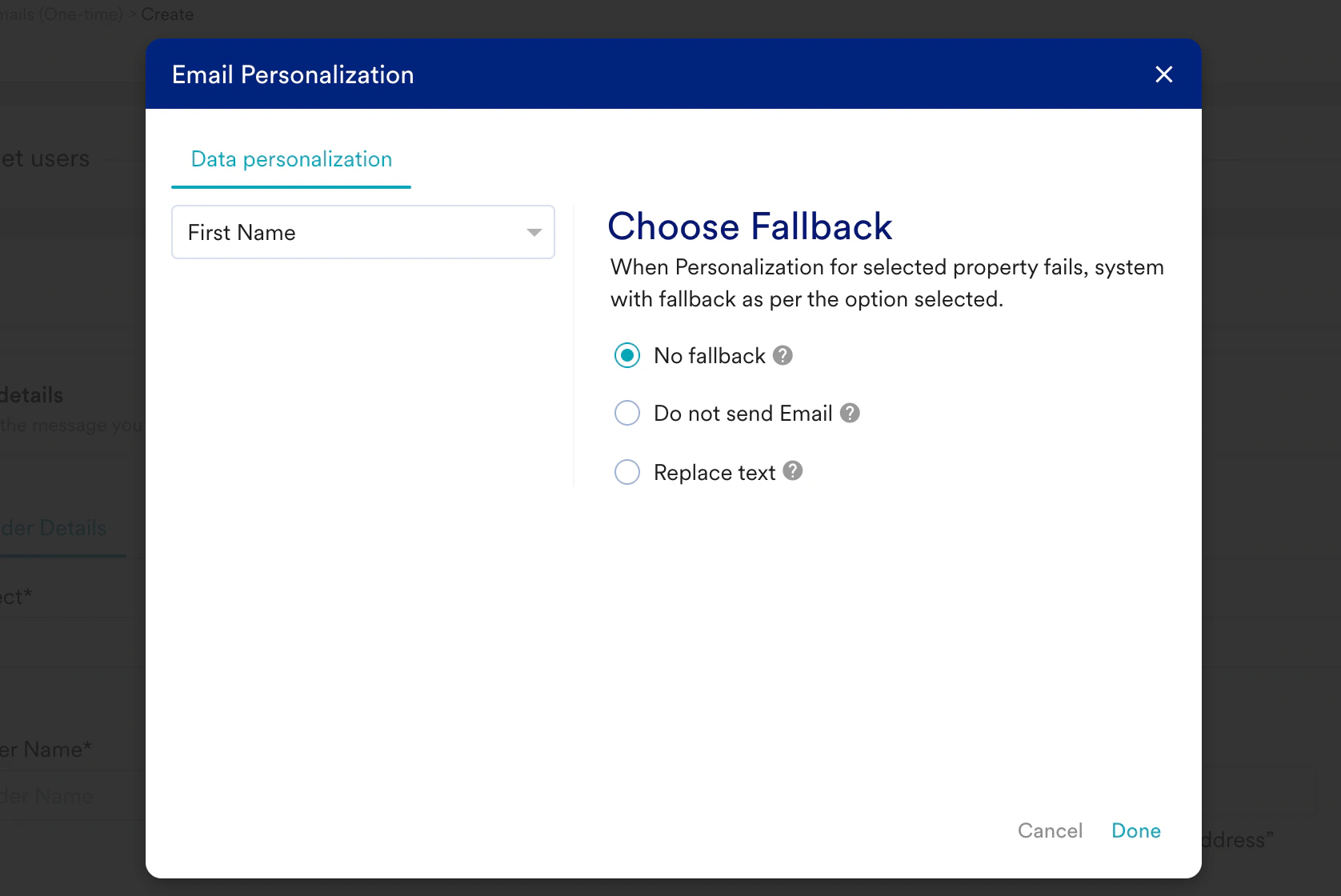
Welcome, {{ UserAttribute['First name']|default('Guest') }}
Alternatively, you can also use the following code:
Types of Personalization
You can personalize your content using the following elements:User Attributes
You can tailor messages based on user characteristics like location and preferences, ensuring each user receives relevant content. For example, personalized emails have higher open rates and conversions because they leverage the email context and are relevant. You can personalize your email campaigns based on user attributes, such as name, location, or other attributes (for both general and event-triggered emails).Examples
Name Personalization
To remind users of their last activity (viewed product, purchased product), address users by their first name: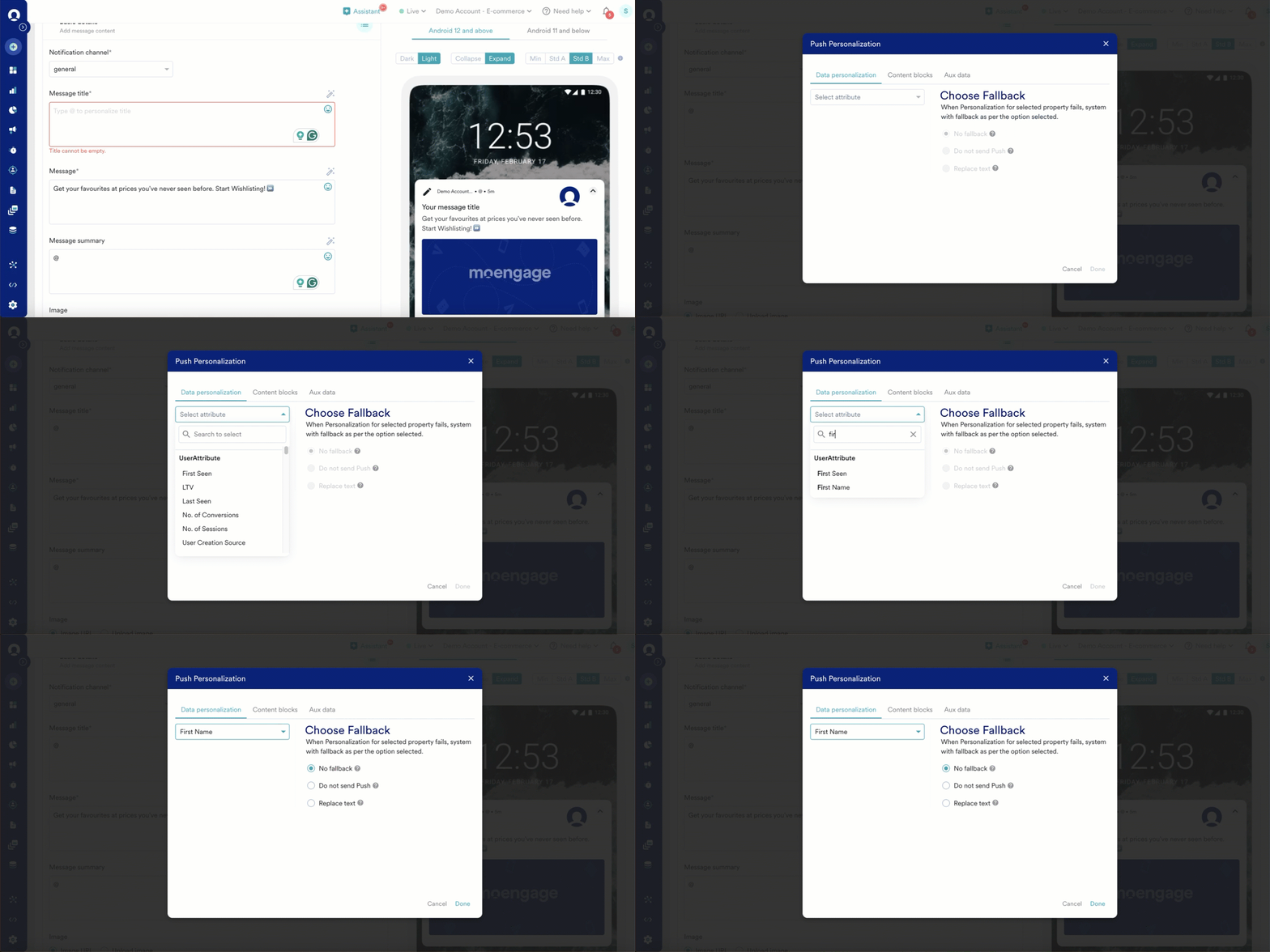
Image Personalization
To sell the product the user viewed but not purchased, send them a personalized image: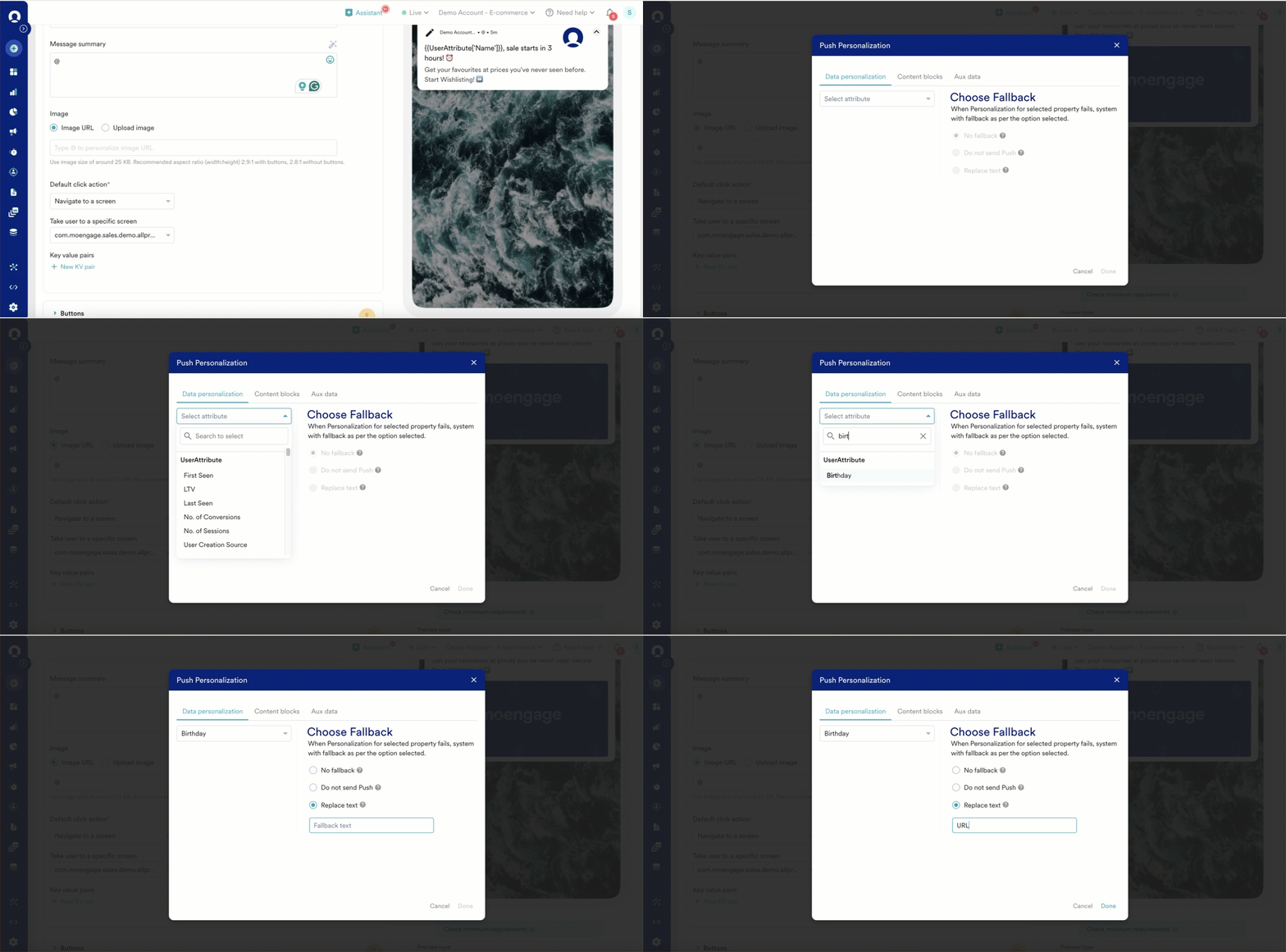
Coupon Code Personalization
To send a unique coupon code to every user, you must save the user-level coupon as a custom attribute and use it in personalization. In the example, a unique user-specific coupon code is saved in an attribute named Promo Code.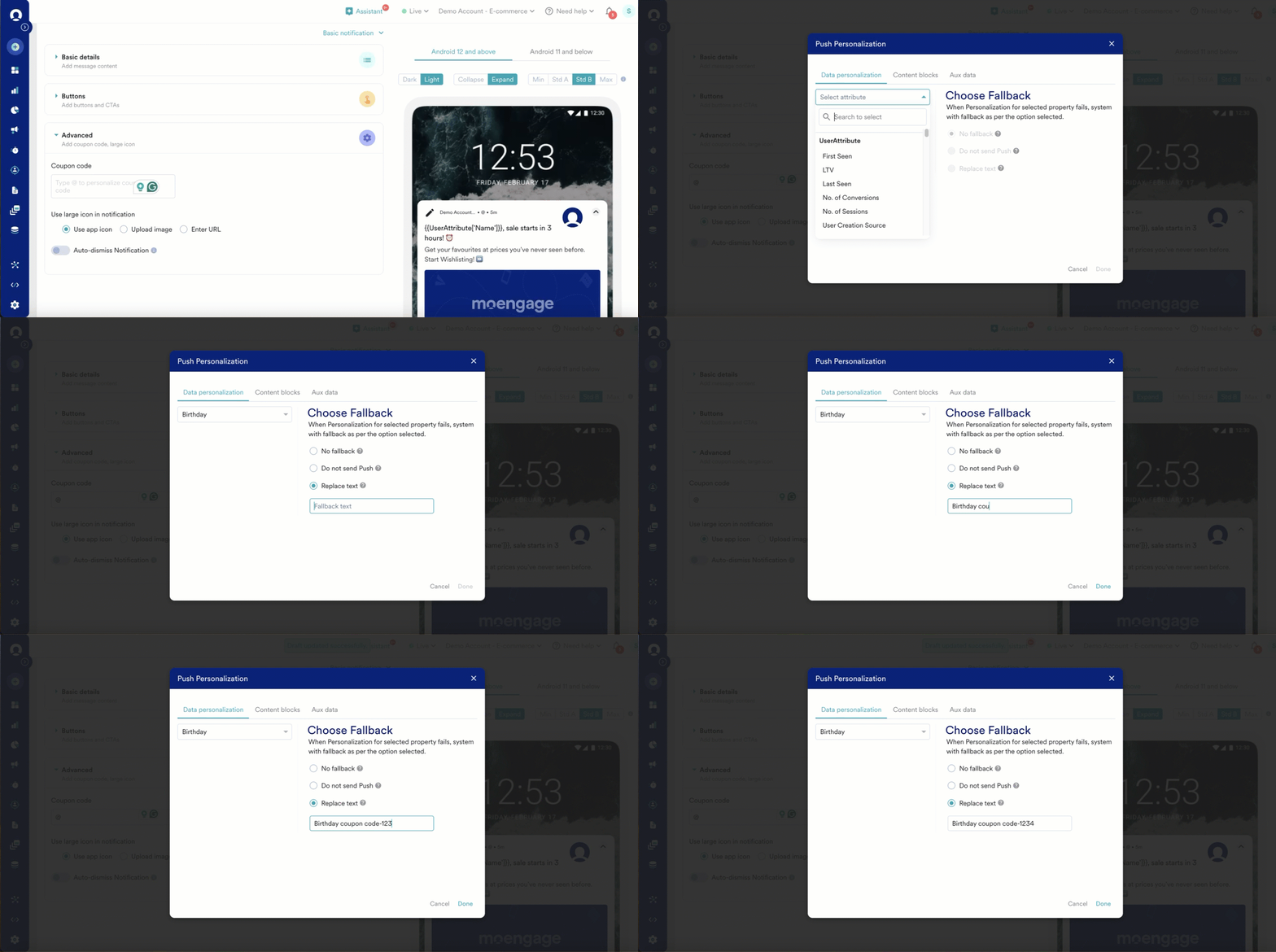
Key-Value Pair Personalization
When you want to pass a unique user attribute to the app and make a decision based on that, the defined key-value pair can be used to pre-fill feedback forms, user surveys, and so on.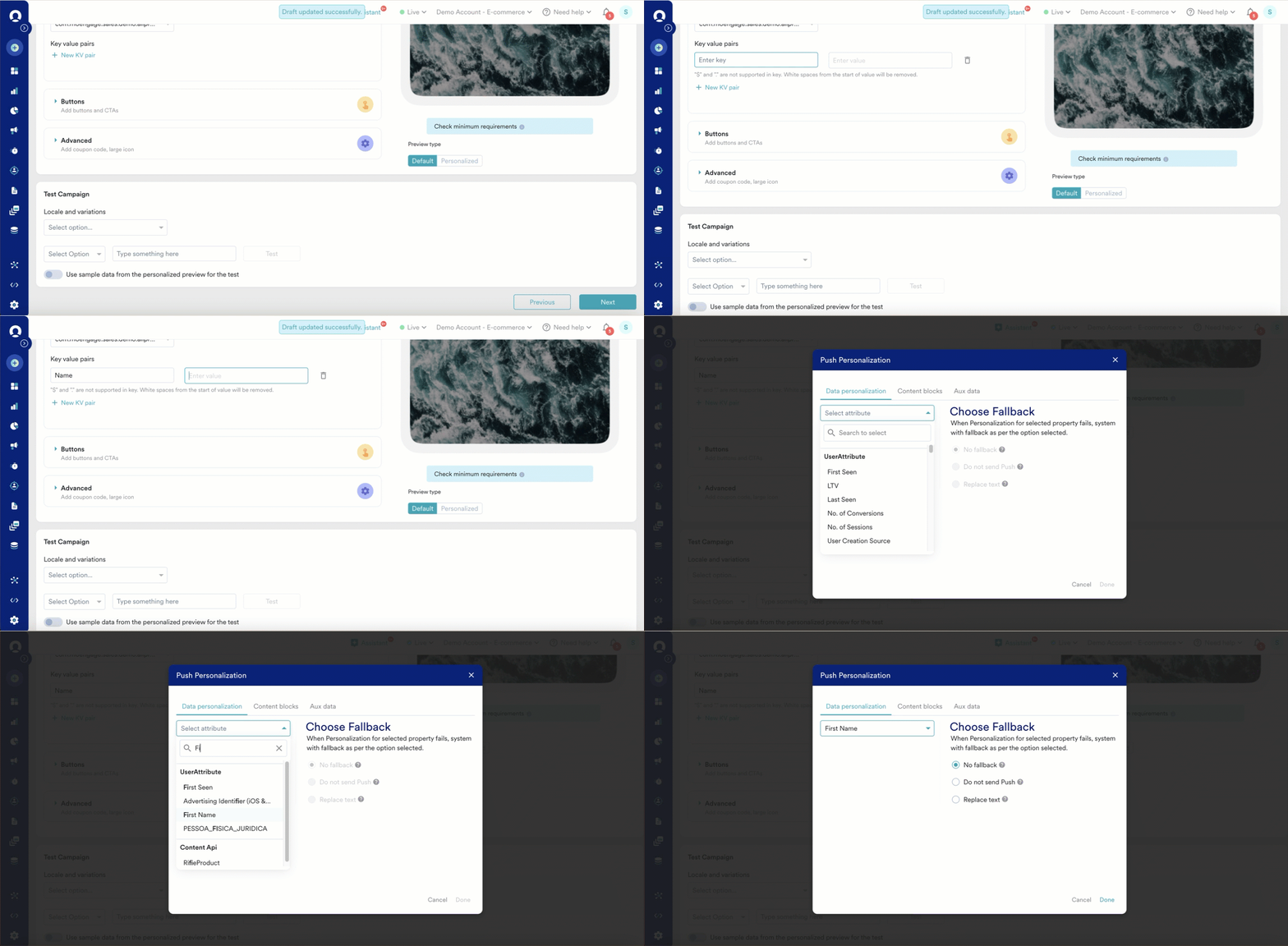
URL Personalization
You can also personalize the URLs or deep links where you redirect the user when they click a link.-
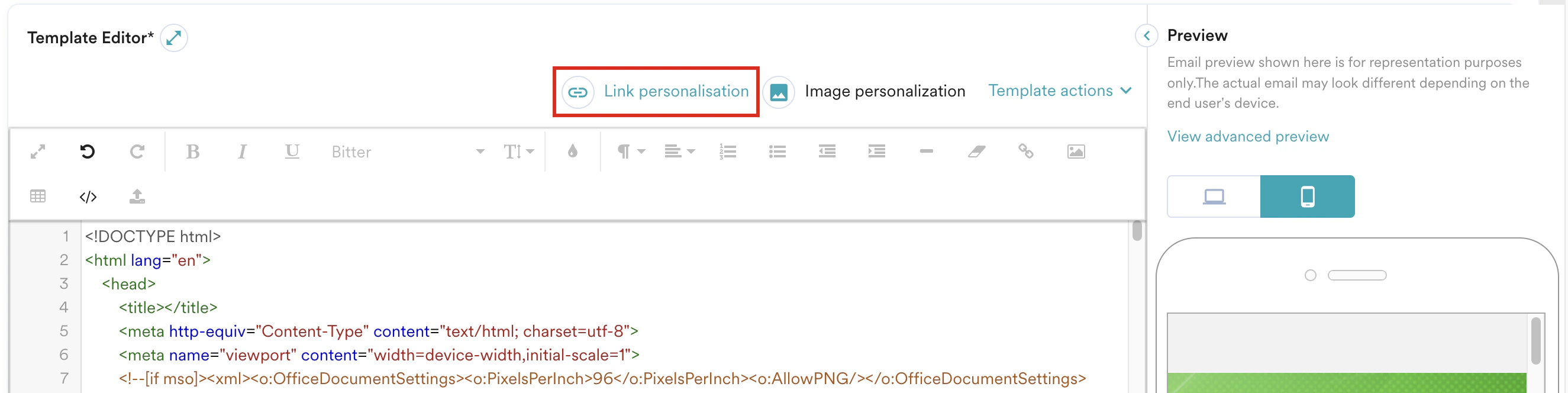
In the Template Editor section, click Link personalization.

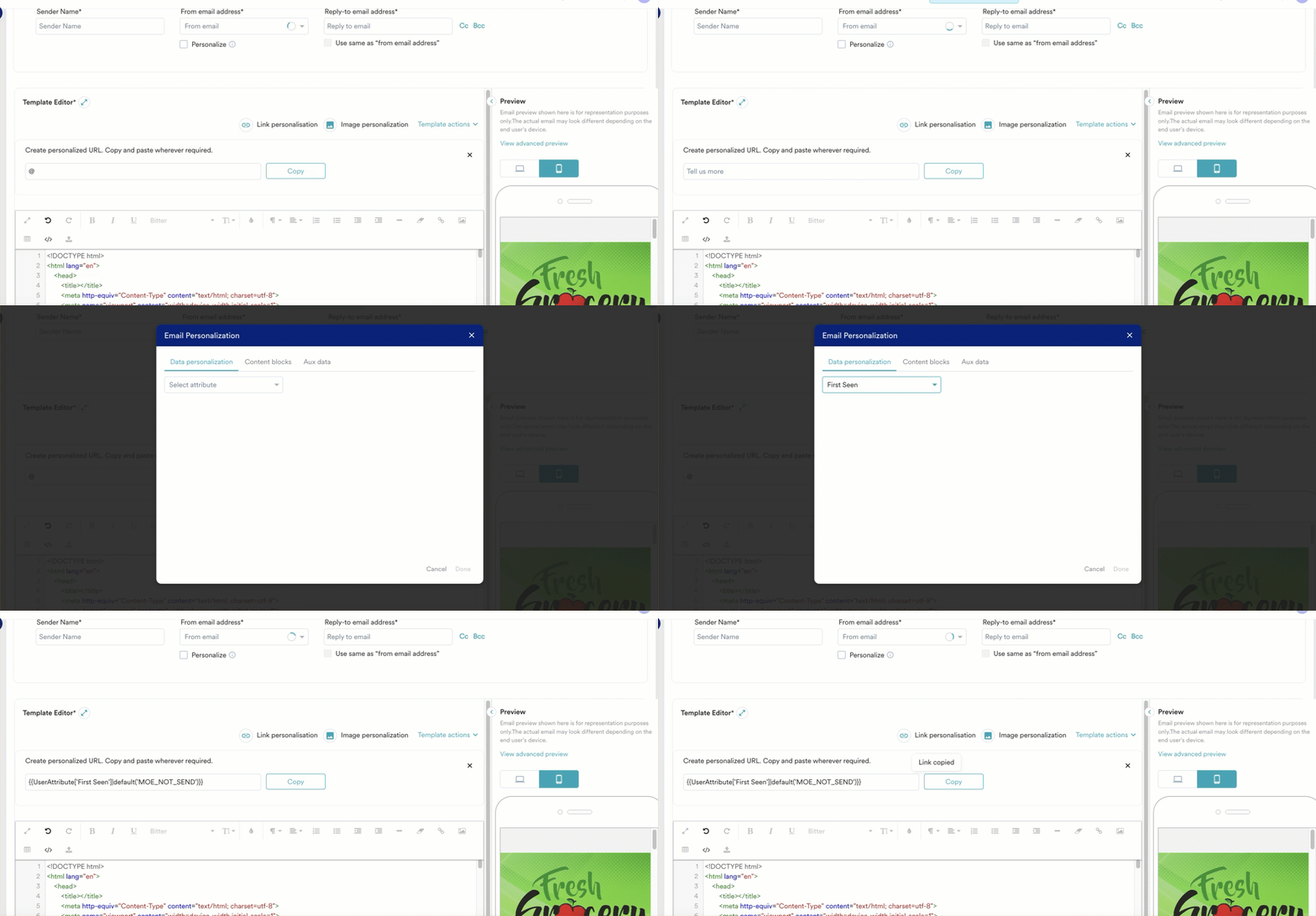
- In the text box that appears, type @.
-
In thePersonalization dialog box, on the Data personalization tab, click the attribute and then click Done.
-
You can then copy this link and paste it, wherever required, into the HTML code.
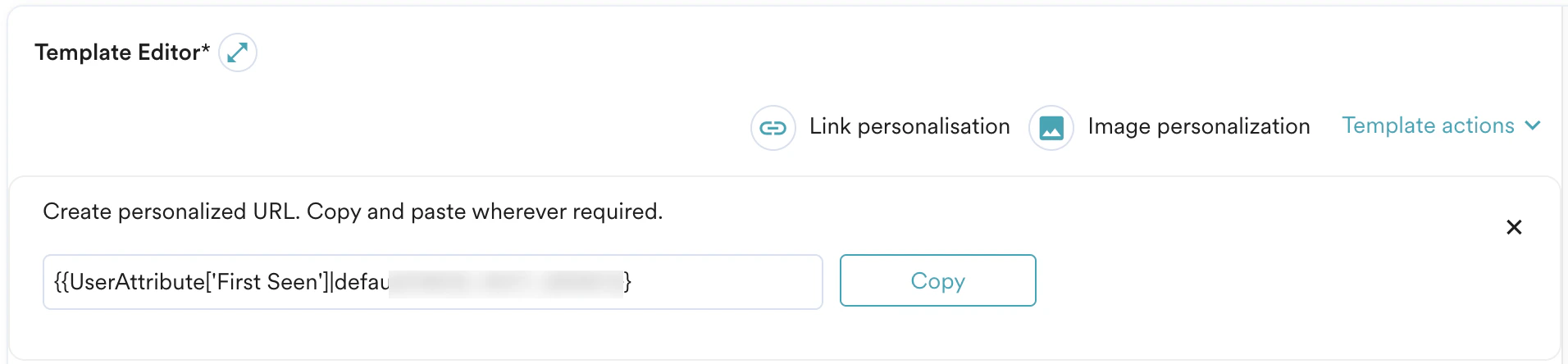
If the personalized URL fails to find/resolve the user attribute, the email will not be sent to the user. There is no fallback mechanism for personalized URLs. If you have any issues creating personalized email campaigns, contact your MoEngage Customer Success Manager (CSM) or the Support team.
Event Attributes
You can personalize content by leveraging user interactions, such as app usage or past purchases, to deliver timely and relevant messages. Event attribute-based personalization is available only for event-triggered campaigns. For example, if a user performs the Add to Cart event but does not complete the purchase, you can apply specific rules based on the event. When these rules match, MoEngage will display a message using the event’s attributes. The Account registered event is an example in the following image: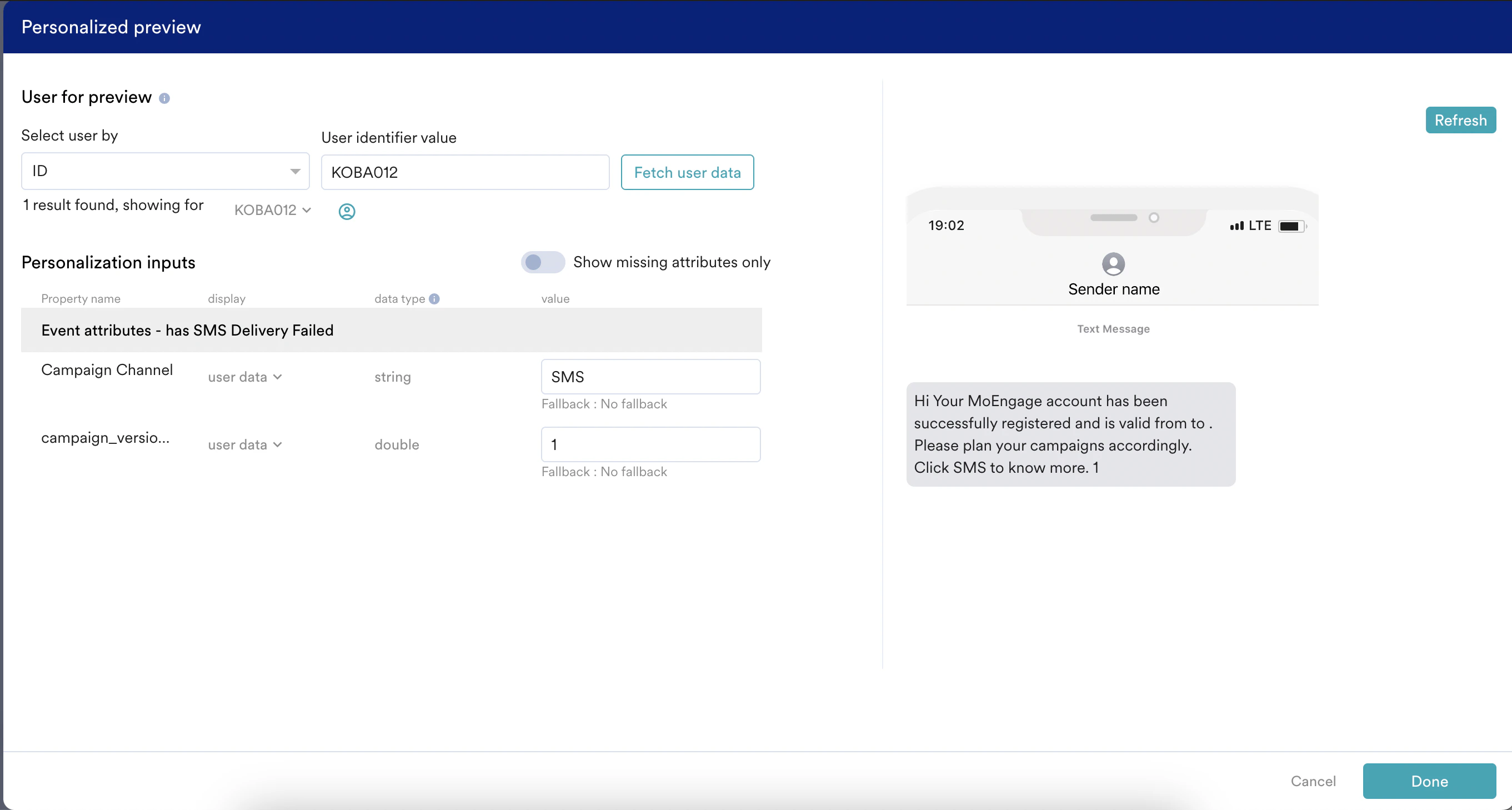
Business Event Attributes
You can use details from specific business events, like transactions or bookings, to create personalized notifications and reminders for users.For all channels that support personalization, business event attribute-based personalization is supported only for business event-triggered campaigns.
Examples
For Business Event Triggered Push Campaigns
In business event-triggered Push campaigns, you can use the attribute of the business event that is mapped to the campaign to personalize the campaign. To do so:- Type @ in the content creation step to invoke the personalization editor.
-
The attributes of the Business Event mapped to the campaign are shown under the Business Event Attribute heading, as shown below:
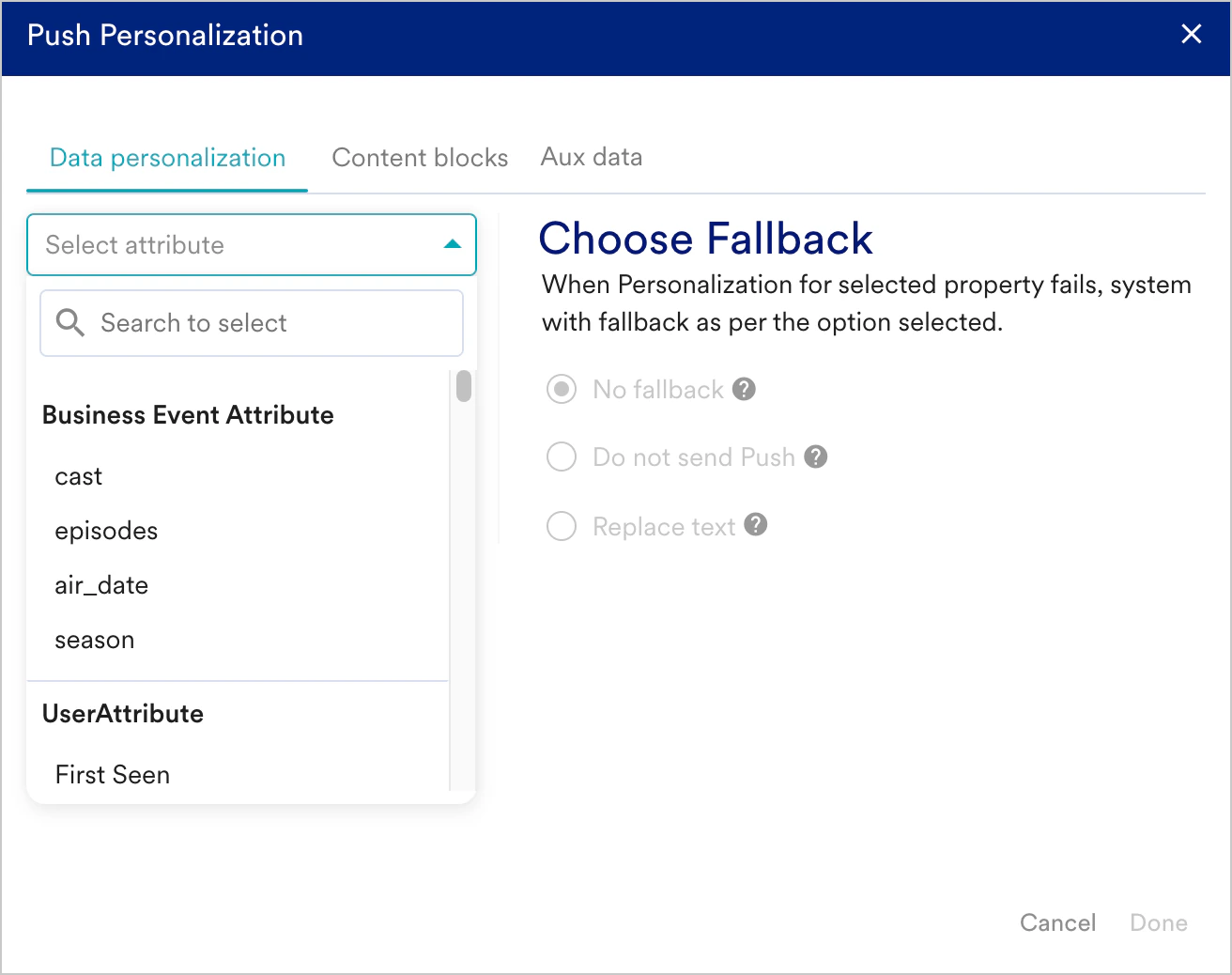
- Choose the attribute to be used for personalization and customize the message.
Campaign Attributes
You can create personalized content by adjusting messages based on campaign-specific details for reporting or analysis purposes. For example, you can add personalization to the Email campaign content by configuring the following attributes as dynamic attributes:- Campaign ID
- Campaign name
- Campaign tags
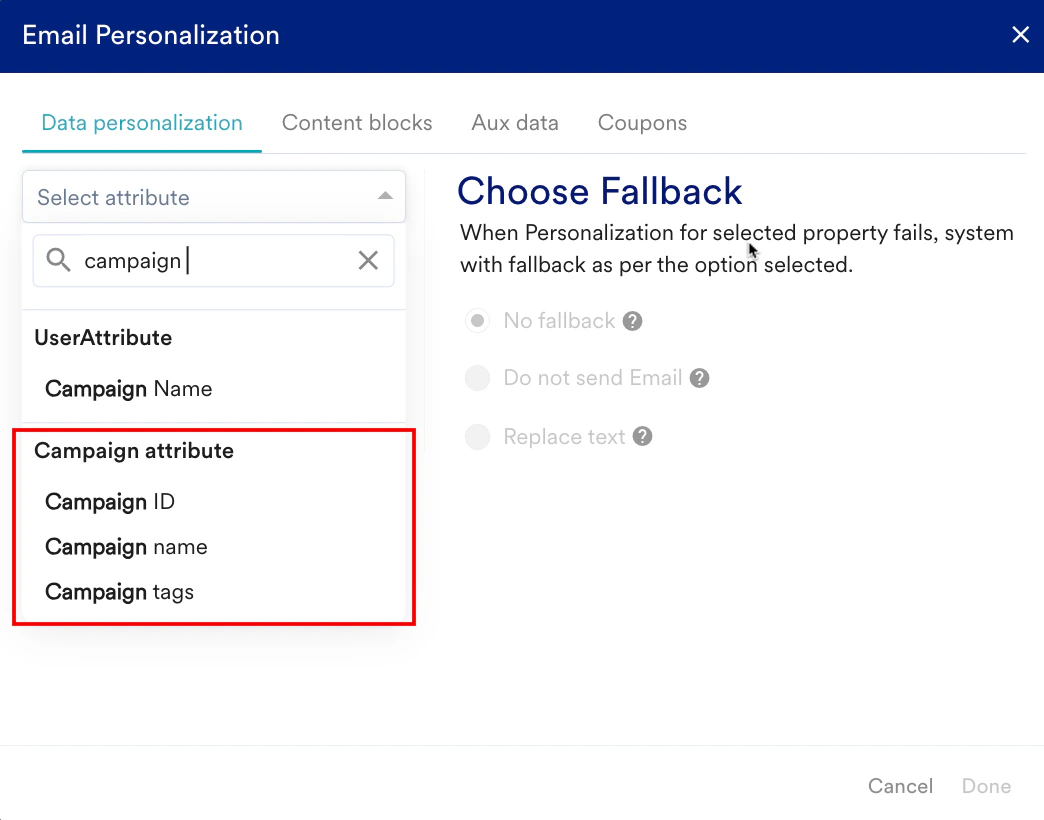
Recommendations
You can deliver personalized product set recommendations by selecting items from your catalog that align with user preferences, demographics, and shopping history. This approach tailors suggestions to meet individual customer needs, enhancing engagement and potential sales. For more information, see here.Example
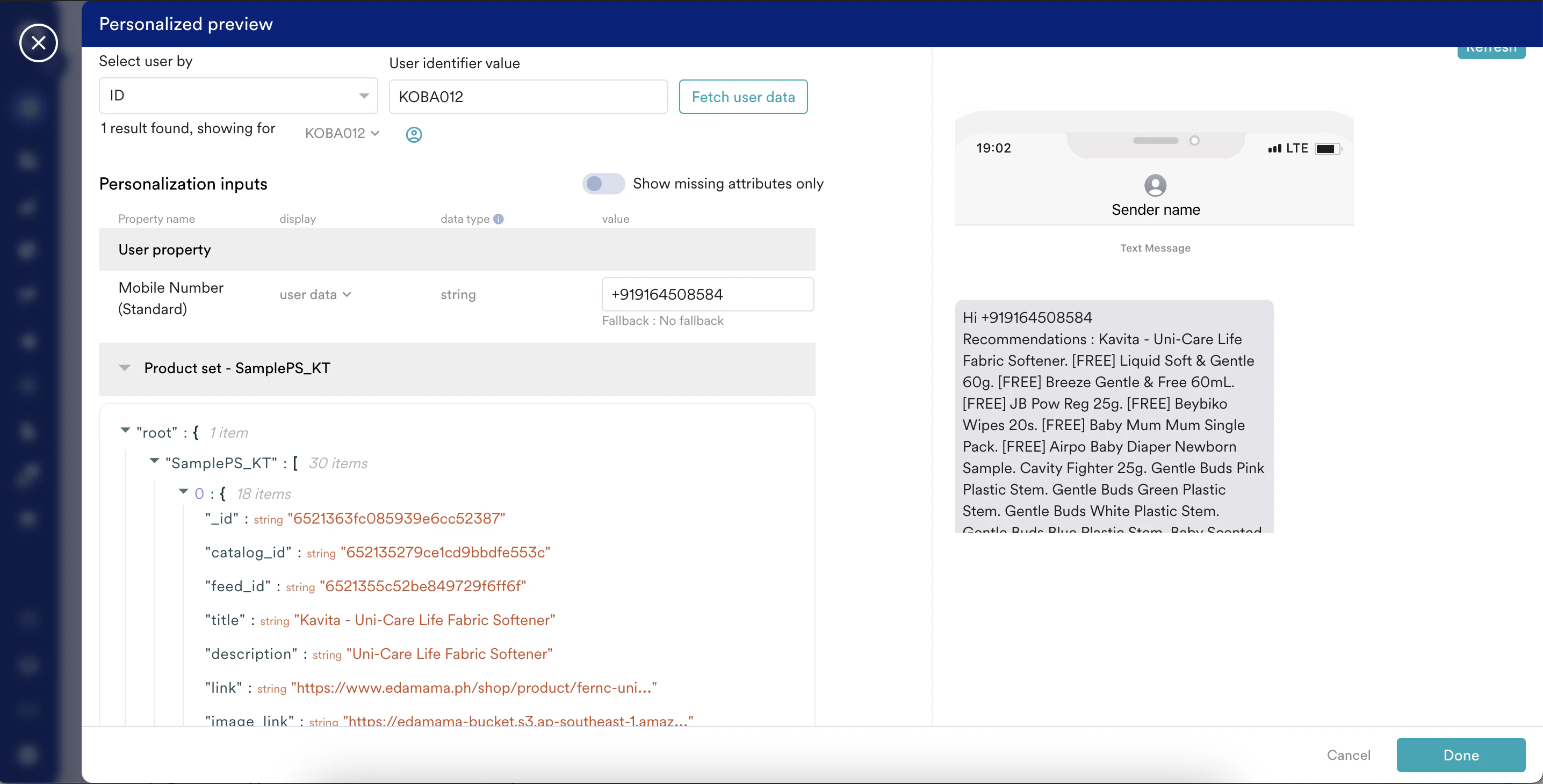
Content APIs
You can create personalized campaigns using Content APIs, which fetch data dynamically when sending messages based on recommendations, coupons, or other personalization APIs. This targeted and timely communication significantly improves engagement and conversion rates compared to generic campaigns. For more information, refer to Personalize Content Using Content APIs.Example
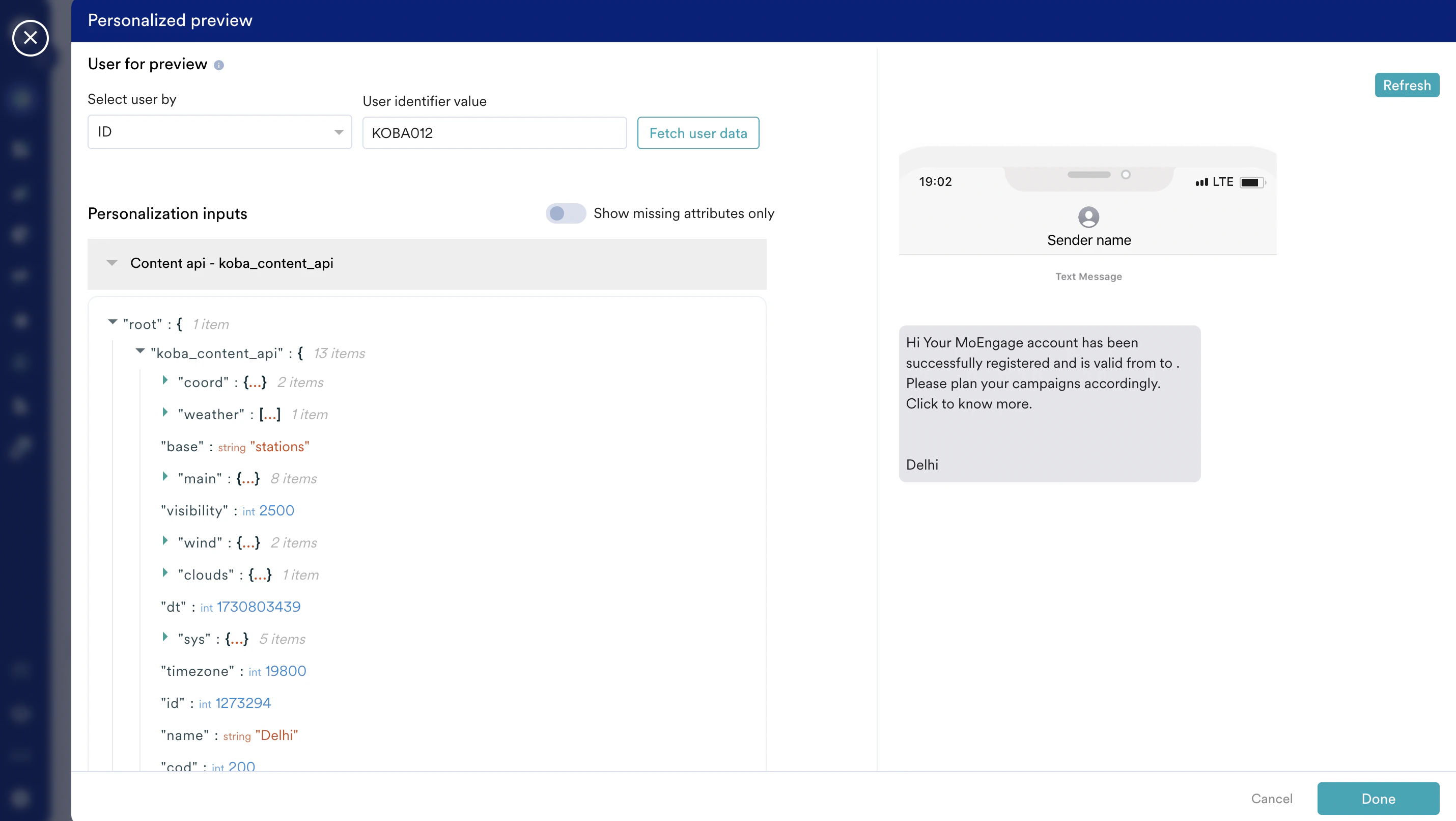
Content Blocks
You can use predefined content blocks to maintain consistency while tailoring messages with personalized text or visuals for each user. For more information, refer to Personalize Content Using Content Blocks.Example
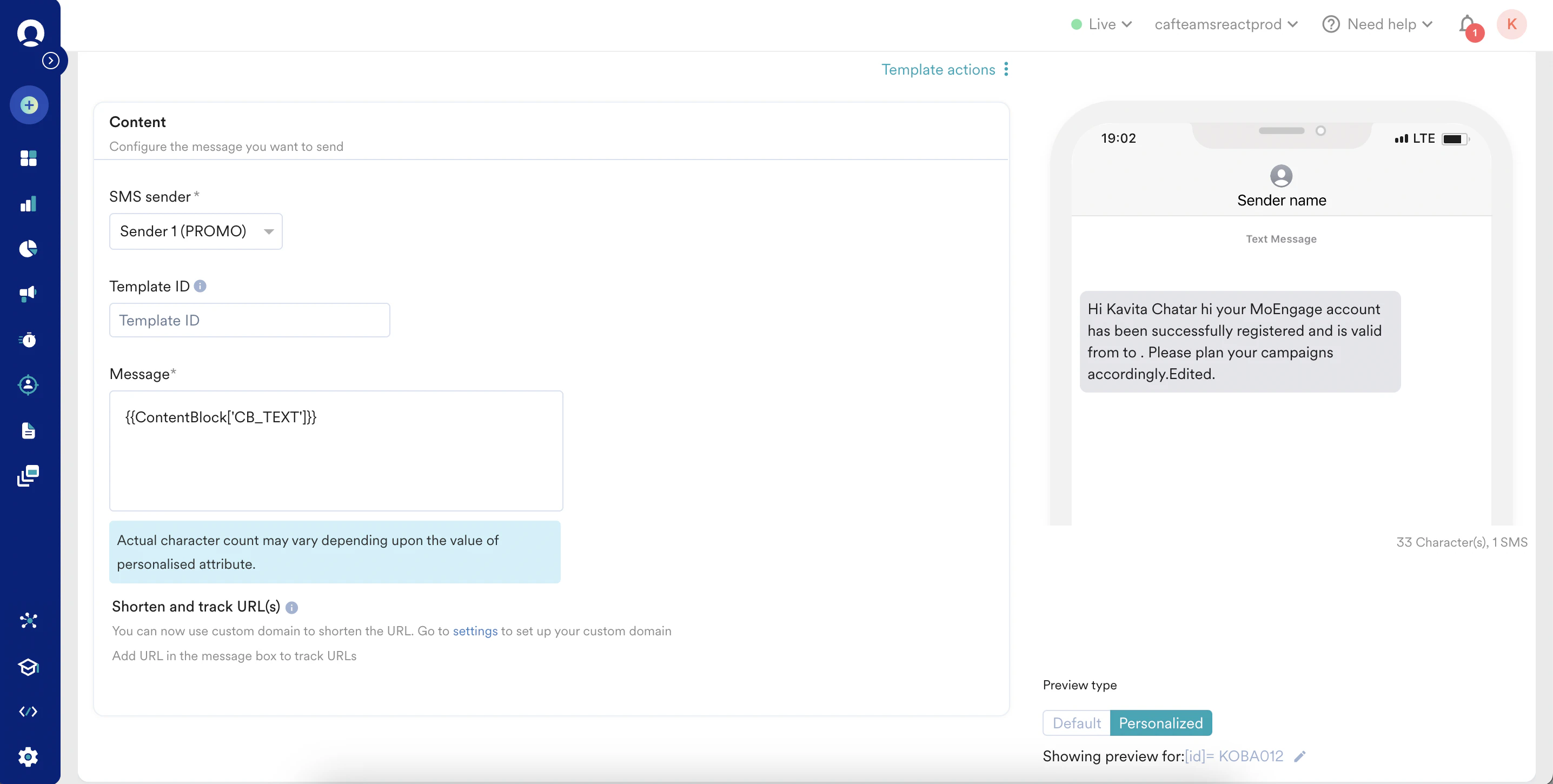
Auxiliary Data Attributes
Using auxiliary data points can provide deeper personalization, offering users a more tailored and context-rich experience. For more information, refer to Personalize Content Using Auxiliary Data.Example