

Early AccessAI Campaign Decisioning is available only for Push. To enable it for your workspace, contact your MoEngage Customer Success Manager (CSM) or the Support team.
Overview
Policy analytics show how a Campaign Decisioning Policy performs across all campaigns that use that policy. Performance is measured as uplift, which is the difference between the policy treatment group and the policy control group.- The policy treatment group includes end users who receive the policy campaigns.
- The policy control group is a randomly selected group of users who receive randomized messages from the policy. This group is used as a baseline to measure AI incremental impact.
Access Policy Analytics
Perform the following steps to access policy analytics.- On the left navigation menu in the MoEngage dashboard, click Decisioning, and then click Campaign decisioning policy.
- From the list, click the policy that you want to analyze.
- Click the Analytics tab.
Policy Analytics
Filter Data
You can filter policy analytics by date range and attribution type, such as click-through attribution.Policy Summary
The Policy summary cards provide a high-level view of policy impact compared with the control group. These cards show reward event uplift, brand engagement uplift, message interactions uplift, custom metrics uplift, campaigns sent, and decisions made. Each uplift metric is shown as a percentage versus the policy control group.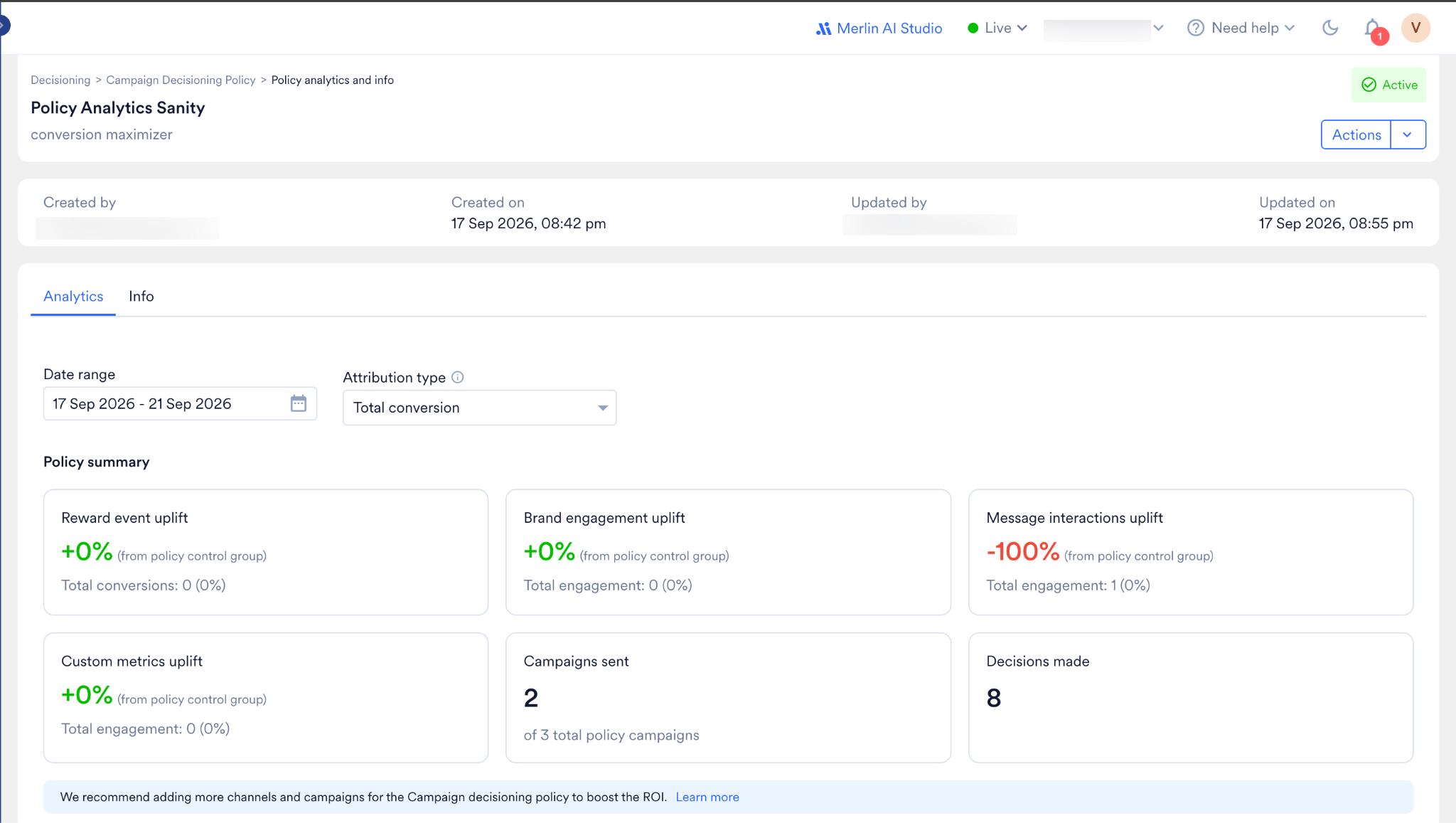
Policy Performance
The Performance summary table compares the policy treatment group with the policy control group. The table contains columns for Metric, Policy treatment group, Policy control group, and % Uplift. Metrics are grouped under Reward event, Brand engagement, Message interactions, and Custom metrics, and each group expands to show individual events.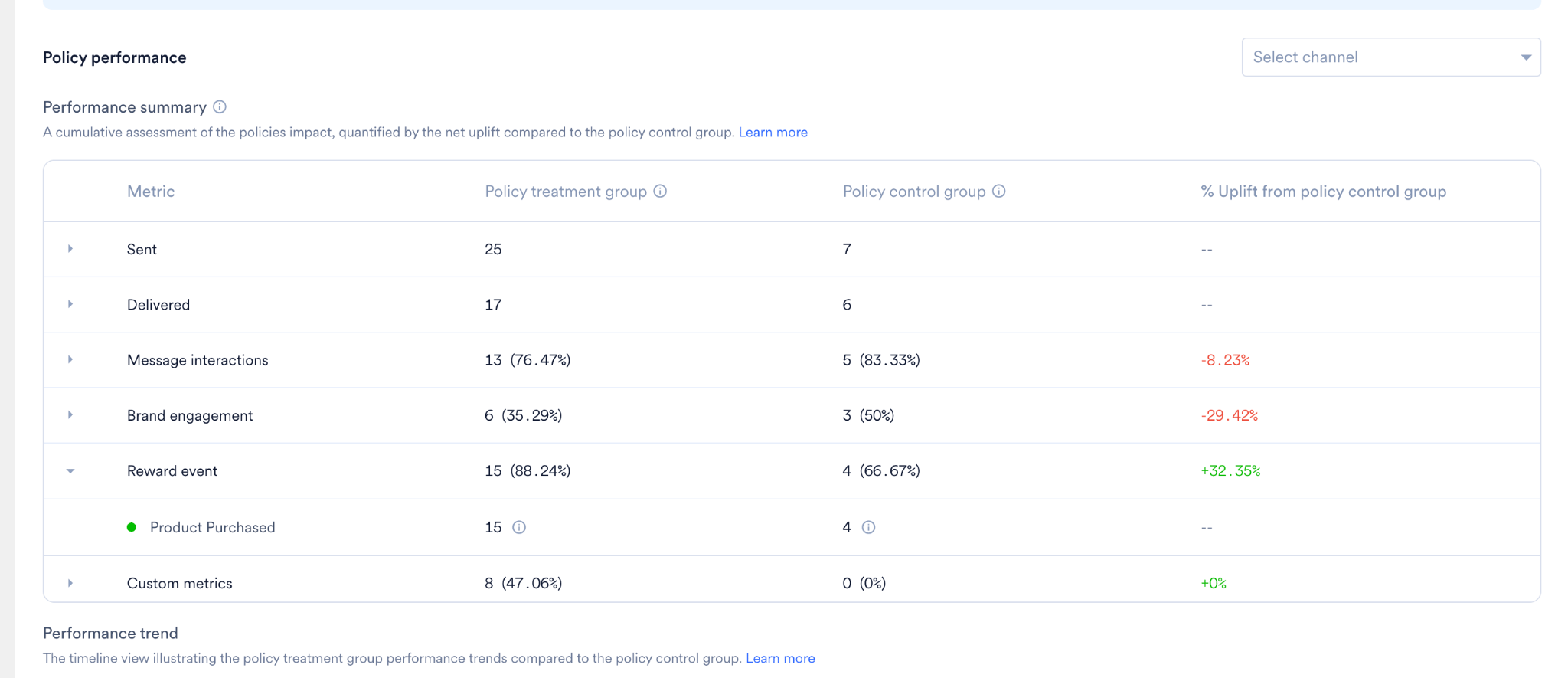
Performance Trend
The Performance trend chart shows how the policy treatment group and policy control group perform over time. You can filter by event category, view the data by Days, Weeks, or Months, and export the chart.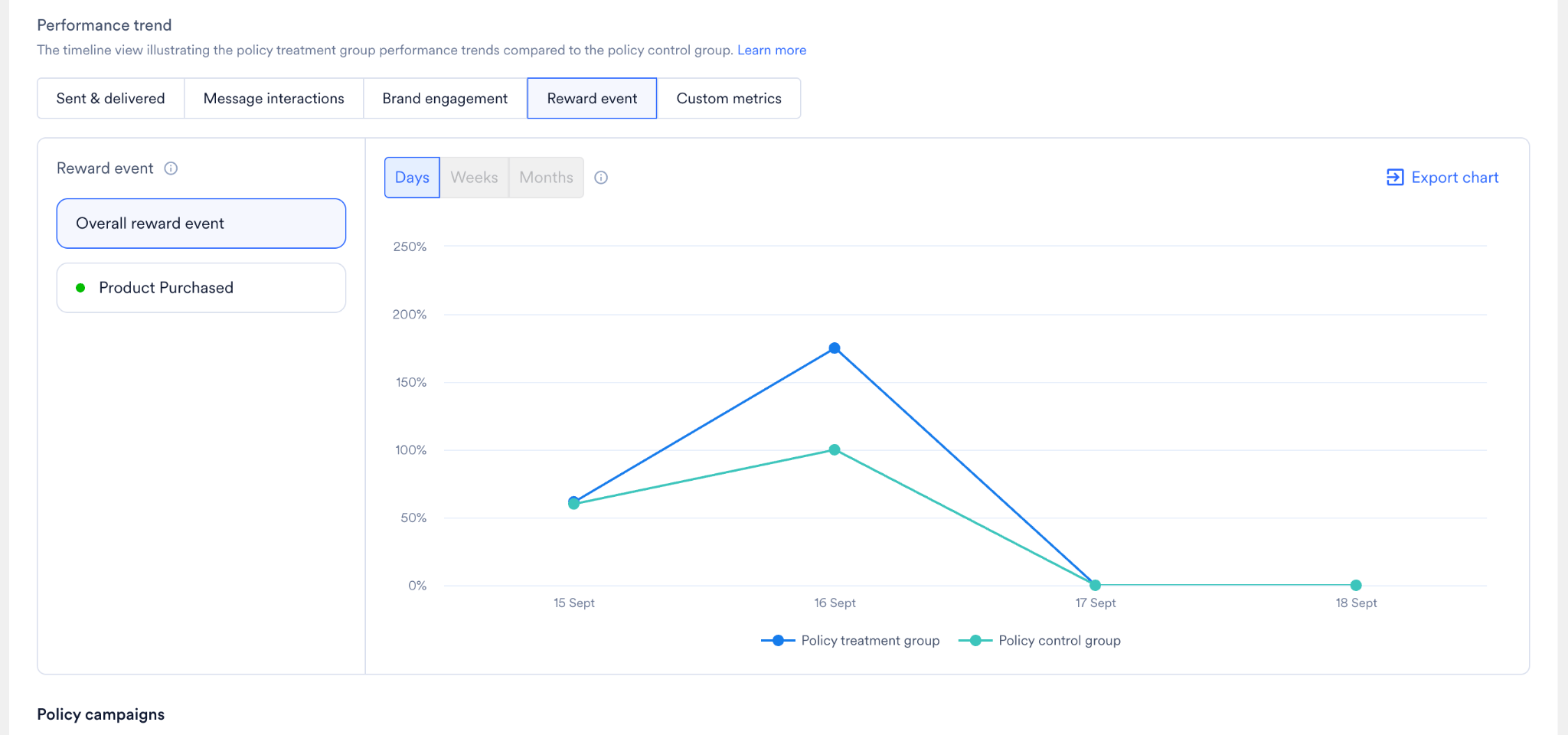
Policy Campaigns
The Policy campaigns section shows how the policy performs across channels and across individual campaigns. It has two parts: Channel performance and Campaign performance.Channel performance
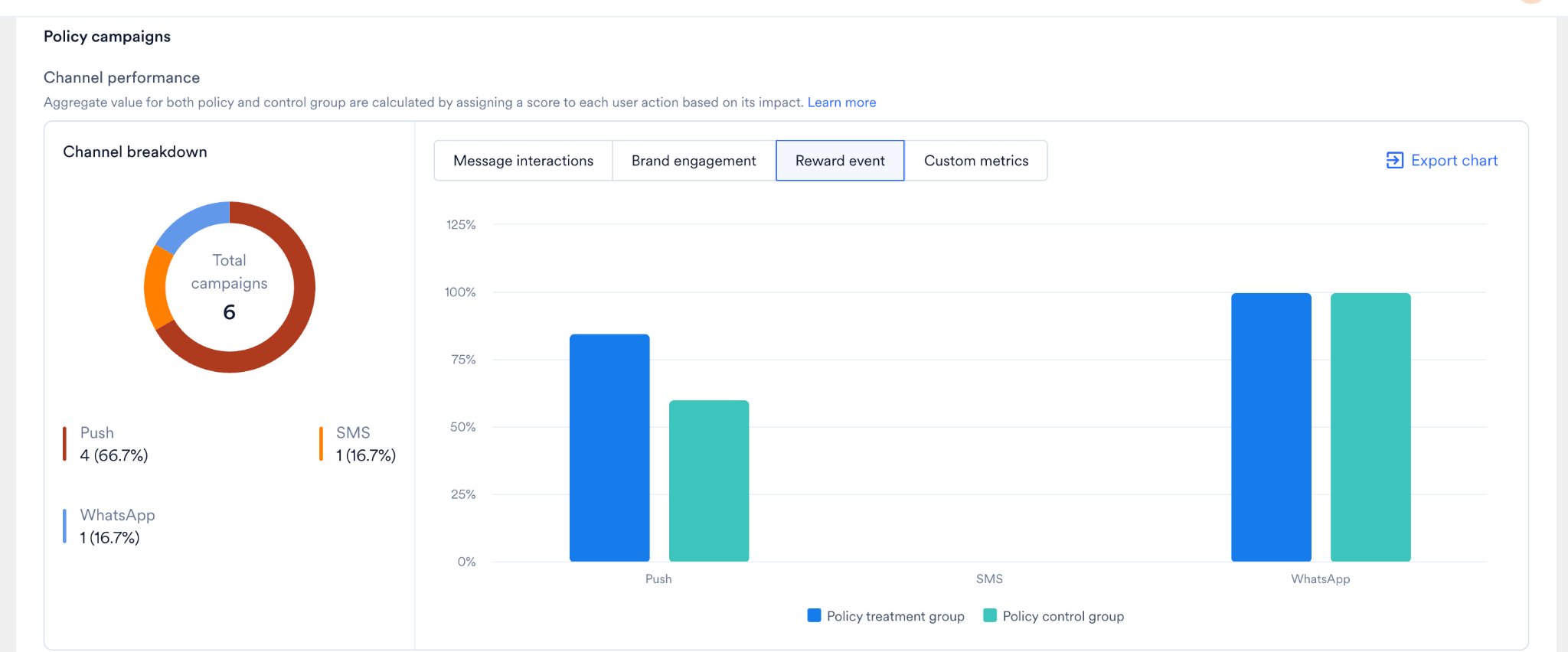
Channel performance compares the policy treatment group with the policy control group for each channel. Aggregate values for both groups are calculated by assigning a score to each user action based on its impact.- Channel breakdown shows the total number of campaigns in the policy and how they split across channels (for example, Push, SMS, and WhatsApp).
- The per-channel bar chart compares the treatment and control groups for each channel. You can switch between Message interactions, Brand engagement, Reward event, and Custom metrics, and export the chart.
Campaign performance
Campaign performance breaks down the individual campaigns that used the policy, relating decision volume to the performance of specific campaign copies. The table shows each campaign’s name, channel, published date, and metrics such as Sent, Delivered, Clicks (CTR), Brand engagement, Custom metrics, and Reward event. You can search by campaign name or ID and filter by channel and published date.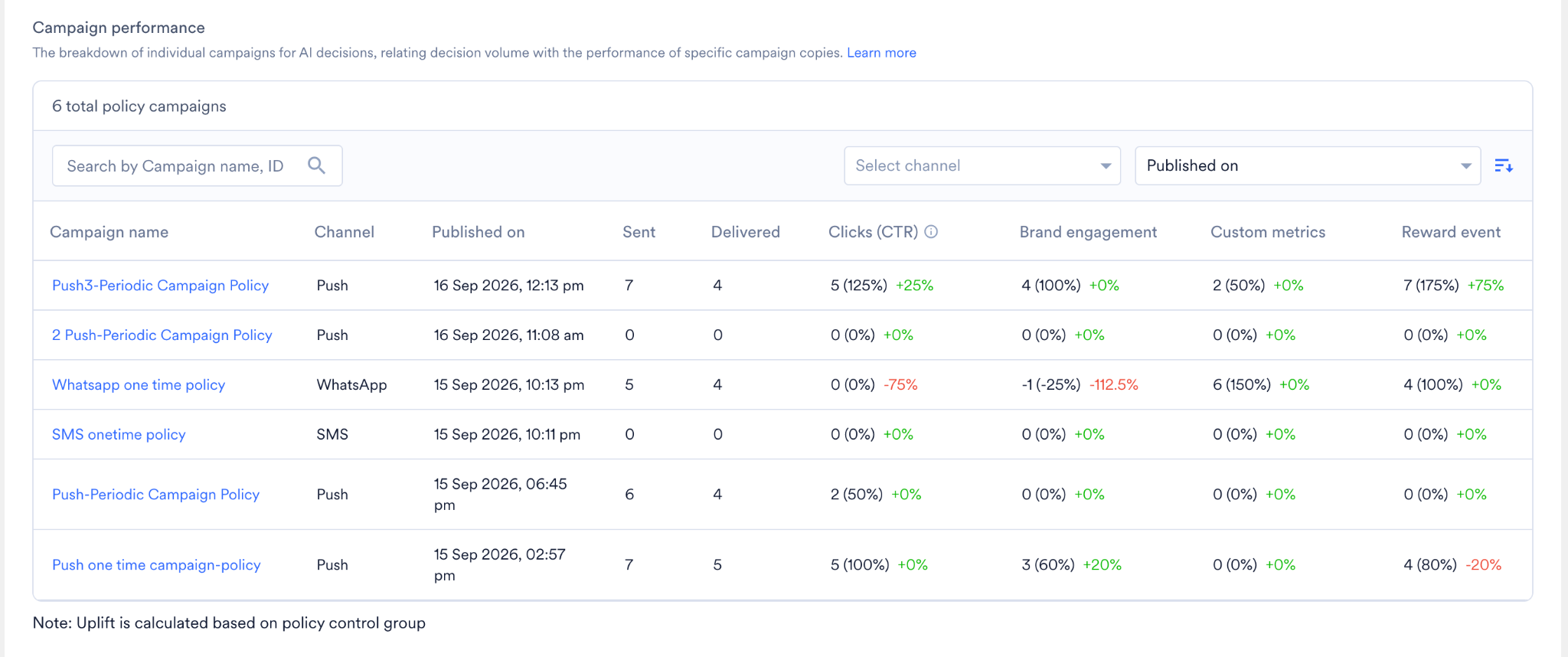
Policy Info
The Info tab shows the policy configuration, including target, send limits, time slots, control group, and performance metrics.Policy Performance Within a Campaign
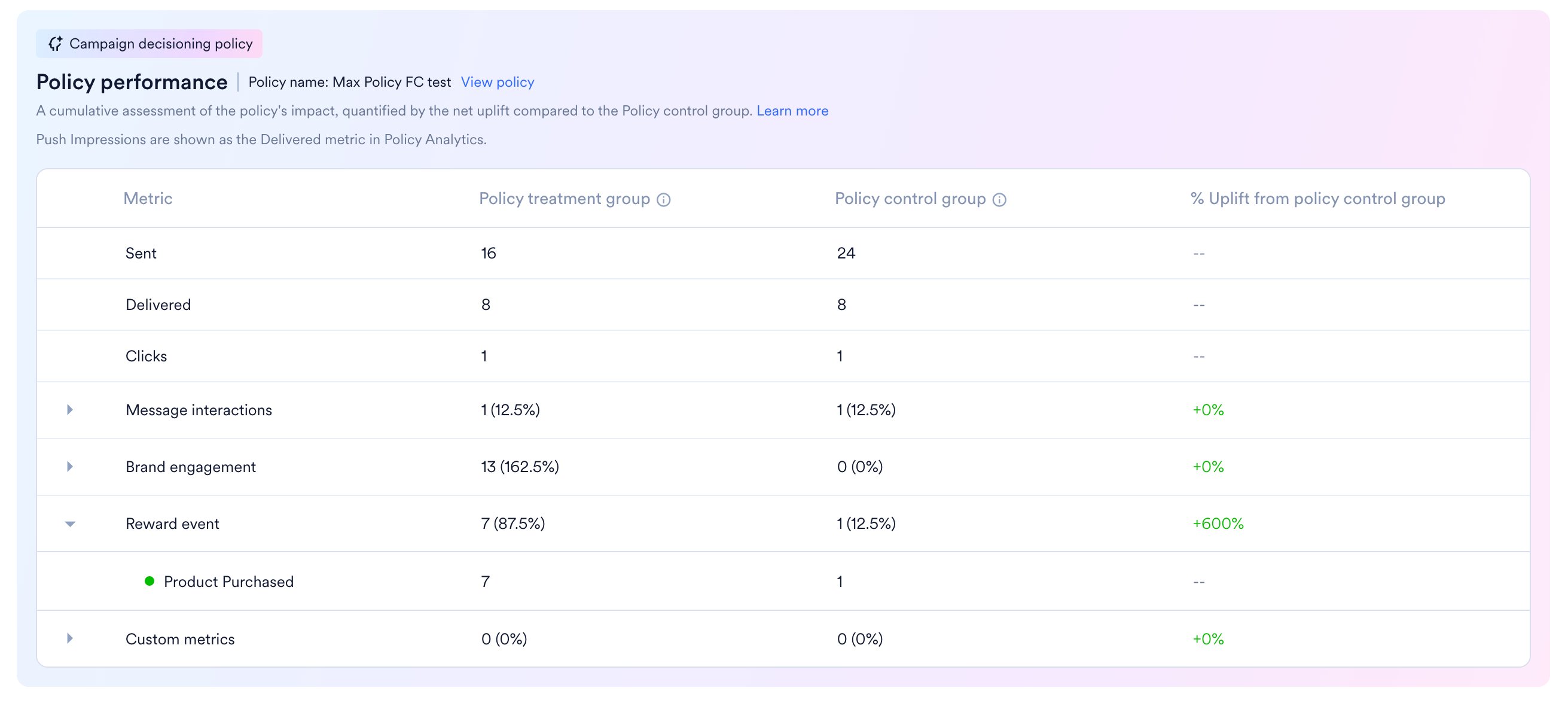
Campaigns sent using a Campaign Decisioning Policy show a Policy Performance section in the campaign analytics, along with the standard campaign statistics. This section shows:- The policy name
- A View Policy link
- A table comparing the policy treatment group and policy control group for the same metric categories.
The Policy Performance section is not available for Standard campaigns.