

- Segmentationでユーザーを検索します(Create Segment -> 検索結果で目的のユーザーをクリックするか、Create Segment画面上部の検索バーを使用してユーザーIDで特定のユーザーを検索します)。
- User Profileで、Activity Infoタブをクリックします。
- サポートされている各チャネルでは、次のイベントを確認できます。
- Push - Notification Sent iOS、Notification Sent Android、Notification Sent Web、Notification Clicked iOS、Notification Clicked Android、およびNotification Clicked Web
- SMS - SMS Sent、SMS Delivered
- Email - Email Sent、Email Delivered
- 以下に示すように、目的のイベントをクリックしてイベントの詳細を表示します。
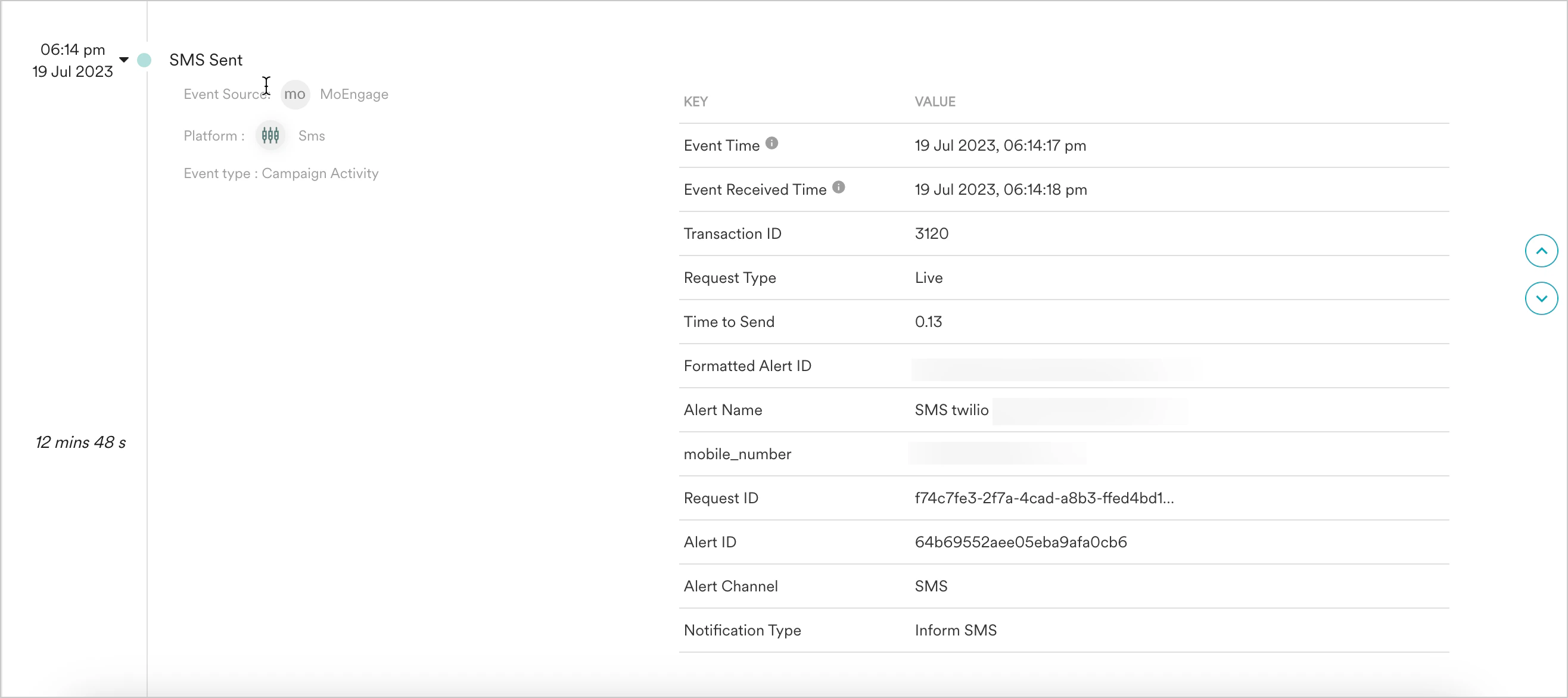
Activity Infoで確認できる情報
次の情報を確認できます。- イベント間の所要時間
- 各アラートイベントで確認できる情報: