To set up an API to be used during MoEngage campaigns, perform the following steps:
  1. Navigate to the MoEngage Dashboard > Settings > Advanced Settings.
  2. Click Content API.
  3. Click + Add content API. The Add content API screen pops up. Screenshot 2024-12-23 at 3.03.21 PM.png
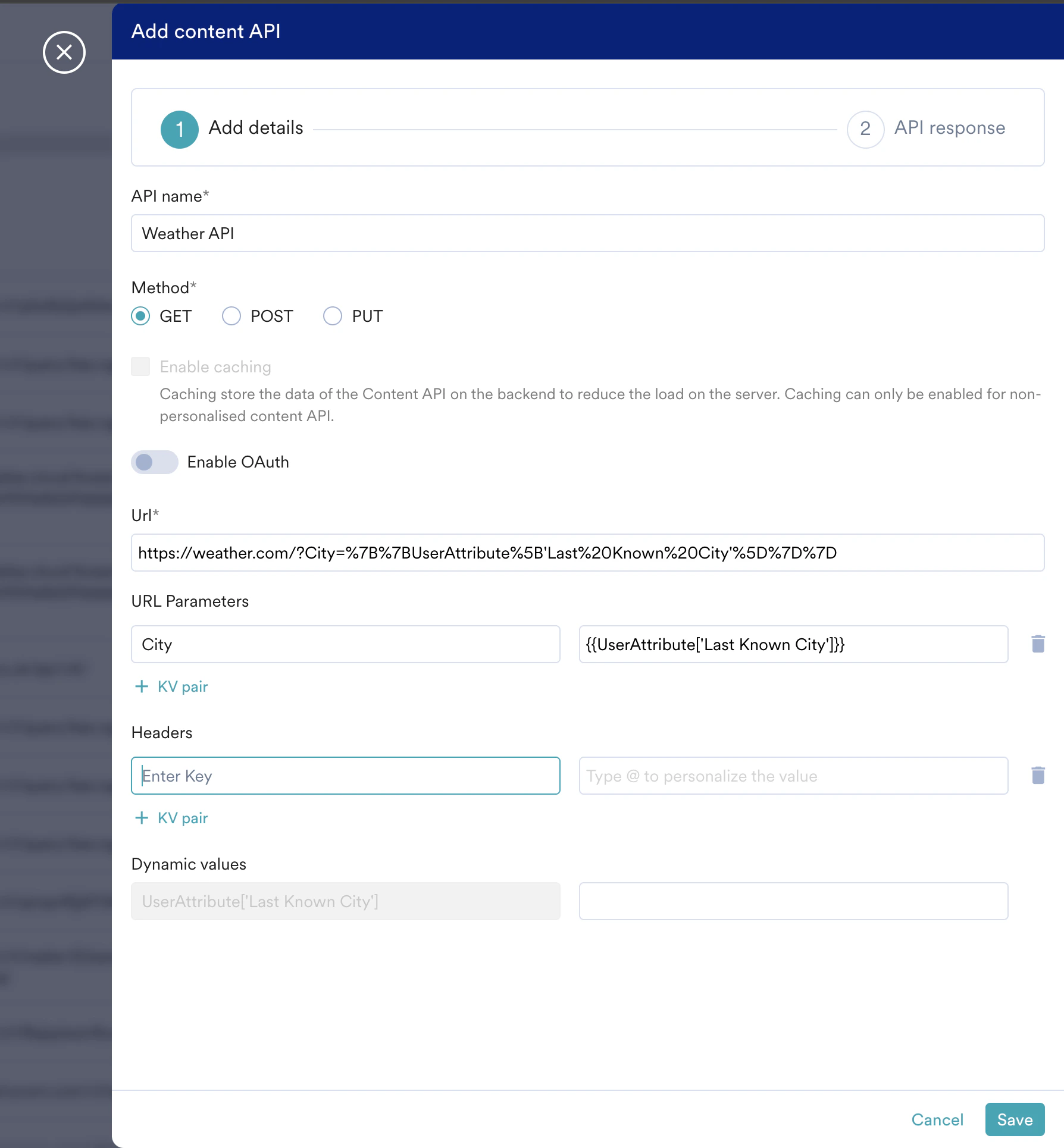
  4. Fill in the following details:
    FieldDescription
    API nameAdd the name for the content API here.
    MethodThe following methods are supported for Content APIs:
    • GET
    • POST
    • PUT
    Select the HTTP Request method of the content API being configured.

    Note: The POST option will be enabled on request. Contact your CSM or the MoEngage Support team to enable it.
    Enable OAuthEnable this toggle if the Content API requires OAuth 2.0 authentication. A dropdown menu appears, allowing you to select a pre-configured OAuth setting.
    To learn how to create and manage OAuth settings, refer to Authorization Configuration with OAuth 2.0.

    • Only OAuth configurations with an “Active” status will be available for selection in the dropdown.
    • If an active OAuth configuration used by your API expires, its status will change to “Failed”. When you edit the Content API, an error message is displayed, and you will need to select a new, active OAuth configuration.

    Note: The OAuth option will be enabled on request. Contact your CSM or the MoEngage Support team to enable it.
    URLAdd the URL of the Content API to which the request will be sent.
    URL ParametersAdd the URL parameters to be passed in the request. Click +KV pair if more than one URL parameter is required.
    HeadersAdd the Headers to be added to the request. Click +KV pair if more than one header is required.
    Dynamic valuesProvide a sample value for the parameters to ensure that the API is set up properly. You can select any user profile or event to populate these values.
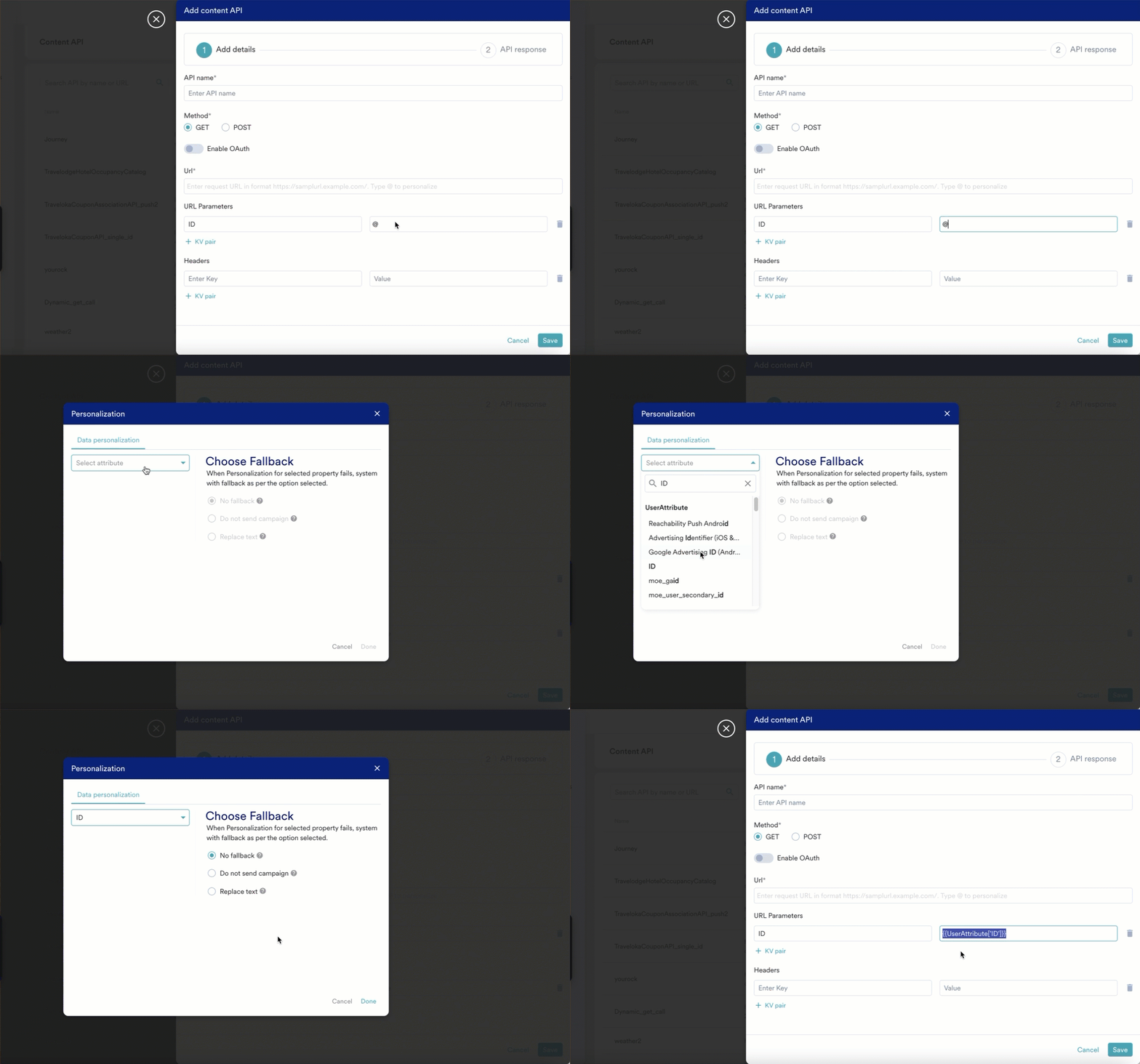
  5. To personalize the parameters, type @ and use the user attributes for personalization.
    For more information, refer to Derived Events & Attributes.
    Personalization in ContentAPI.gif